---
title: "Rule creation"
description: "Rule creation To export, select the desired rules and click the Export button: To import, click the 'Import' button and drag and drop the JSON file…"
url: https://whitespots.io/docs/whitespots-wiki/appsec-portal/features/auto-validator/rule-creation
slug: whitespots-wiki/appsec-portal/features/auto-validator/rule-creation
publish_date: 2025-11-13T18:00:34.000Z
last_modified: 2025-11-13T18:00:34.000Z
---
# Rule creation
# Rule creation
{% hint style="info" %}
You can **export** and **import** selected validation rules in JSON format.
{% endhint %}
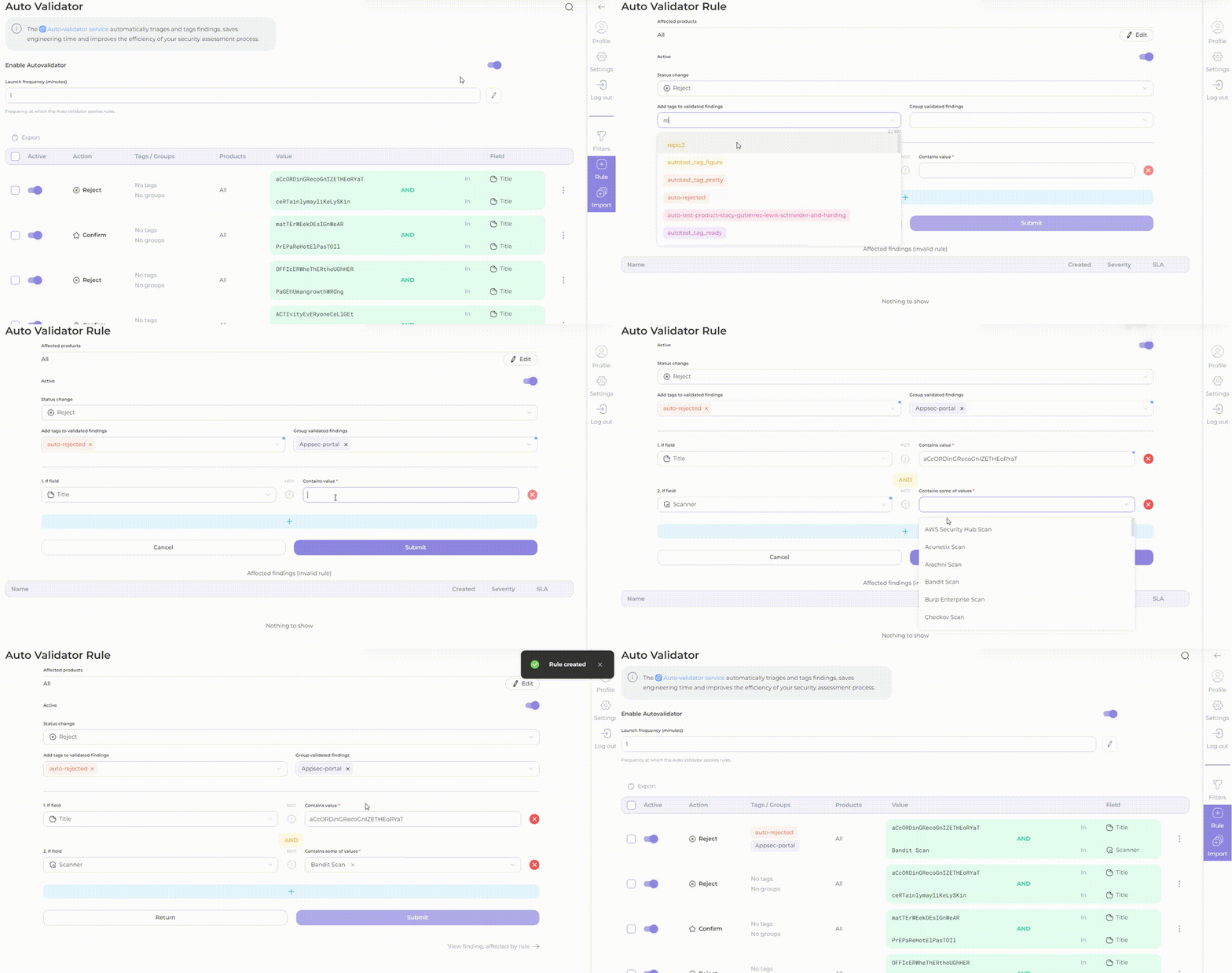
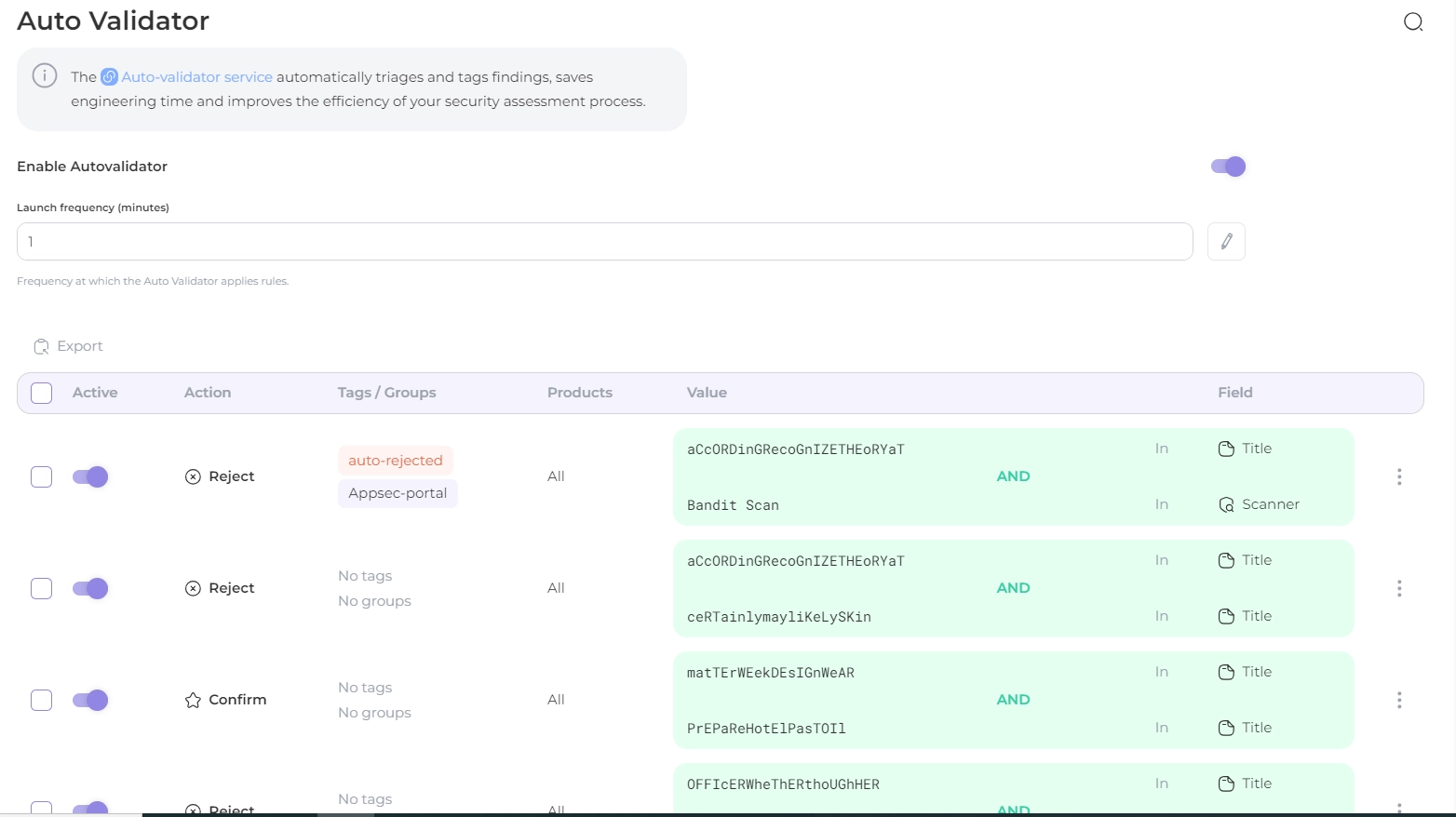
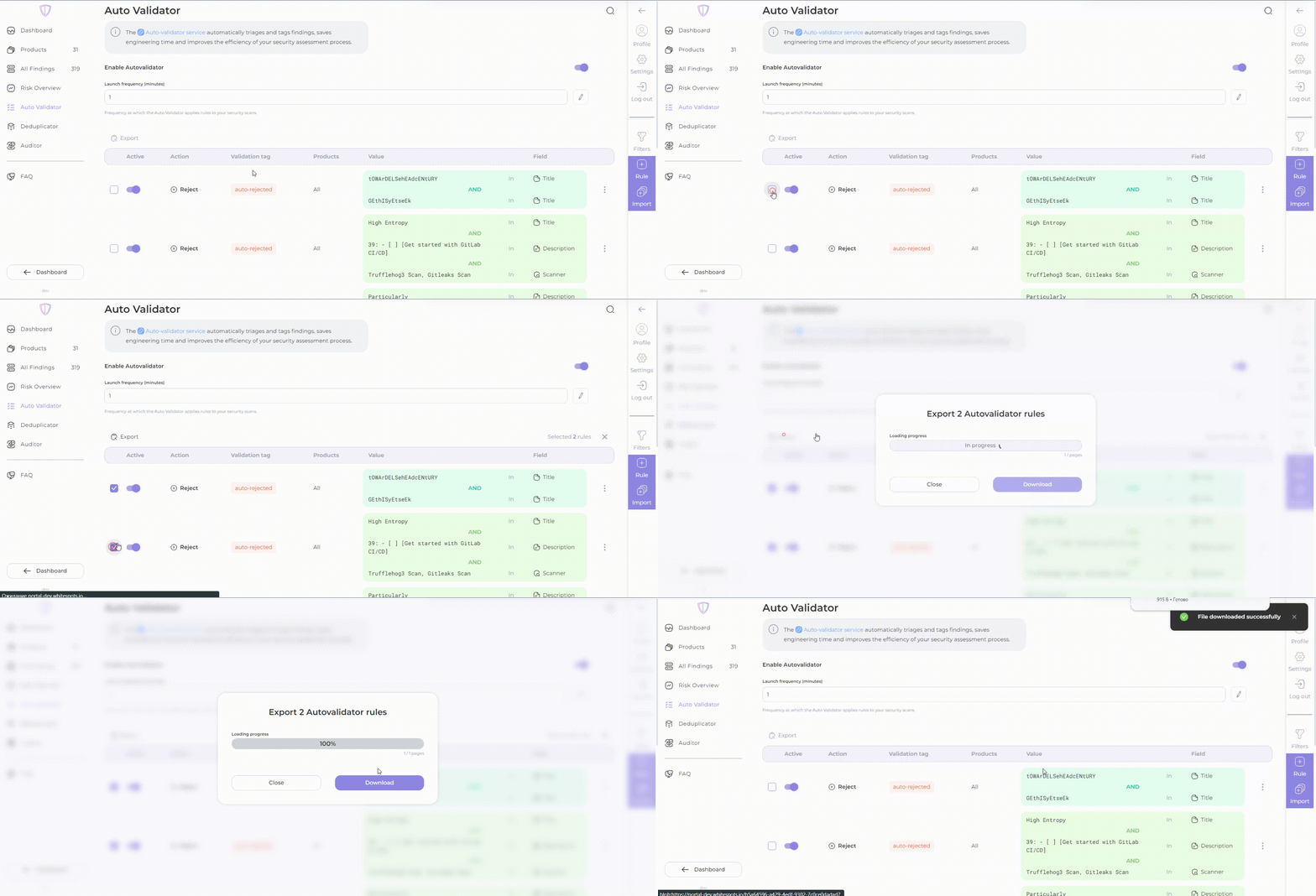
To export, select the desired rules and click the **Export** button:
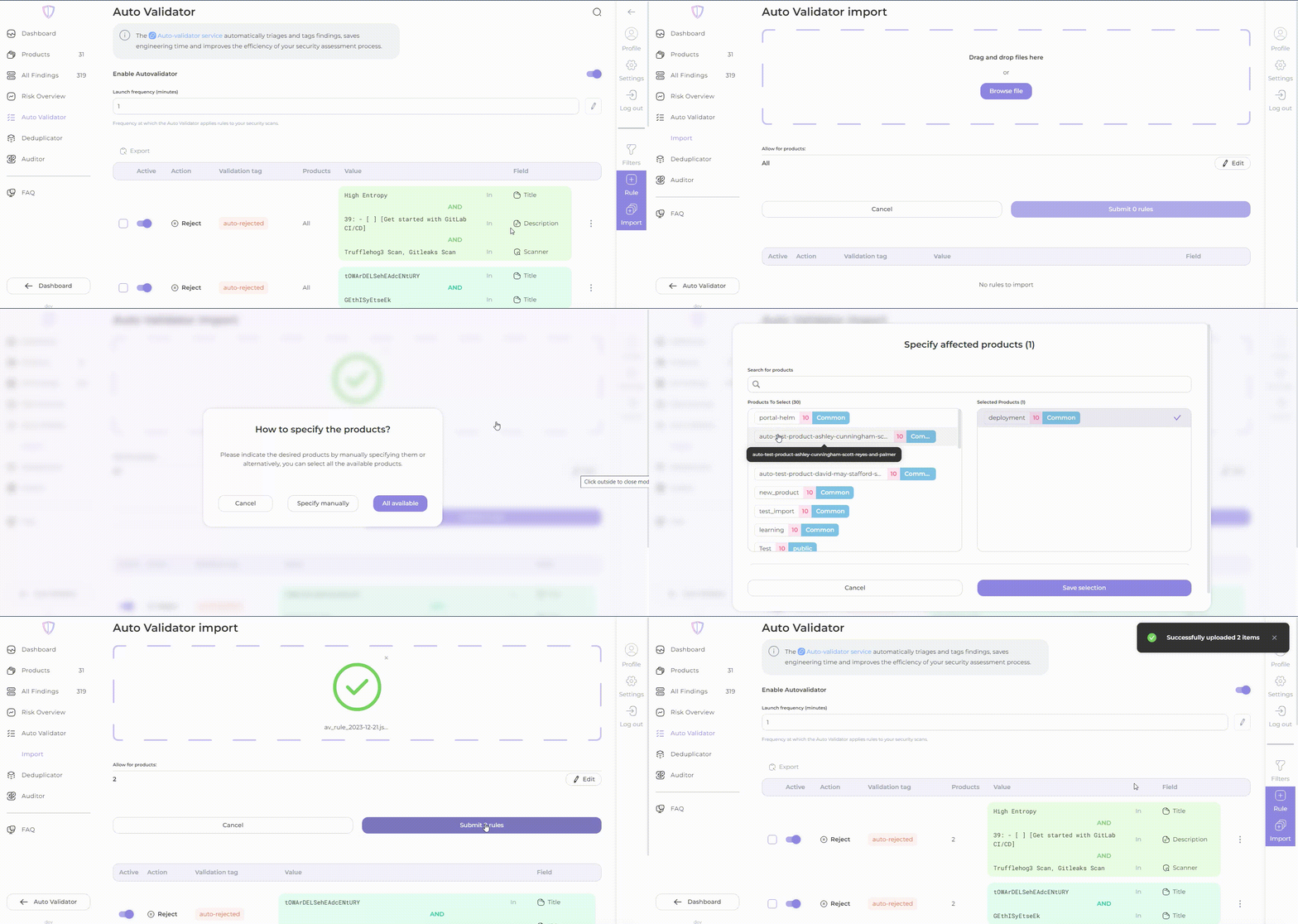
To import, click the '**Import**' button and drag and drop the JSON file containing the validation rules:
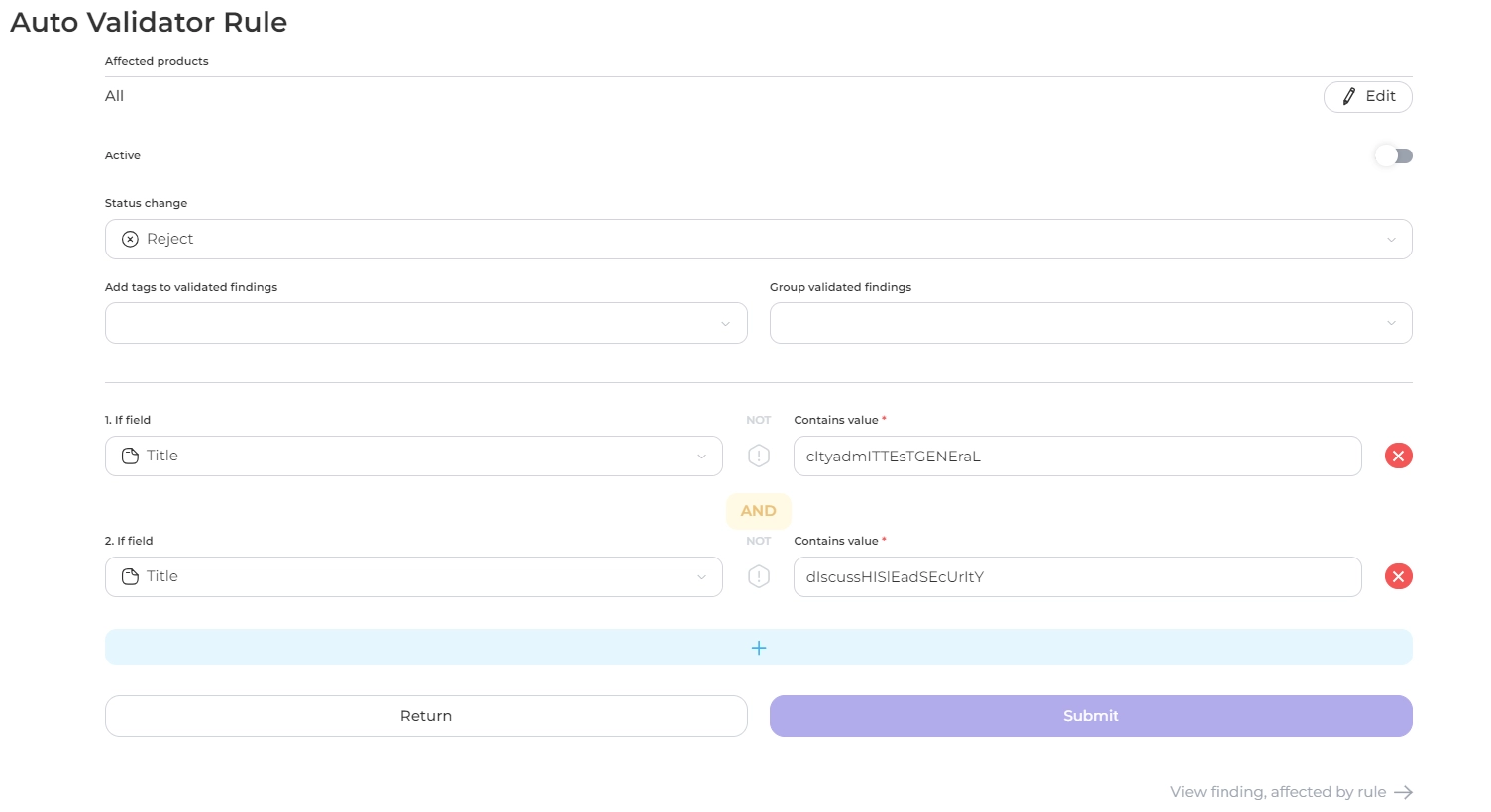
1. Add new rule for validation:
* decide what to do with findings if the right conditions are met: **reject, confirm, no, temporarily accept risk or permamently accept risk .** If **сonfirm** is selected, the validator will automatically create corresponding tasks in Jira. If **reject** is selected, findings will be excluded from future checks. If **No** is selected, entered **tag** or/and **group** will be assigned to findings in accordance with rule;
* automatically add tags to validated findings;
* automatically add group to validated findings;
* set conditions: specify the value you want to find or exclude, choose where to search (in the _title_, _description_, _file path, branch,_ _scanner_ name, _dependency_, _vulnerable_ _url_, _import_ _source_ (internal or external at your option);
* you can always combine conditions through **junction**, just click on the plus button.
{% hint style="info" %}
Get a quick overview of the potential impact of your rule with the _affected findings list_ in the Auto Validator's **rule creation view**.
{% endhint %}
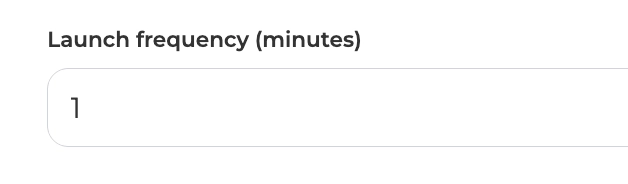
2. Set the **launch frequency** with which you want the rules to be applied (in minutes):
{% hint style="warning" %}
Note that changing in the execution frequency may require a **service restart** or the **creation of new rules** to apply to existing data.
{% endhint %}
3\. The validator finishes **before** you even think about making a _coffee_! ☕️
{% hint style="info" %}
Please note that the Auto Validator feature is limited to one validation rule in the free license. If you wish to use **more than one rule**, you will need to **upgrade to a paid license**.
{% endhint %}
---
## Navigation
- Location: [Docs](https://whitespots.io/docs) > [Whitespots Wiki](https://whitespots.io/docs/whitespots-wiki) > [AppSec Portal](https://whitespots.io/docs/whitespots-wiki/appsec-portal) > [🎯 Features](https://whitespots.io/docs/whitespots-wiki/appsec-portal/features) > [🎣 Auto Validator](https://whitespots.io/docs/whitespots-wiki/appsec-portal/features/auto-validator)
- Previous: [🎣 Auto Validator](https://whitespots.io/docs/whitespots-wiki/appsec-portal/features/auto-validator)
- Next: [Rules view](https://whitespots.io/docs/whitespots-wiki/appsec-portal/features/auto-validator/rules-view)
 To import, click the '**Import**' button and drag and drop the JSON file containing the validation rules:
 1. Add new rule for validation: