---
title: "Bring your own scanner"
description: "Bring your own scanner If your scanner generates json - we support it Requirements Json report as an example for us to parse it Docker image with scanner…"
url: https://whitespots.io/docs/whitespots-wiki/appsec-portal/features/bring-your-own-scanner
slug: whitespots-wiki/appsec-portal/features/bring-your-own-scanner
publish_date: 2025-12-27T16:25:29.000Z
last_modified: 2025-12-27T16:25:29.000Z
---
# Bring your own scanner
# Bring your own scanner
> **If your scanner generates json - we support it**
## Requirements
1. Json report as an example for us to parse it
2. Docker image with scanner
## Add job to auditor
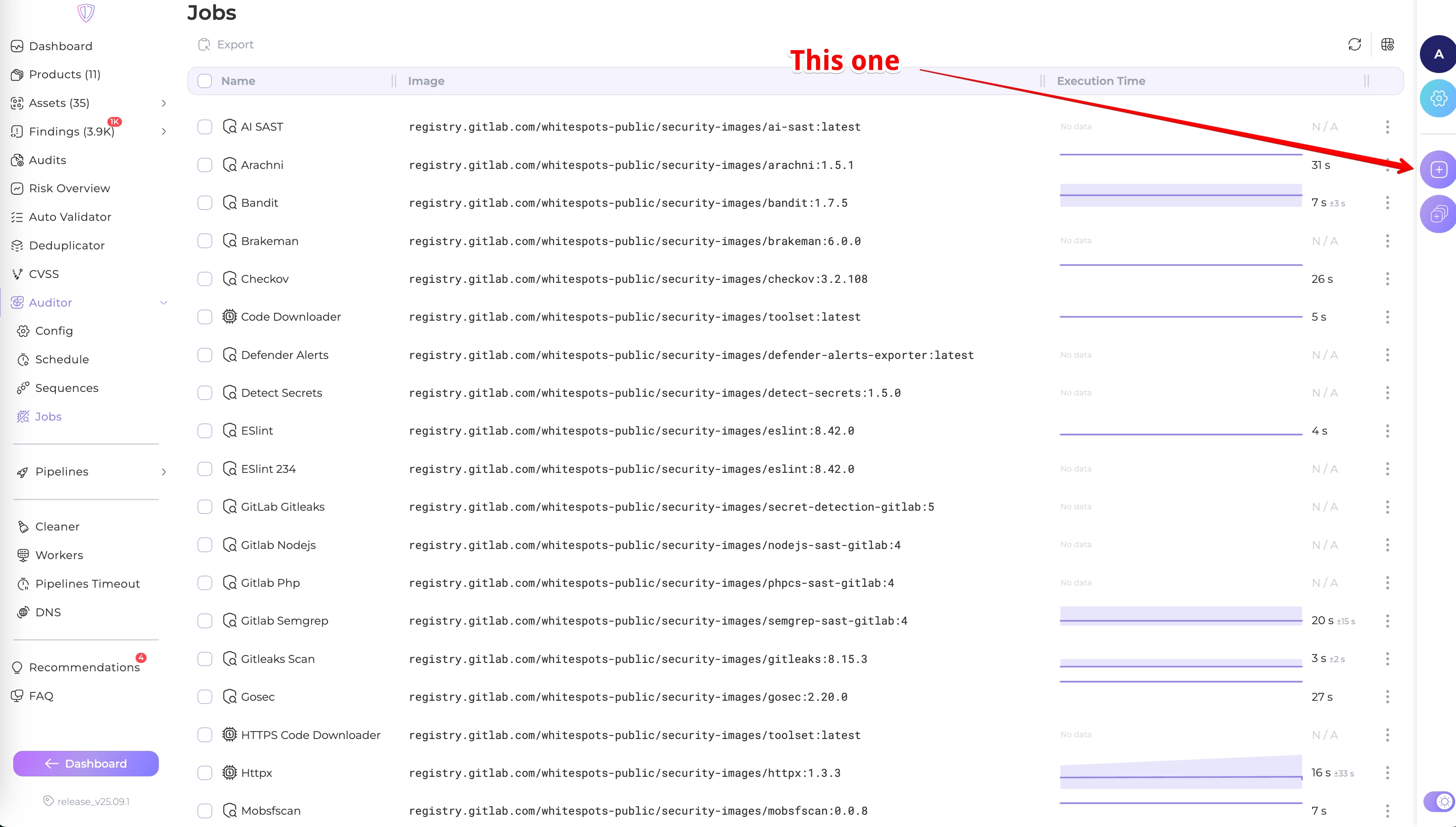
1. Navigate to Auditor->Jobs
2. Find a button on the right to create a new job
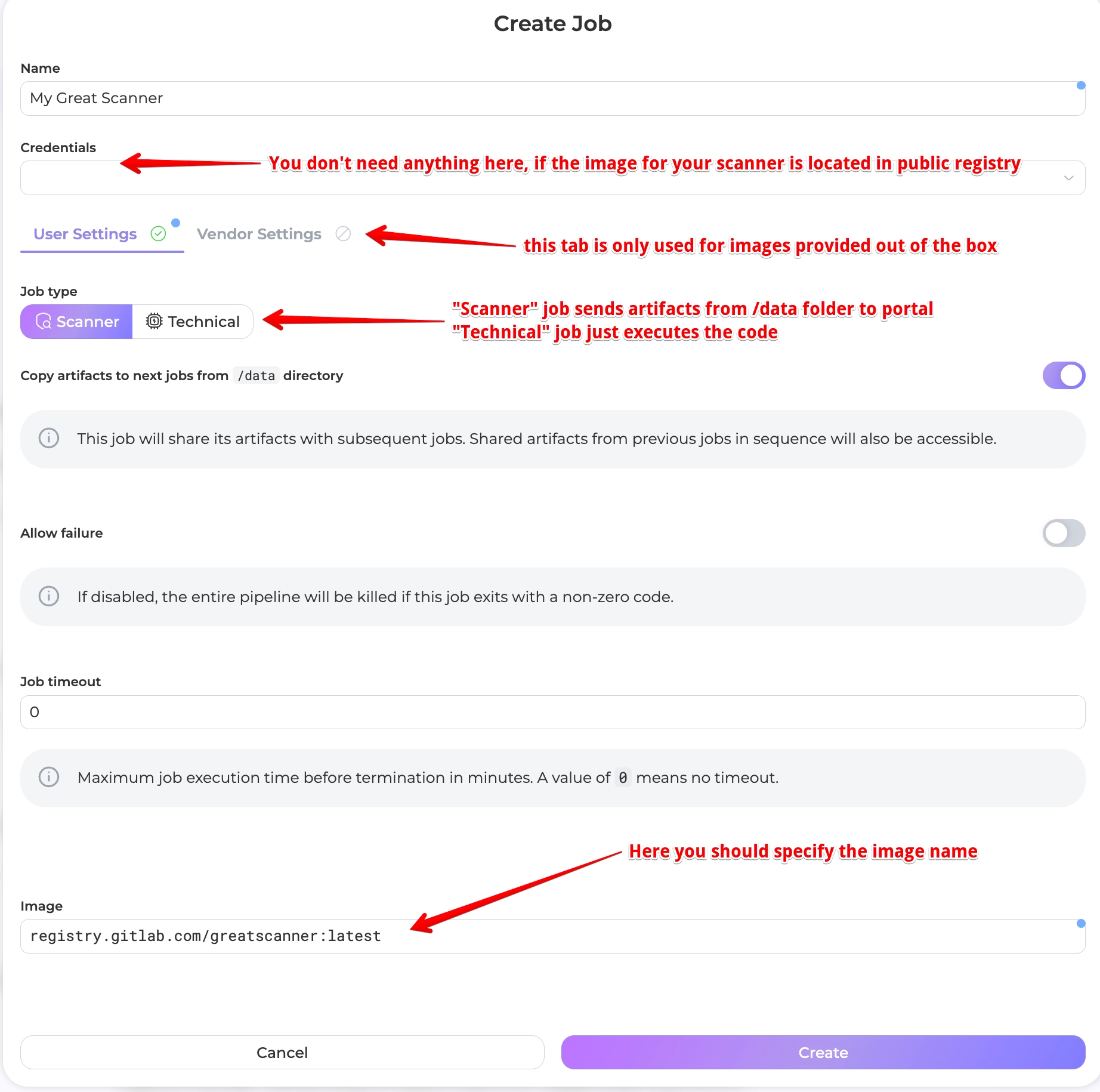
There are a lot of settings for jobs. If you find that hard to understand - take a look at any of our existing jobs
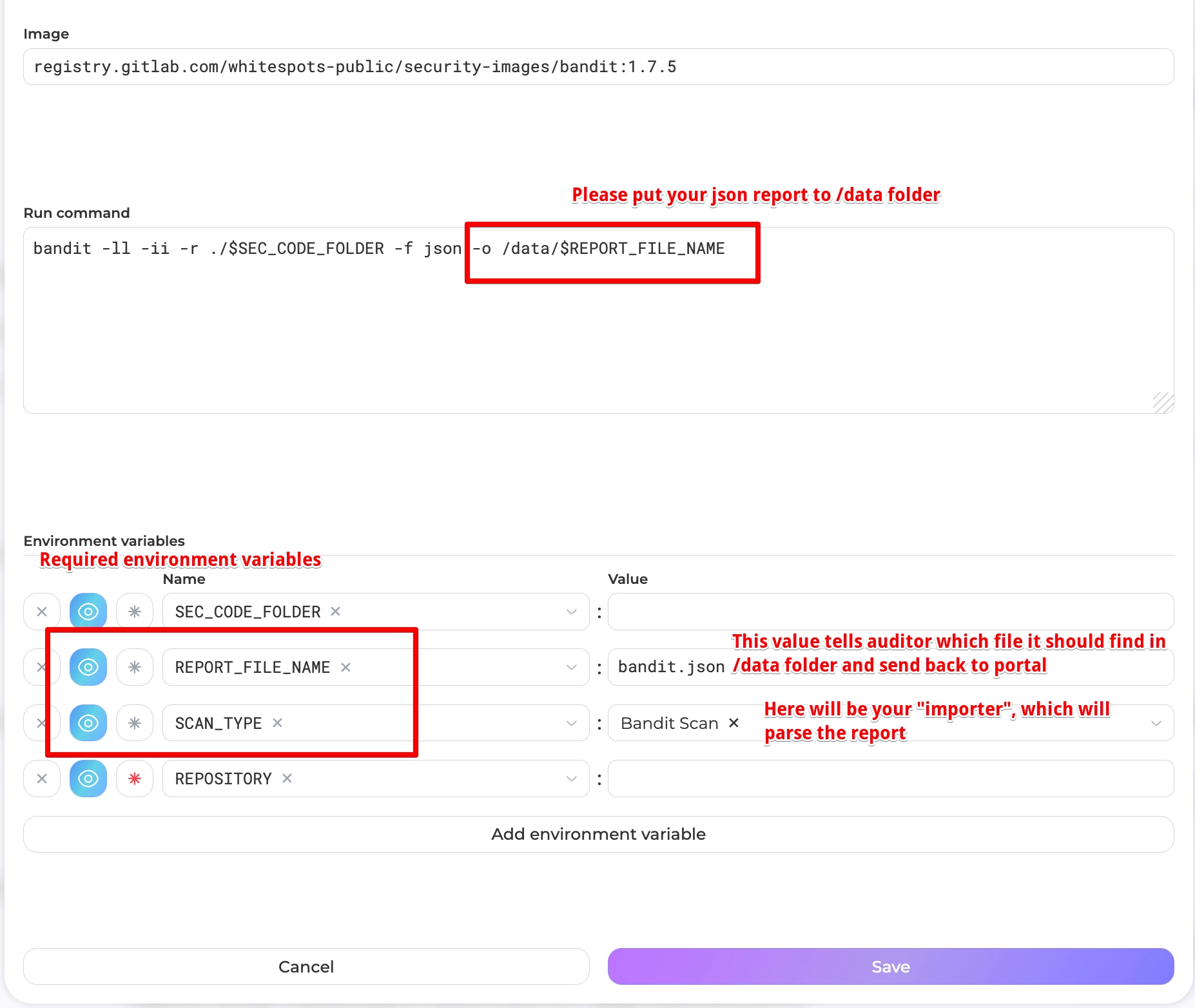
Ok, you put the image address, now it's time to describe how it works
## Add a new importer
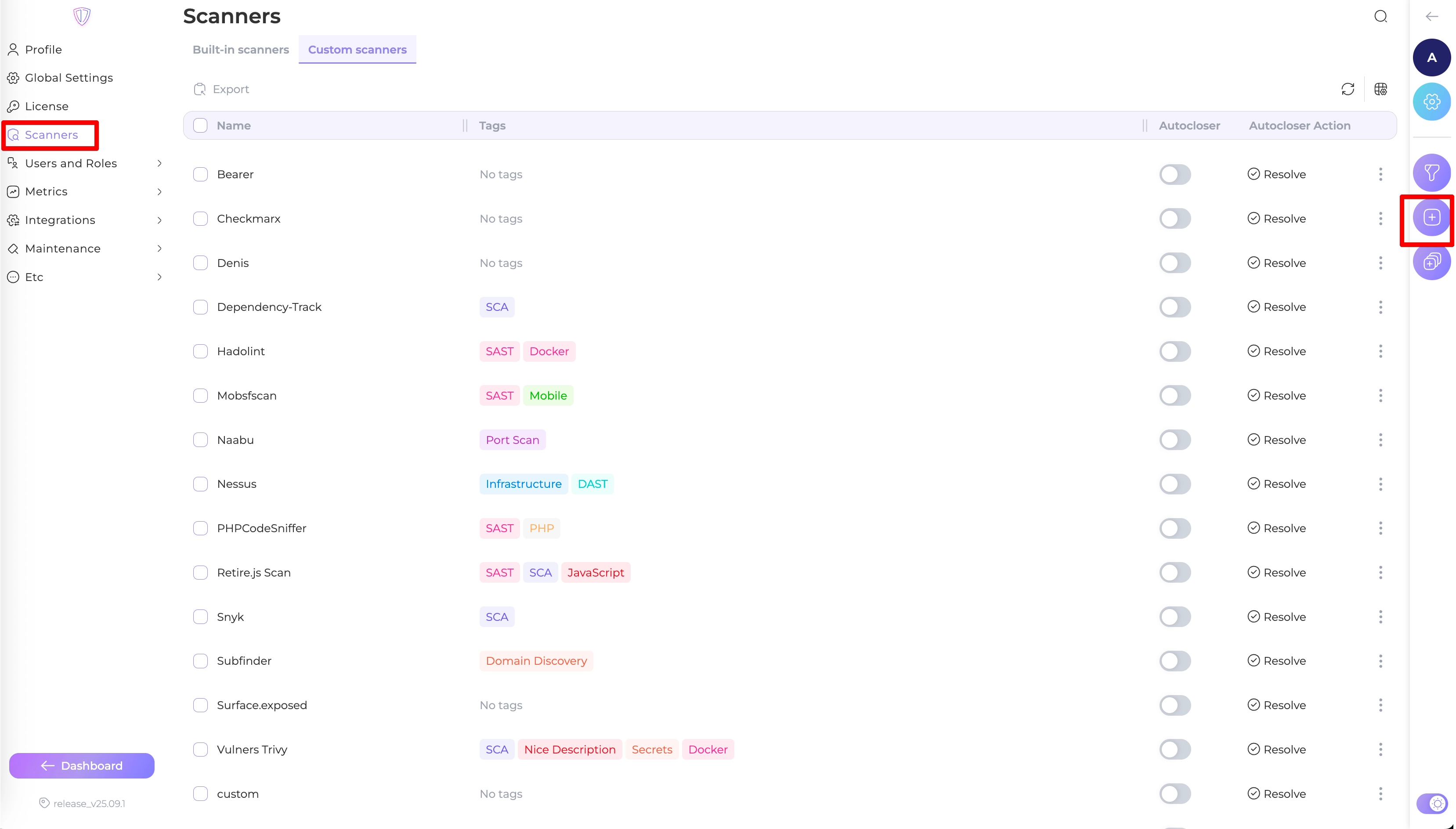
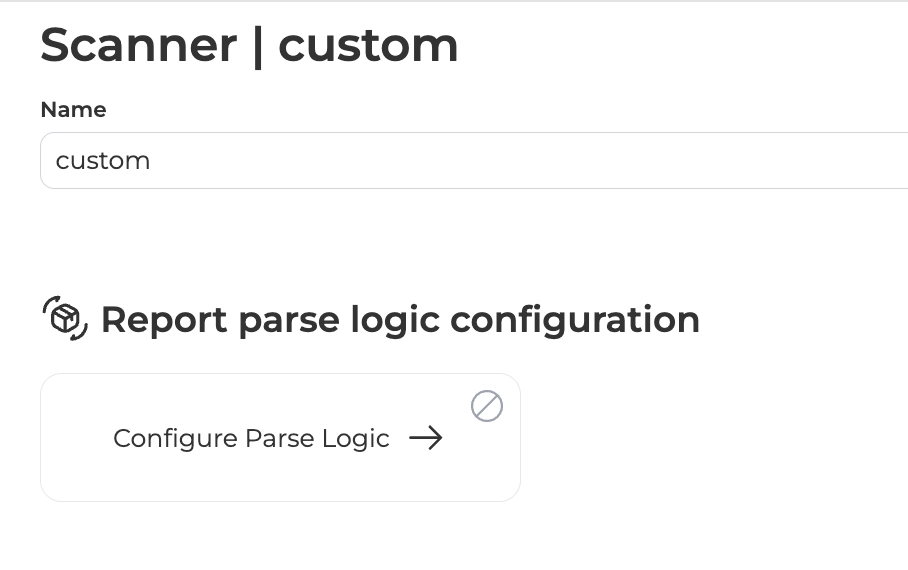
1. Navigate to Settings->Scanners
2. Create a new importer with preferable name
3. Go inside this scanner to configure the parse logic
4. Carefully follow the instructions (watch the video for more details)
{% embed url="https://www.youtube.com/watch?v=PCnAHVXimn4" %}
> **Important information**
>
> Not all scanners have CWE, some of them don't provide recommendations (as in example), only a few have proper severity table. That's normal for them. You may tweak it with portal. That's why we eat our bread :smile:
:tada: That's it. Now you can get back to auditor and set a new SCAN\_TYPE variable.
Put your job in a sequence and enjoy new checks.
PS. don't forget to create a rule in [deduplicator](https://whitespots.io/docs/whitespots-wiki/appsec-portal/features/deduplicator) service.
---
## Navigation
- Location: [Docs](https://whitespots.io/docs) > [Whitespots Wiki](https://whitespots.io/docs/whitespots-wiki) > [AppSec Portal](https://whitespots.io/docs/whitespots-wiki/appsec-portal) > [🎯 Features](https://whitespots.io/docs/whitespots-wiki/appsec-portal/features)
- Previous: [Rules view](https://whitespots.io/docs/whitespots-wiki/appsec-portal/features/auto-validator/rules-view)
- Next: [Custom Reports](https://whitespots.io/docs/whitespots-wiki/appsec-portal/features/custom-reports)