---
title: "⚙️ Advance Deduplicator rules"
description: "To set up a rule for Deduplicator, follow the steps below"
url: https://whitespots.io/docs/whitespots-wiki/appsec-portal/features/deduplicator/advance-deduplicator-rules
slug: whitespots-wiki/appsec-portal/features/deduplicator/advance-deduplicator-rules
publish_date: 2025-11-13T18:00:34.000Z
last_modified: 2025-11-13T18:00:34.000Z
---
# ⚙️ Advance Deduplicator rules
# ⚙️ Advance Deduplicator rules
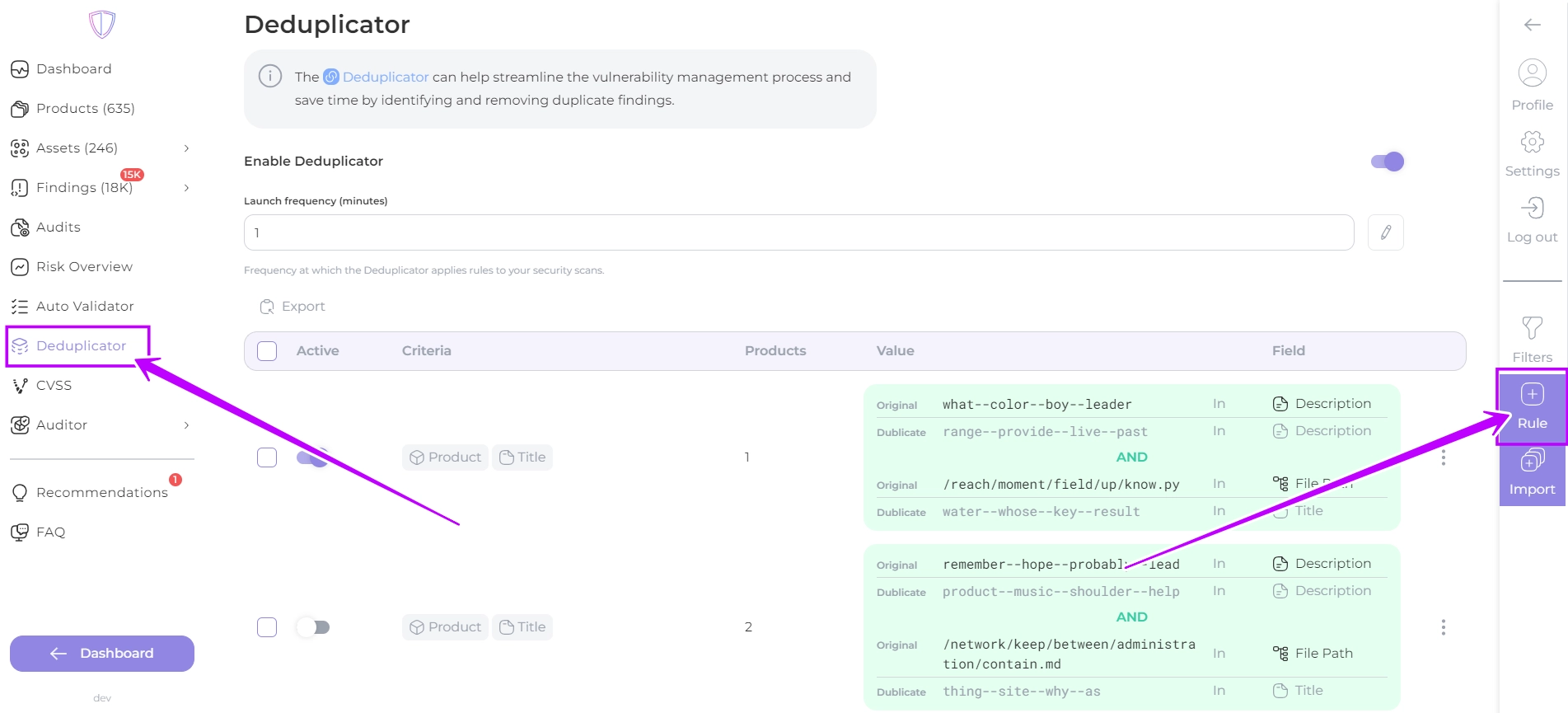
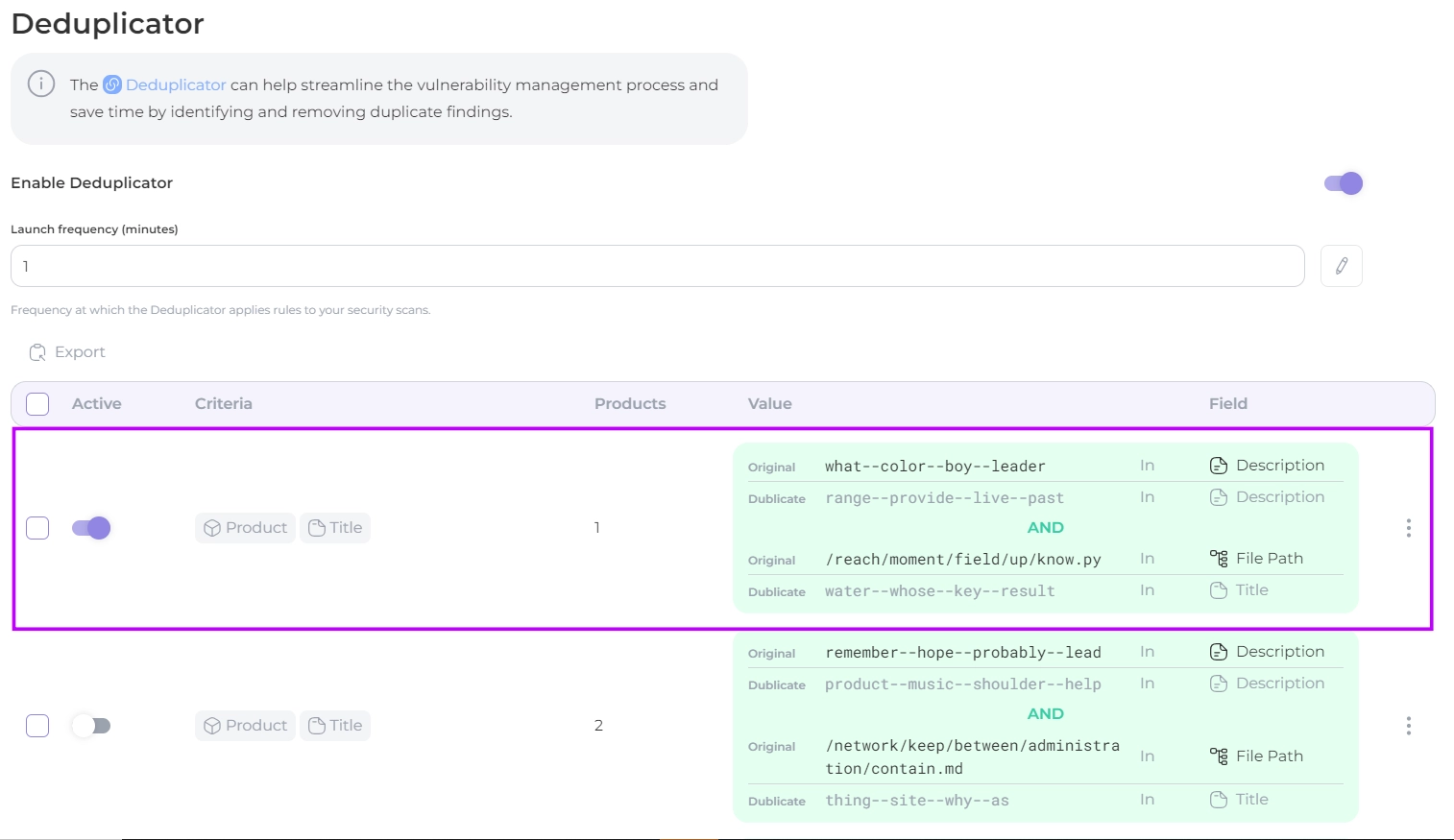
1. Select the **Deduplicator**, followed by clicking on the **Rule** button
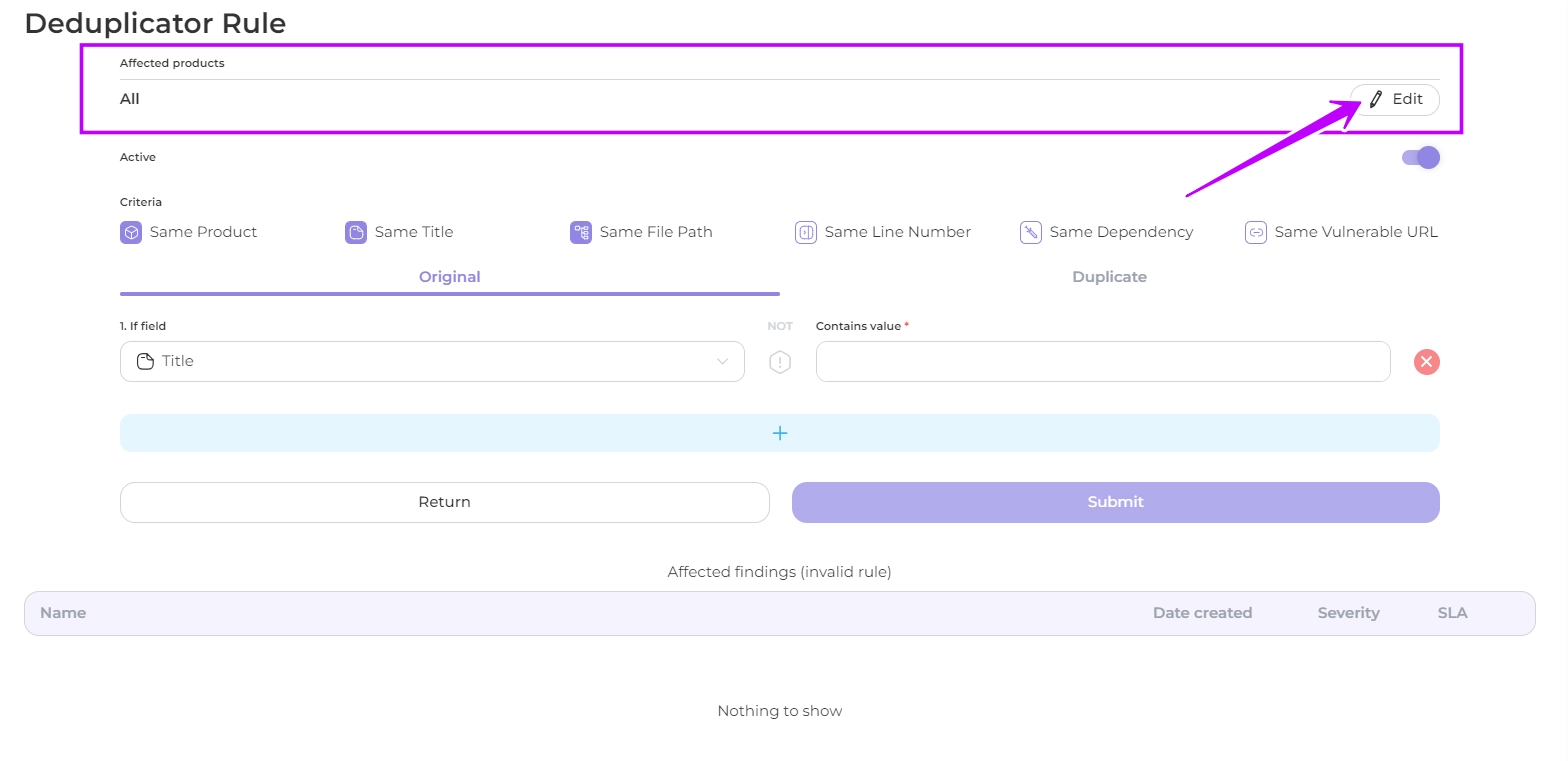
1. Define the products to which the rule will apply or leave All as default
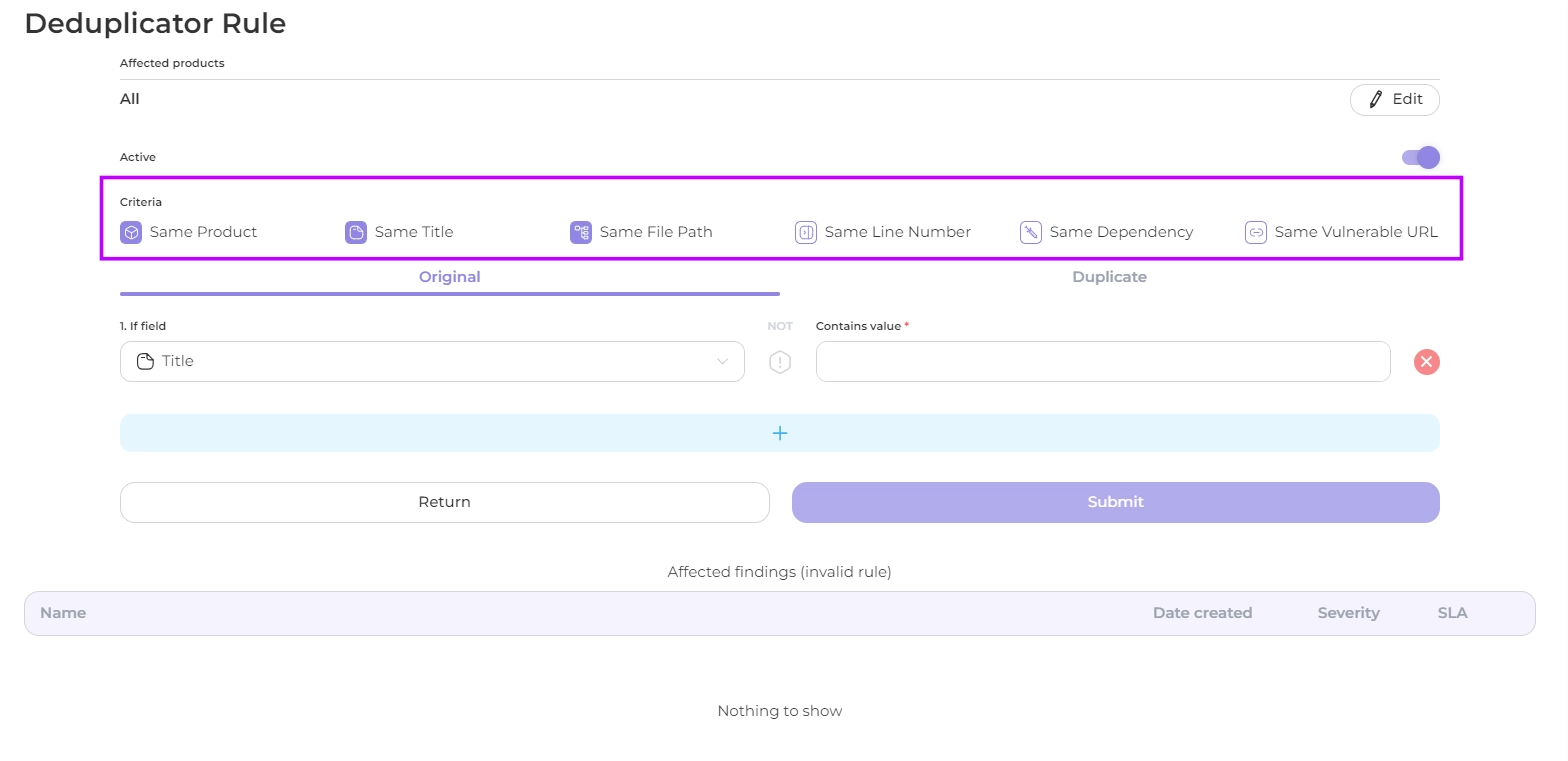
3. Select one or more **identity criteria** of original and duplicate findings_:_
* **same product**
* **same title**
* **same file path**
* **same line number**
* **same dependency**
* **same vulnerable URL**
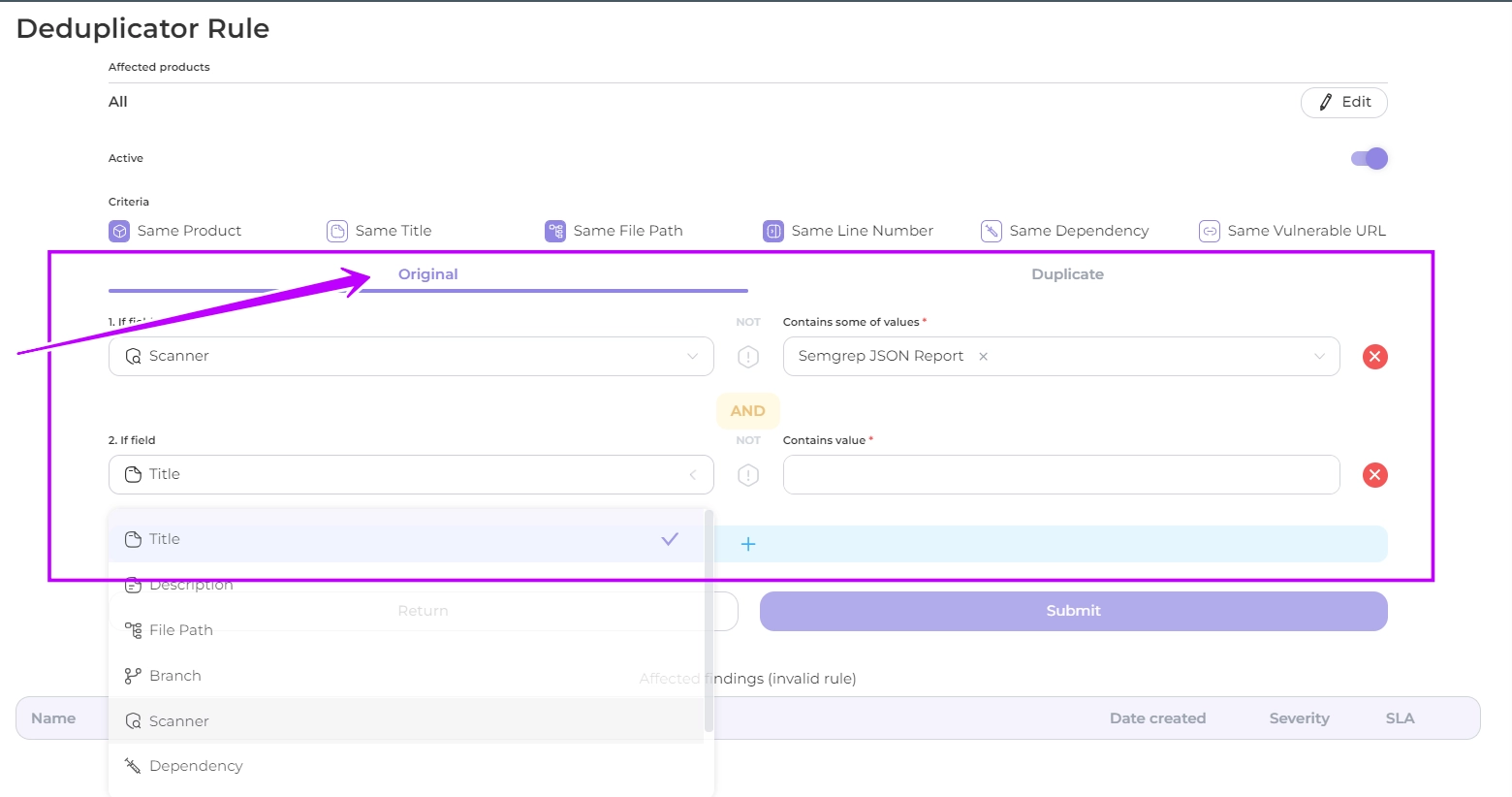
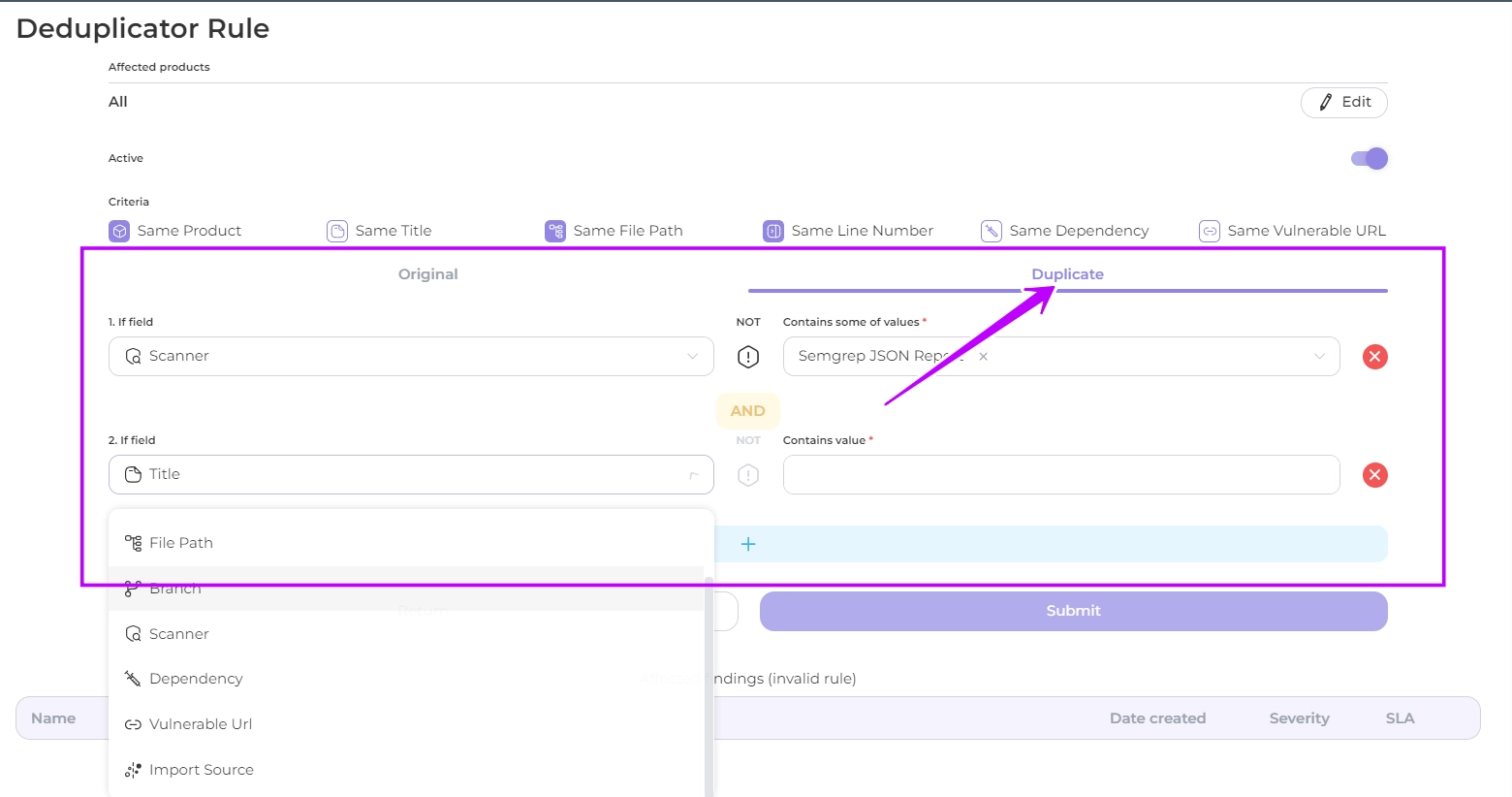
4. Create indications for findings designated for the **original scope** within the Original section:
Select a **parameter** and specify its **value** (presence or absence of a value) to be used in the running of the deduplication rules.\
Available parameters:
* **title**
* **description**
* **file path**
* **branch**
* **scanner**
* **dependency**
* **vulnerable url**
* **import source** (internal or external at your option)
You can combine terms via join, just click on the plus button
5. Create indications for findings designated for the **dublicate scope** within the Dublicate section. These conditions must be defined with the **same parameters** as for the original scope, but with **other values**
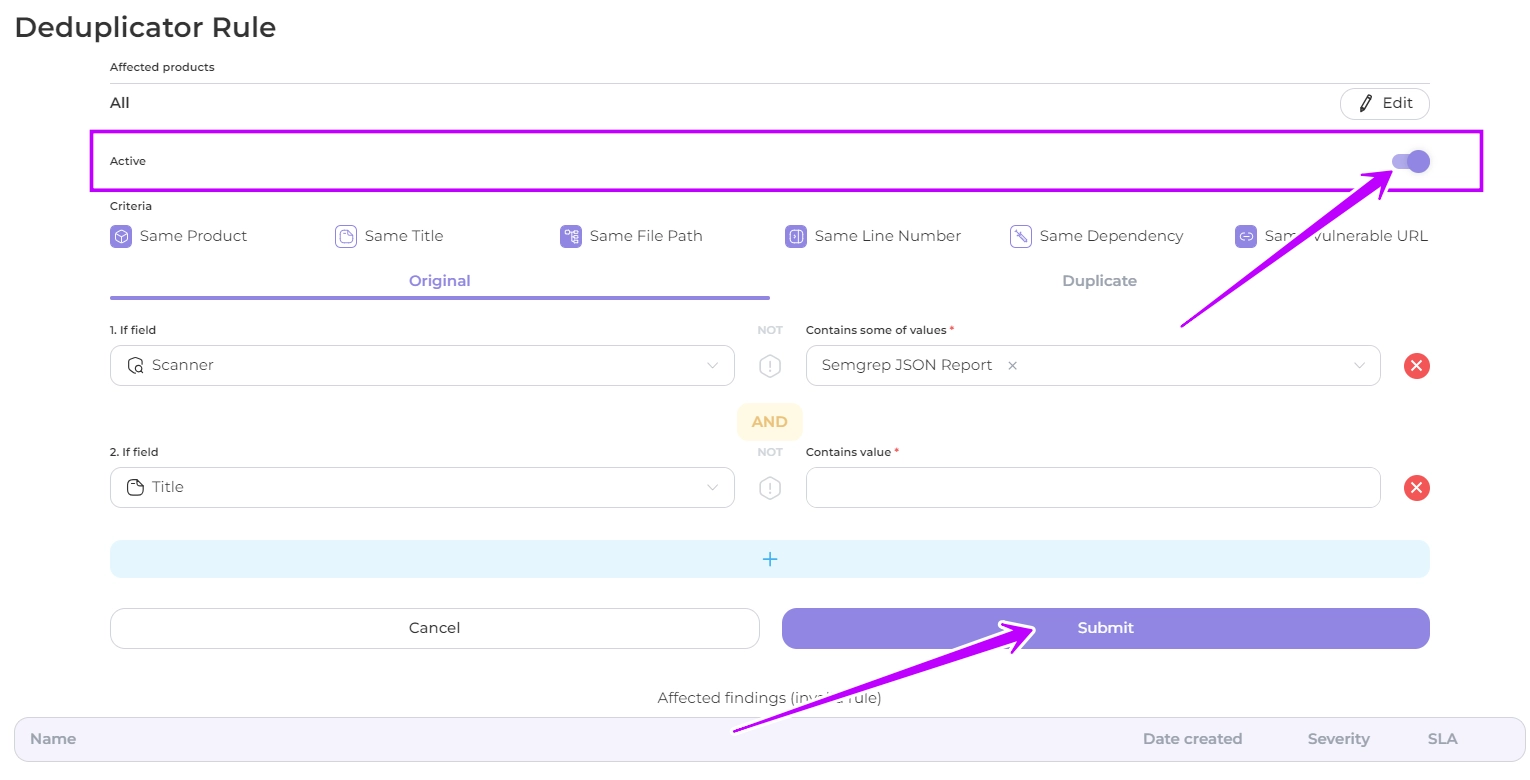
6. Click the **Active** slider to activate the rule
7. Click the **Submit** button to apply the deduplication rule to your scan results
Deduplicator will **automatically** identify and remove any duplicate findings based on the rule you have created
---
## Navigation
- Location: [Docs](https://whitespots.io/docs) > [Whitespots Wiki](https://whitespots.io/docs/whitespots-wiki) > [AppSec Portal](https://whitespots.io/docs/whitespots-wiki/appsec-portal) > [🎯 Features](https://whitespots.io/docs/whitespots-wiki/appsec-portal/features) > [Deduplicator](https://whitespots.io/docs/whitespots-wiki/appsec-portal/features/deduplicator)
- Previous: [Deduplicator](https://whitespots.io/docs/whitespots-wiki/appsec-portal/features/deduplicator)
- Next: [⚙️ Basic deduplicator rules](https://whitespots.io/docs/whitespots-wiki/appsec-portal/features/deduplicator/basic-deduplicator-rules)