---
title: "🖐️ Manual Import using Report File"
description: "🖐️ Manual Import using Report File Follow the steps below to download manualy a report that has been received from the scanner: Click the Import button…"
url: https://whitespots.io/docs/whitespots-wiki/appsec-portal/features/scanners/importing-reports-from-scanners-to-appsec-portal/manual-import-using-report-file
slug: whitespots-wiki/appsec-portal/features/scanners/importing-reports-from-scanners-to-appsec-portal/manual-import-using-report-file
publish_date: 2025-12-03T22:20:02.000Z
last_modified: 2025-12-03T22:20:02.000Z
---
# 🖐️ Manual Import using Report File
# 🖐️ Manual Import using Report File
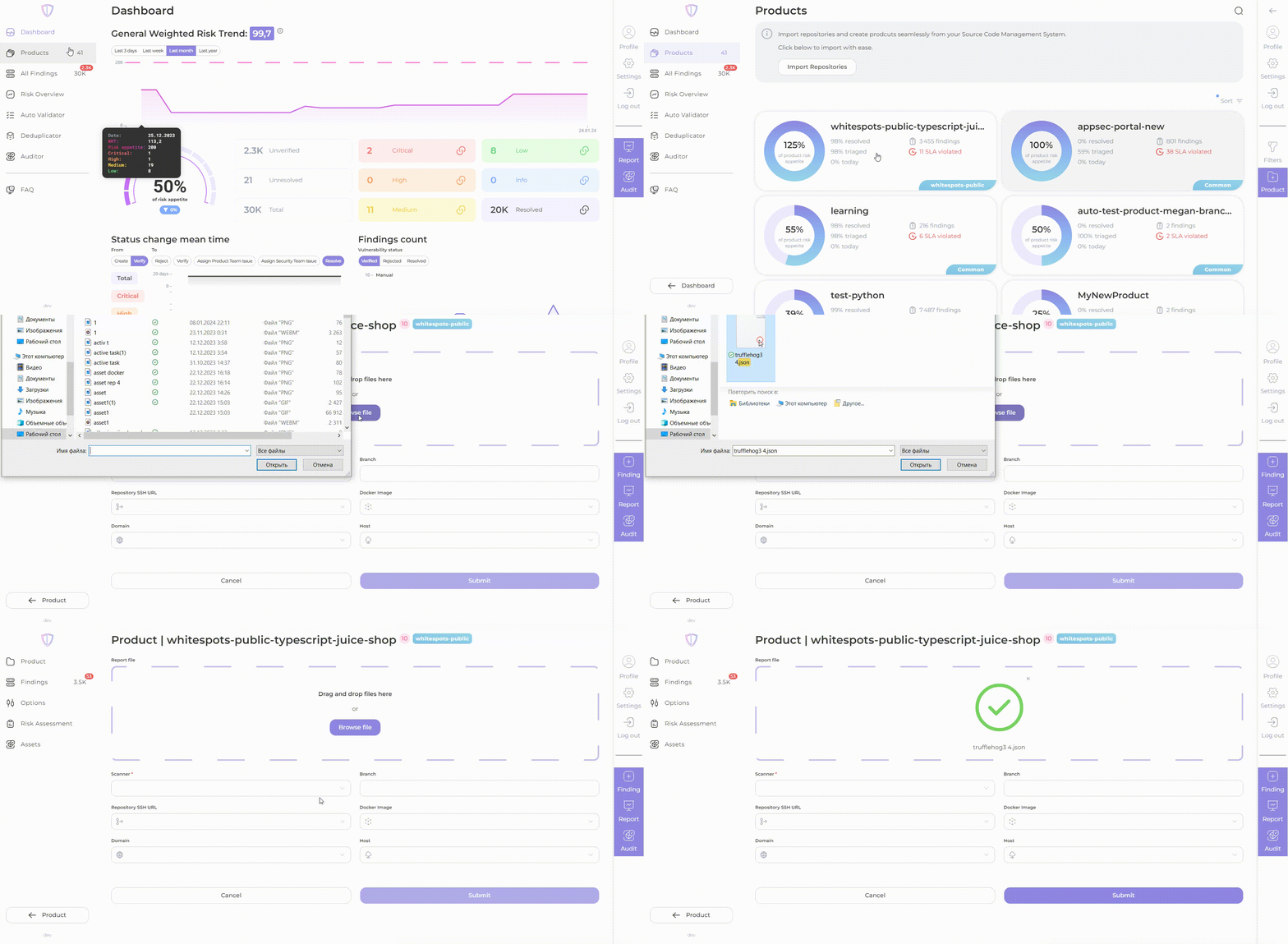
Follow the steps below to download manualy a report that has been received from the scanner:
1. Click the Import button on your product page
2. Drag and drop or select your report file from the scanner to create your report
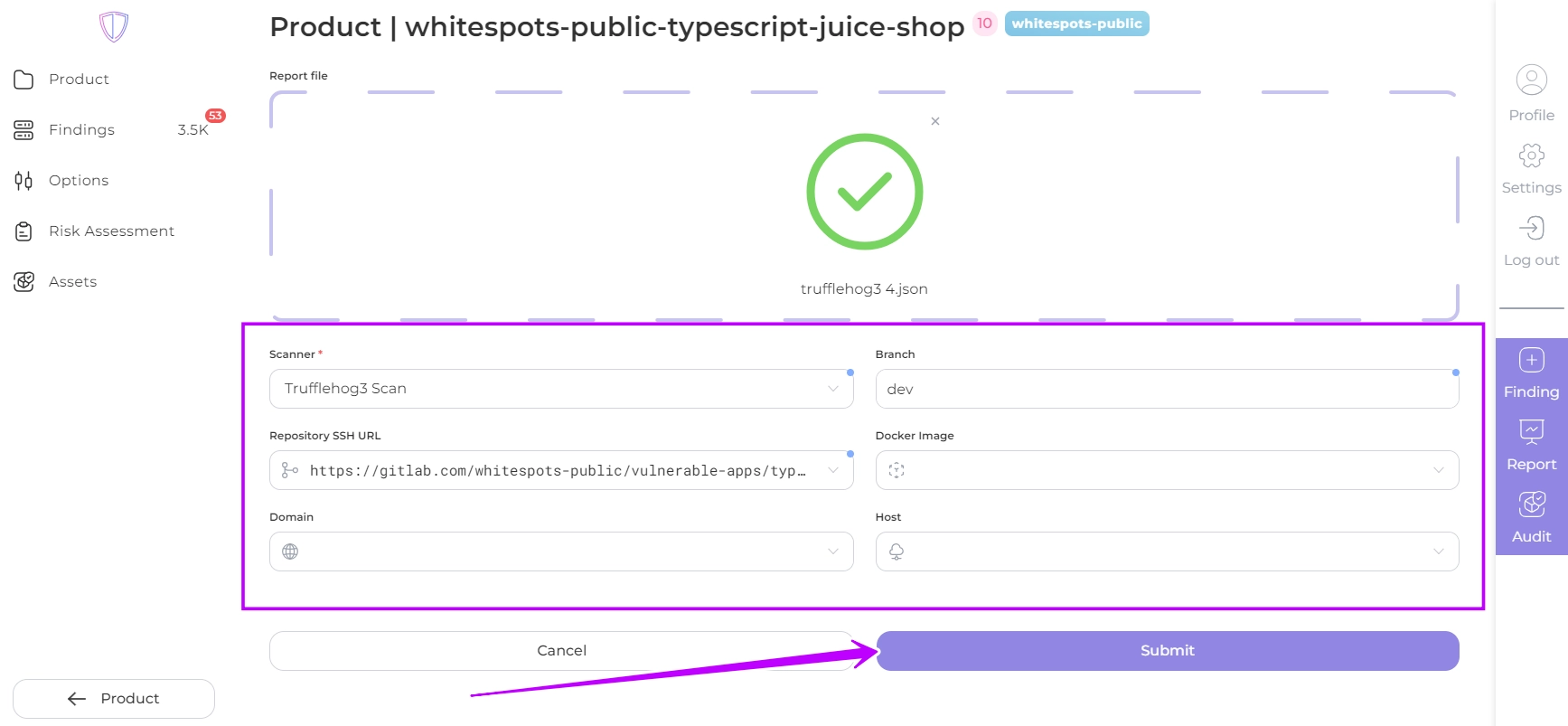
3. Enter the **scanner name** (mandatory) and **branch name** (optional) in the appropriate fields.
4. If you are using [Auditor](https://whitespots.io/docs/whitespots-wiki/auditor), fill in the product **assets**: repository, image registry, domain or host.
5. Click **Submit**
If the report contains findings, these will be displayed in the AppSec Portal for that product.
---
## Navigation
- Location: [Docs](https://whitespots.io/docs) > [Whitespots Wiki](https://whitespots.io/docs/whitespots-wiki) > [AppSec Portal](https://whitespots.io/docs/whitespots-wiki/appsec-portal) > [🎯 Features](https://whitespots.io/docs/whitespots-wiki/appsec-portal/features) > [🔬 Scanners](https://whitespots.io/docs/whitespots-wiki/appsec-portal/features/scanners) > [🔌 Importing reports from scanners to AppSec Portal](https://whitespots.io/docs/whitespots-wiki/appsec-portal/features/scanners/importing-reports-from-scanners-to-appsec-portal)
- Previous: [Importing reports via Terminal using a Report File](https://whitespots.io/docs/whitespots-wiki/appsec-portal/features/scanners/importing-reports-from-scanners-to-appsec-portal/importing-reports-via-terminal-using-a-report-file)
- Next: [Scanner description](https://whitespots.io/docs/whitespots-wiki/appsec-portal/features/scanners/scanner-description)
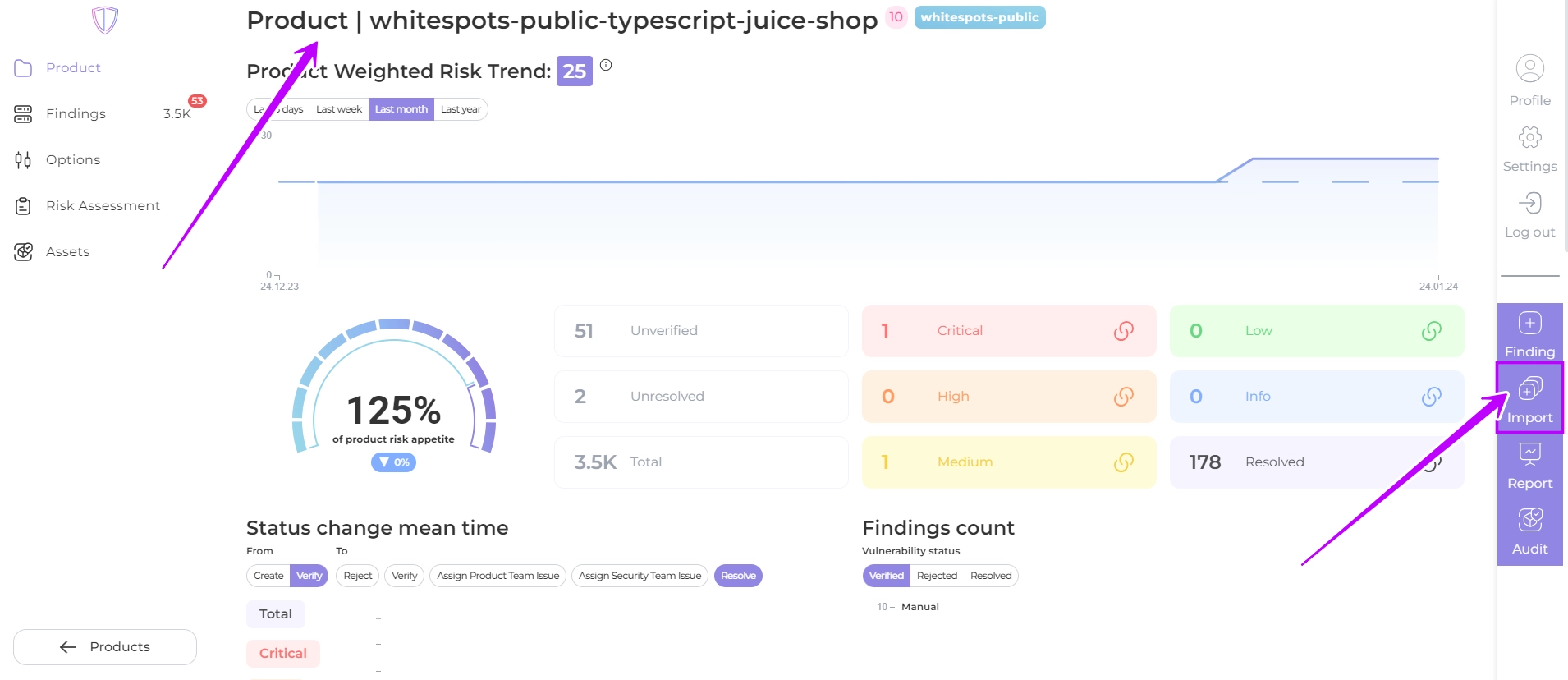
 on your product page