---
title: "CVSS Rule"
description: "CVSS Rule Set up a rule to automatically rate your products by following the steps below. Navigate to the CVSS section and click on the Create Rule button…"
url: https://whitespots.io/docs/whitespots-wiki/appsec-portal/features/security-metrics/cvss/cvss-rule
slug: whitespots-wiki/appsec-portal/features/security-metrics/cvss/cvss-rule
publish_date: 2025-11-13T18:00:34.000Z
last_modified: 2025-11-13T18:00:34.000Z
---
# CVSS Rule
# CVSS Rule
Set up a rule to **automatically** rate your products by following the steps below.
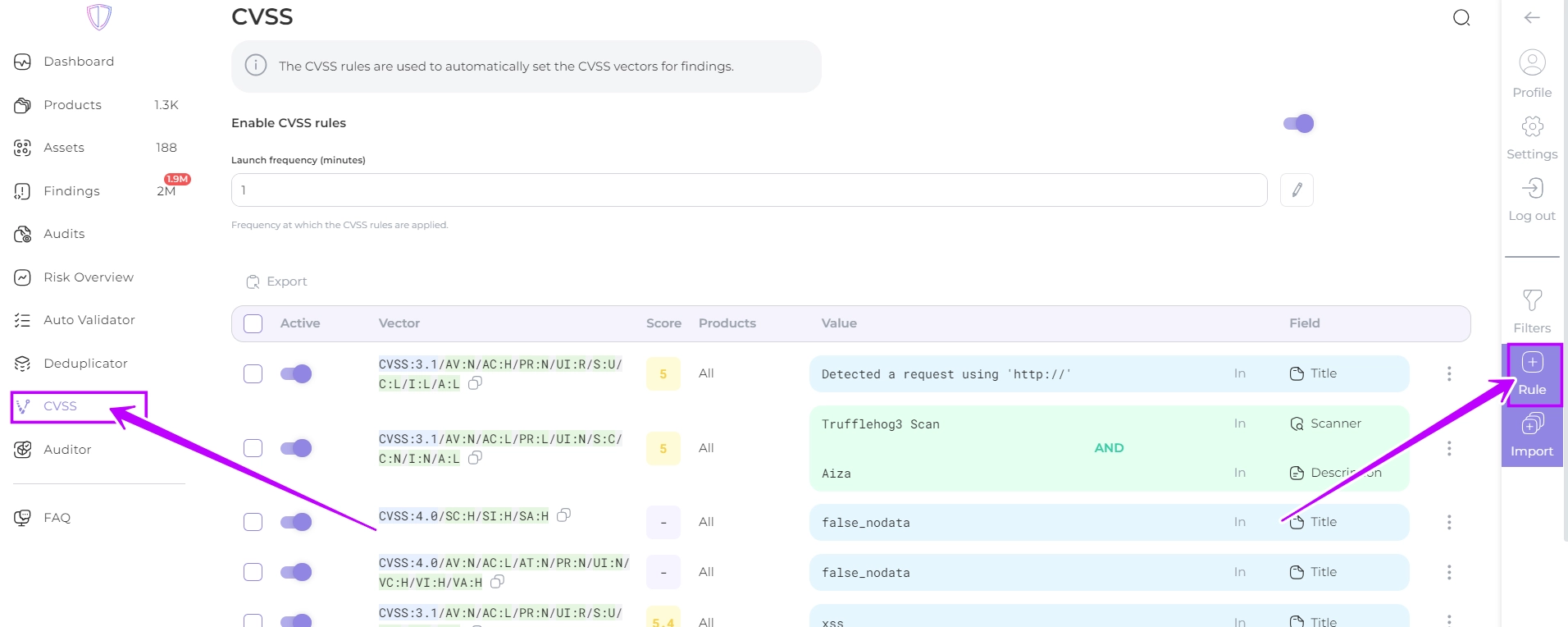
1. Navigate to the CVSS section and click on the **Create Rule** button
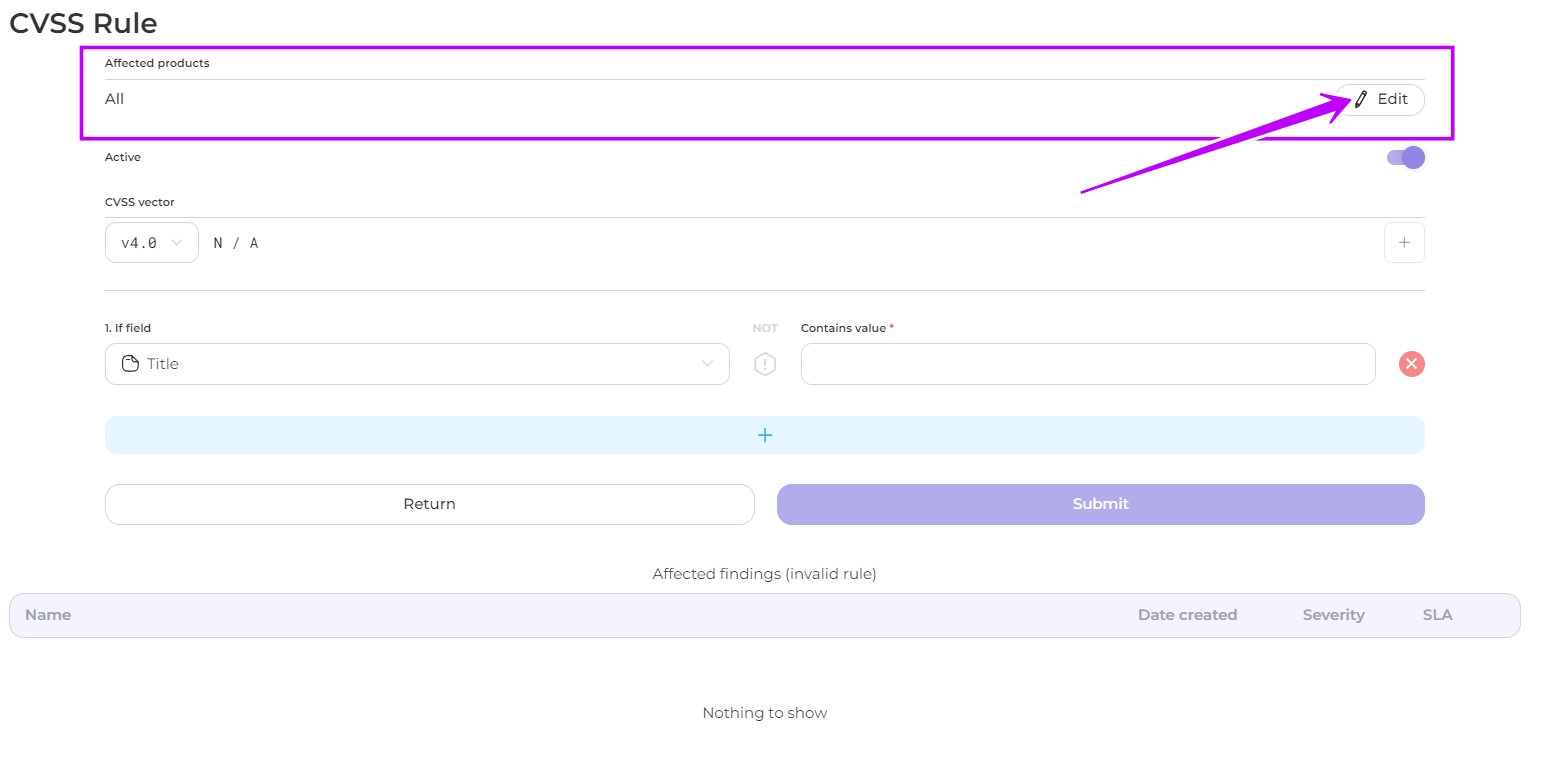
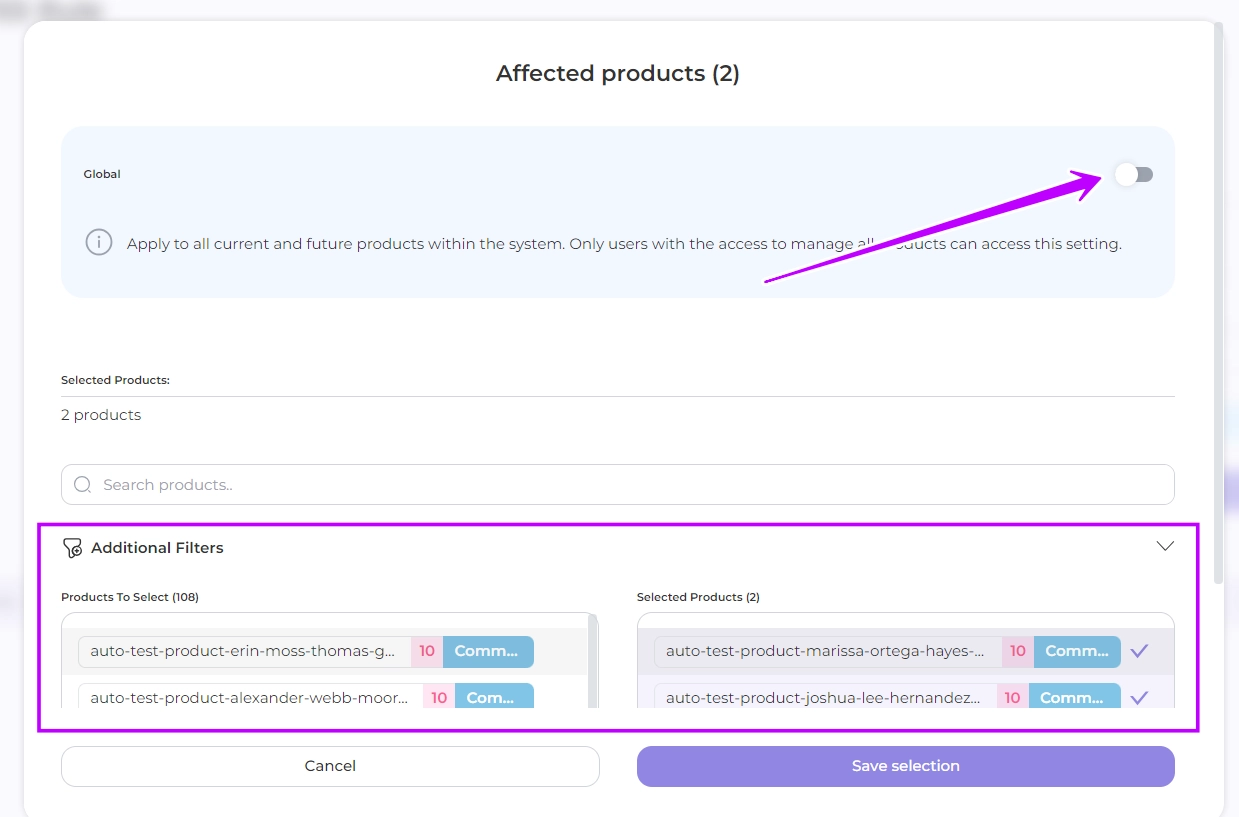
2. In the window that opens, select the **products** to which you want the rules to apply, or leave the default setting to include all your products.
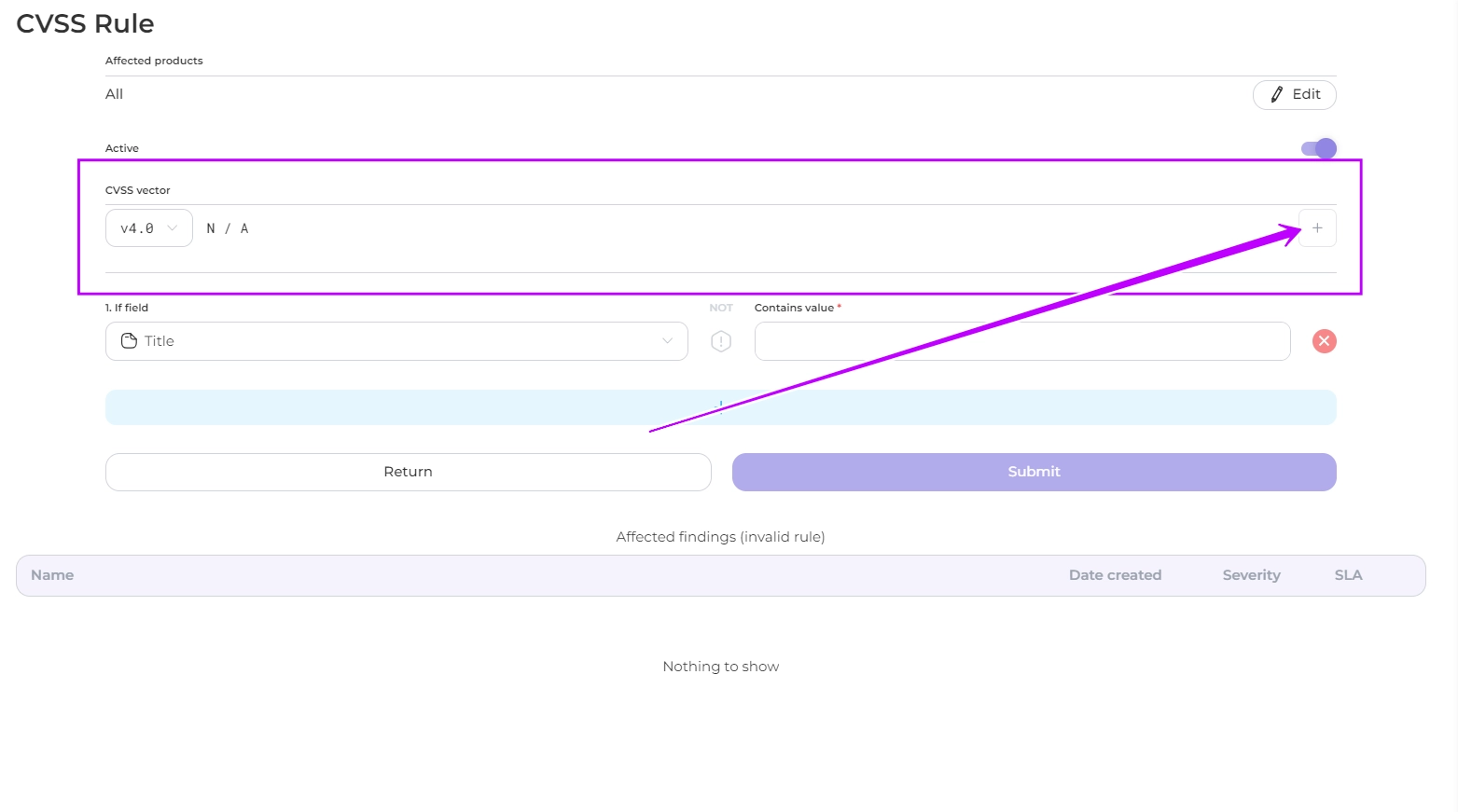
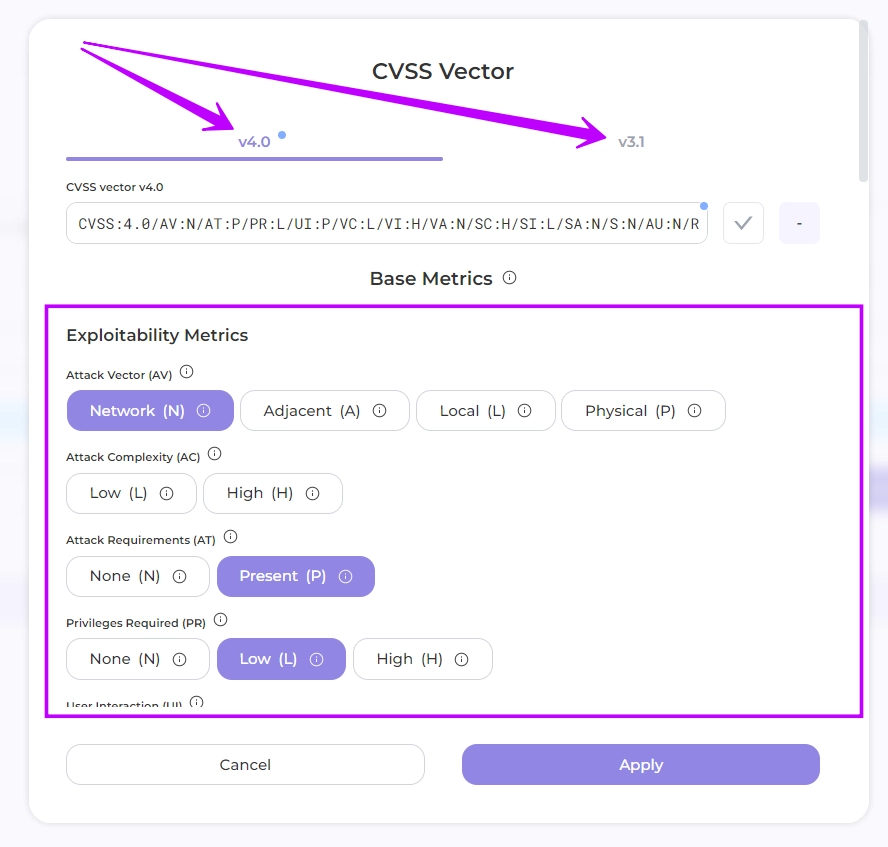
3. Add the CVSS vector value
3.1 Select the **version** of the standard and the **values of the metrics** in groups by clicking on the corresponding fields
{% hint style="success" %}
For more information on the metrics of the [3.1](https://www.first.org/cvss/v3.1/specification-document) and [4.0](https://www.first.org/cvss/v4.0/specification-document) versions of the standard, please refer to the [official documentation](https://www.first.org/cvss/)
{% endhint %}
{% hint style="success" %}
In version 3.1, users can **adjust** **all baseline metrics** within the Environmental metrics group to their modified counterparts. This feature allows for the customization of metric values based on a component's specific role within an organization's infrastructure.
{% endhint %}
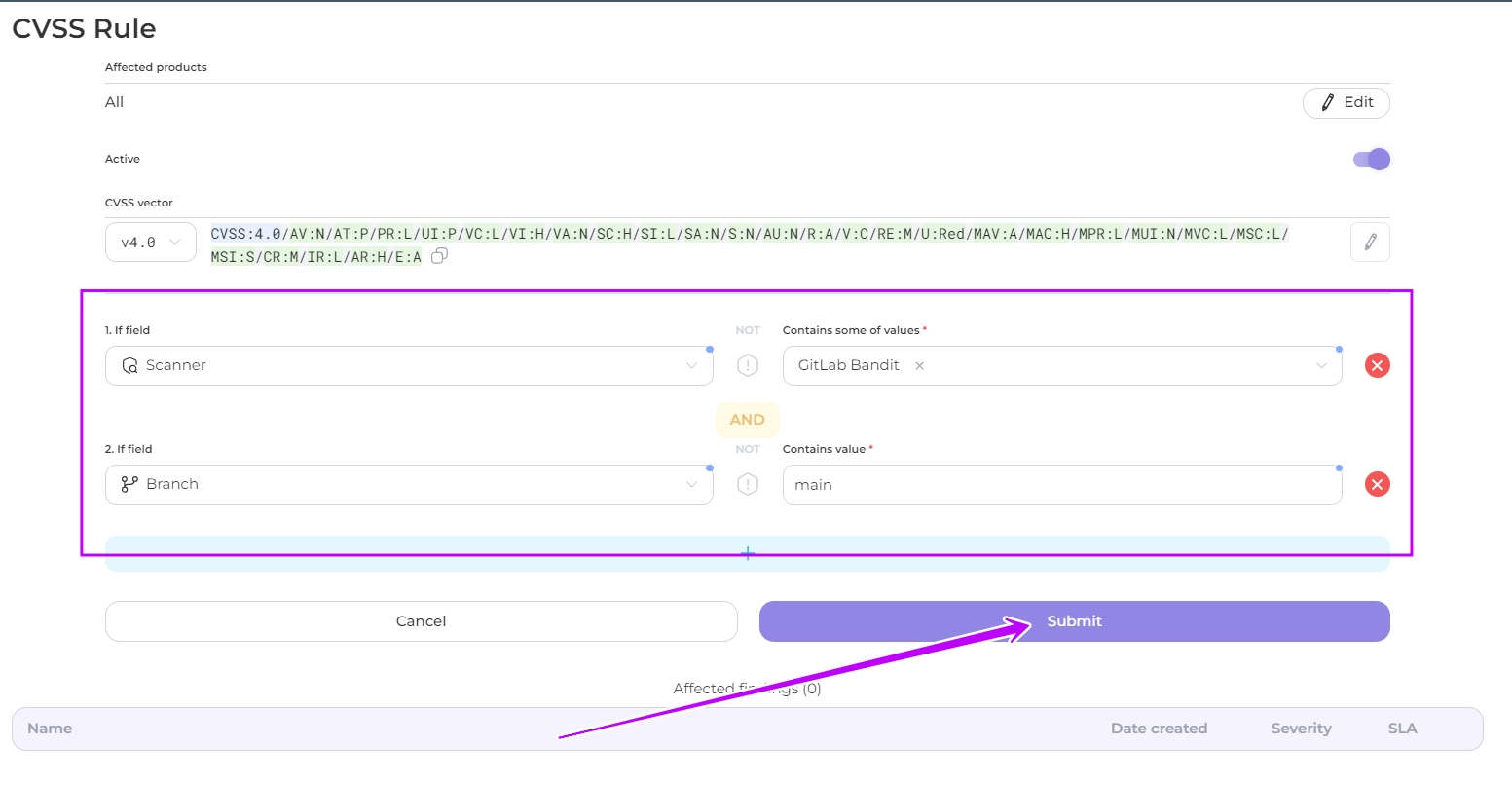
4. Select a parameter(s) and enter its value. This rule will be applied to the findings corresponding to these parameters and their values.
Available parameters:
* title
* description
* file path
* branch
* scanner
* dependency
* vulnerable url
* import source
5. Click Submit
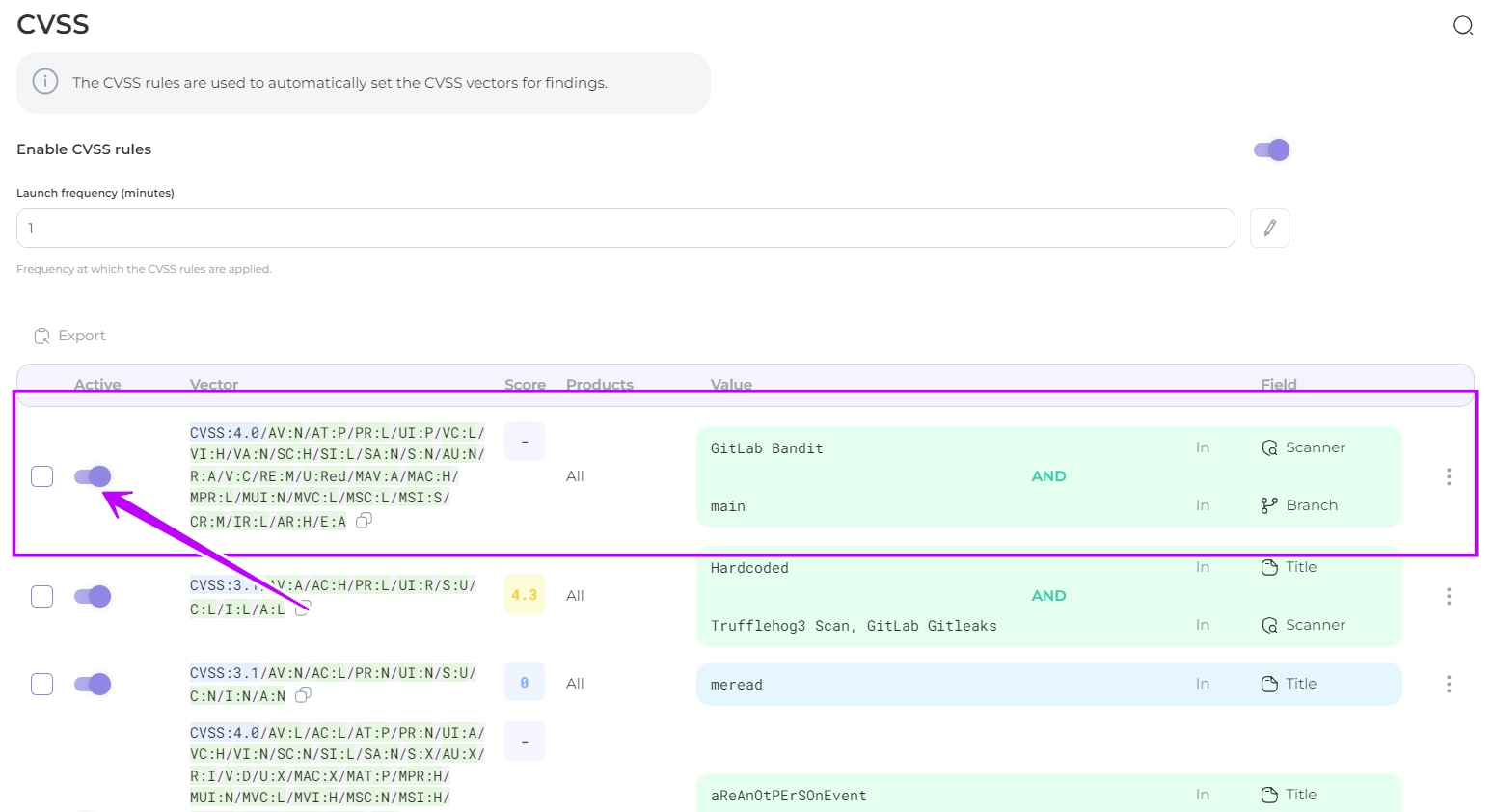
5. The rule will be created and the CVSS value will be automatically assigned to the corresponding findings when processing the scan results.
You can disable the application of these rules at any time by toggling the Active slider.
---
## Navigation
- Location: [Docs](https://whitespots.io/docs) > [Whitespots Wiki](https://whitespots.io/docs/whitespots-wiki) > [AppSec Portal](https://whitespots.io/docs/whitespots-wiki/appsec-portal) > [🎯 Features](https://whitespots.io/docs/whitespots-wiki/appsec-portal/features) > [Security Metrics](https://whitespots.io/docs/whitespots-wiki/appsec-portal/features/security-metrics) > [CVSS](https://whitespots.io/docs/whitespots-wiki/appsec-portal/features/security-metrics/cvss)
- Previous: [CVSS](https://whitespots.io/docs/whitespots-wiki/appsec-portal/features/security-metrics/cvss)
- Next: [How to work with WRT (for team leads)](https://whitespots.io/docs/whitespots-wiki/appsec-portal/features/security-metrics/how-to-work-with-wrt-for-team-leads)