---
title: "Auditor config"
description: "Auditor config Navigate to the Auditor section On the Auditor config page, fill in the details for accessing your resources: 2.1. Authentication section:…"
url: https://whitespots.io/docs/whitespots-wiki/appsec-portal/features/vulnerability-discovery/auditor-settings/auditor-config
slug: whitespots-wiki/appsec-portal/features/vulnerability-discovery/auditor-settings/auditor-config
publish_date: 2025-11-13T18:00:34.000Z
last_modified: 2025-11-13T18:00:34.000Z
---
# Auditor config
# Auditor config
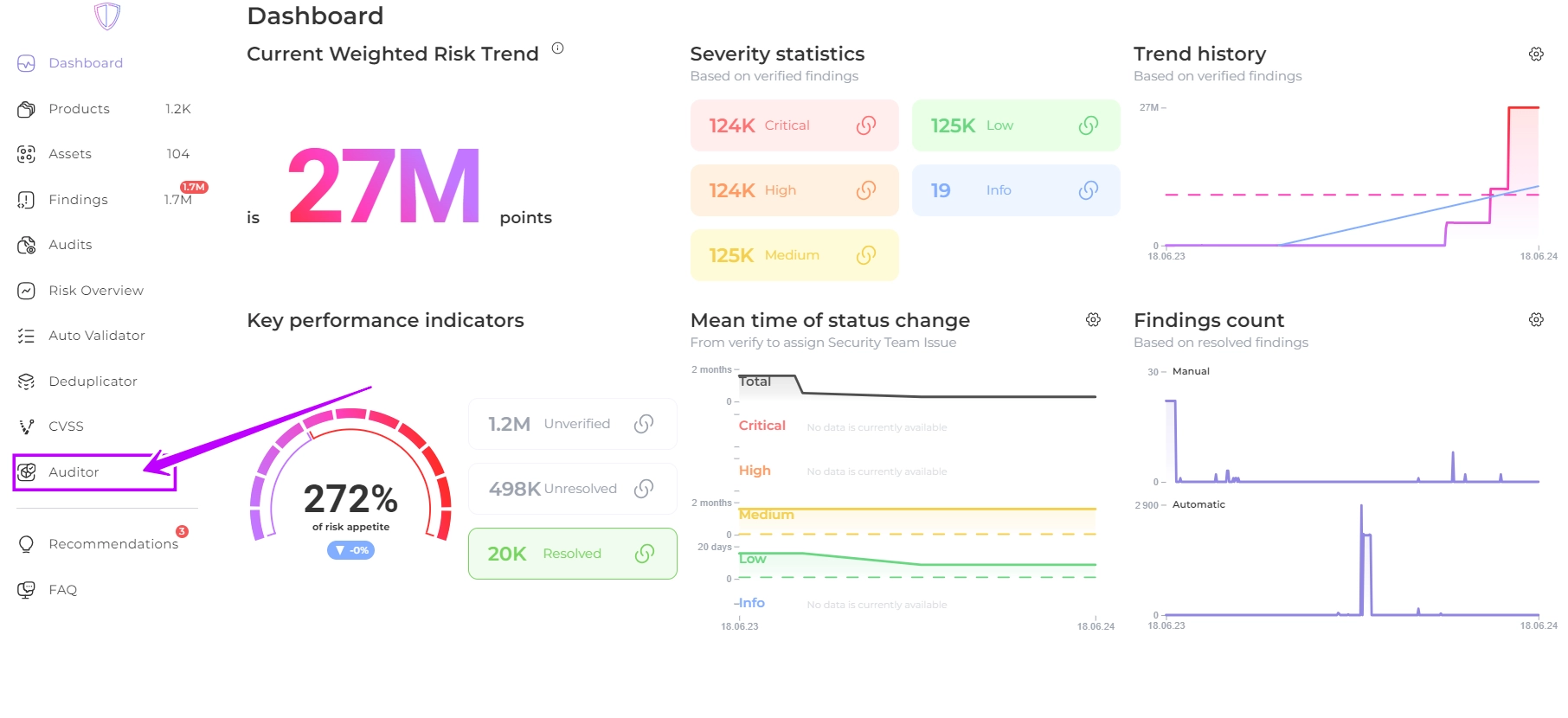
1. Navigate to the Auditor section
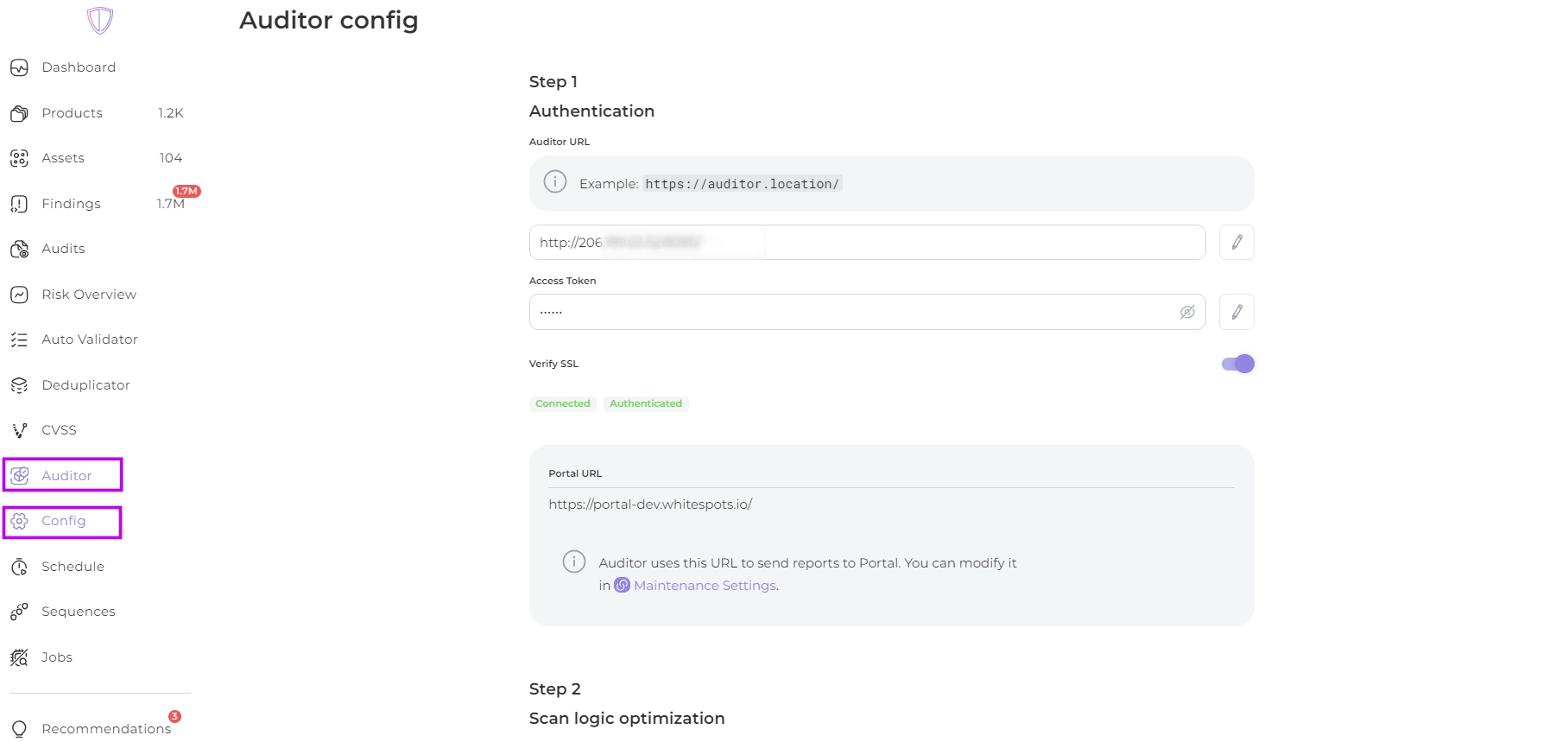
1. On the Auditor config page, fill in the details for accessing your resources:
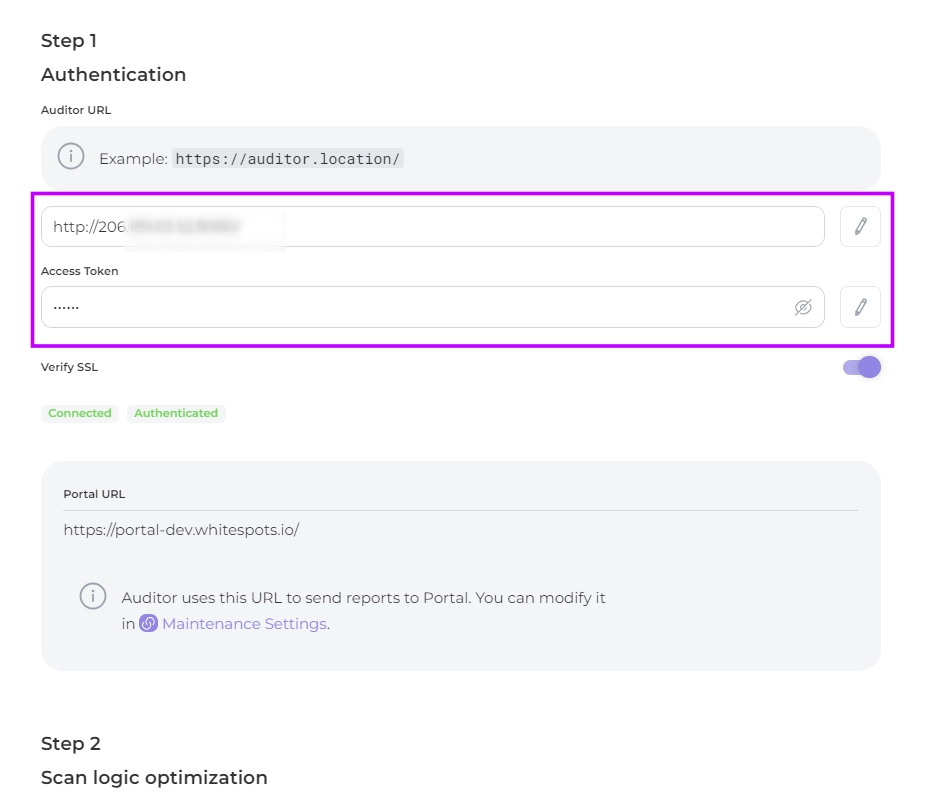
2.1. Authentication section:
* _**Auditor URL**_: The host on which Auditor is installed
* _**Access token**_: Access token received during Auditor installation
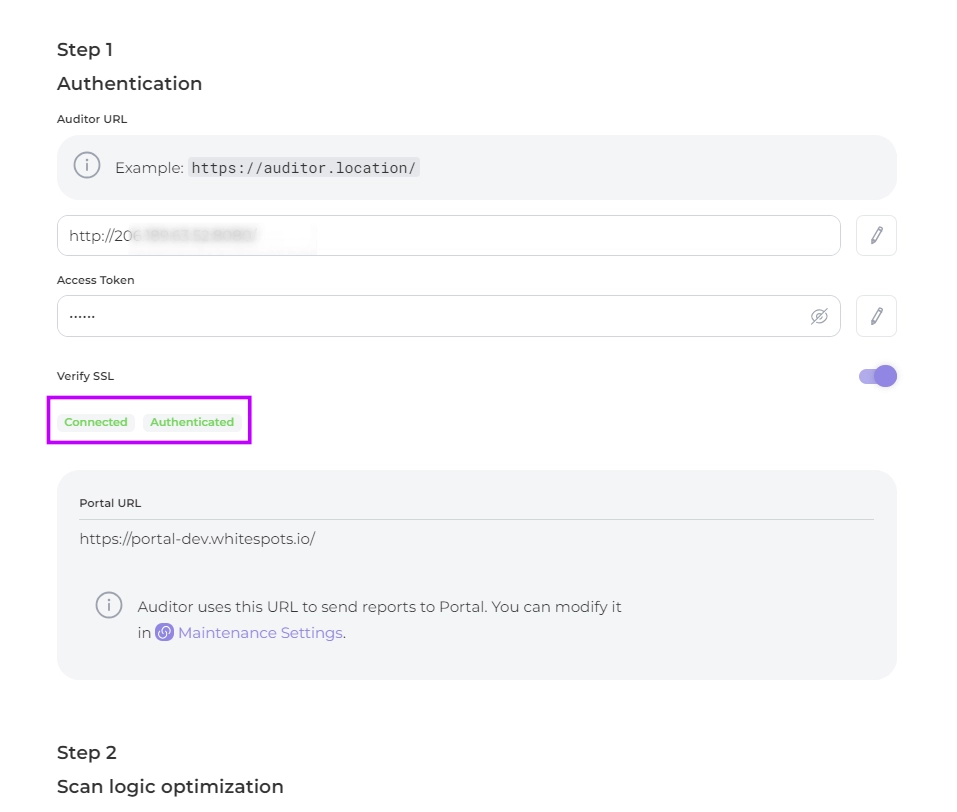
2.2. Enable or disable the _**Verify SSL**_ option to verify the SSL certificate
If the data is correct, you will see a confirmation of connection and successful authentication
2.3. Activate _**Group asset of different types**_ to optimize the number of pipelines
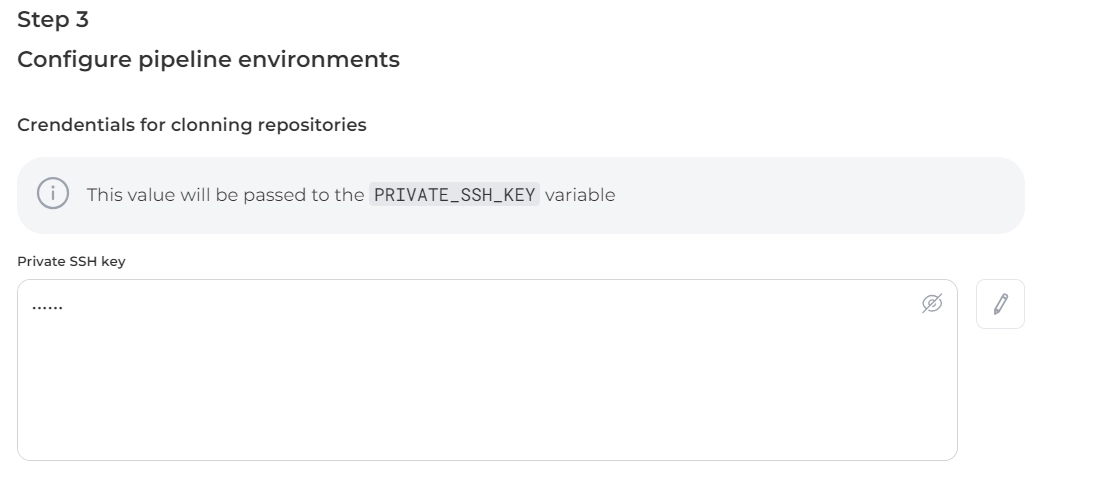
2.4. Enter the credentials of a _**private SSH key**_ to connect to your repository to inspect the **code**
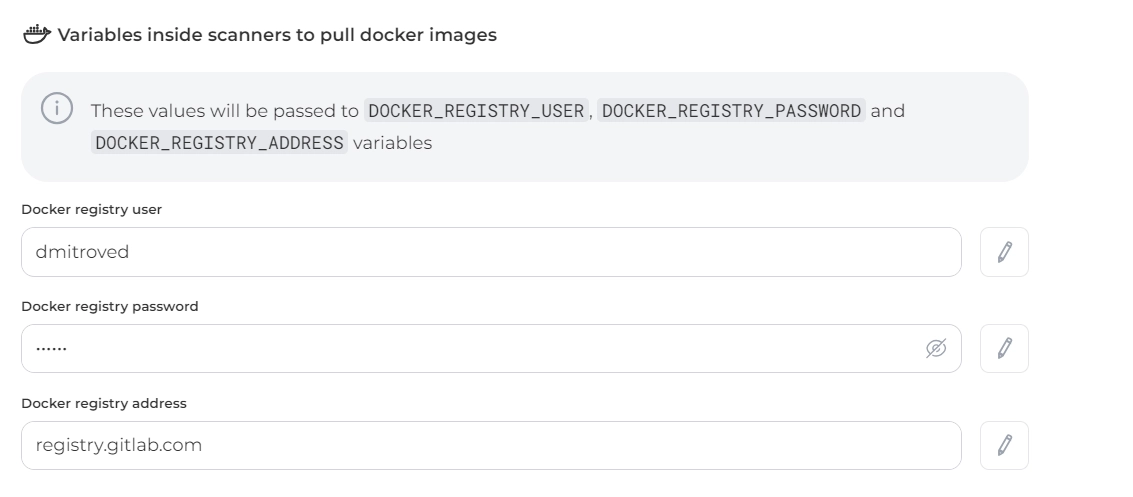
2.5. Specify the data of your docker registry where the **images** to be scanned are located
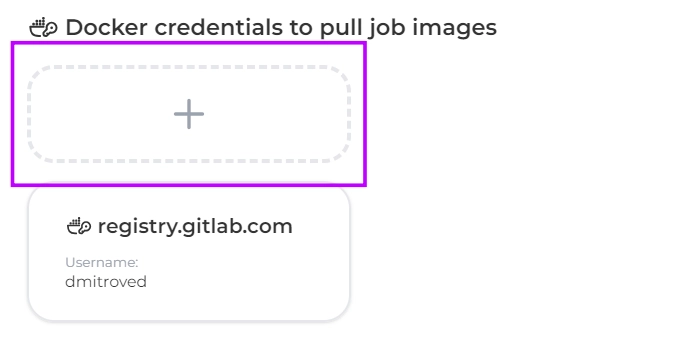
2.6. If you have an image of your own job (e.g. of a scanner) add it in _**Docker credentials to pull job images**_ section
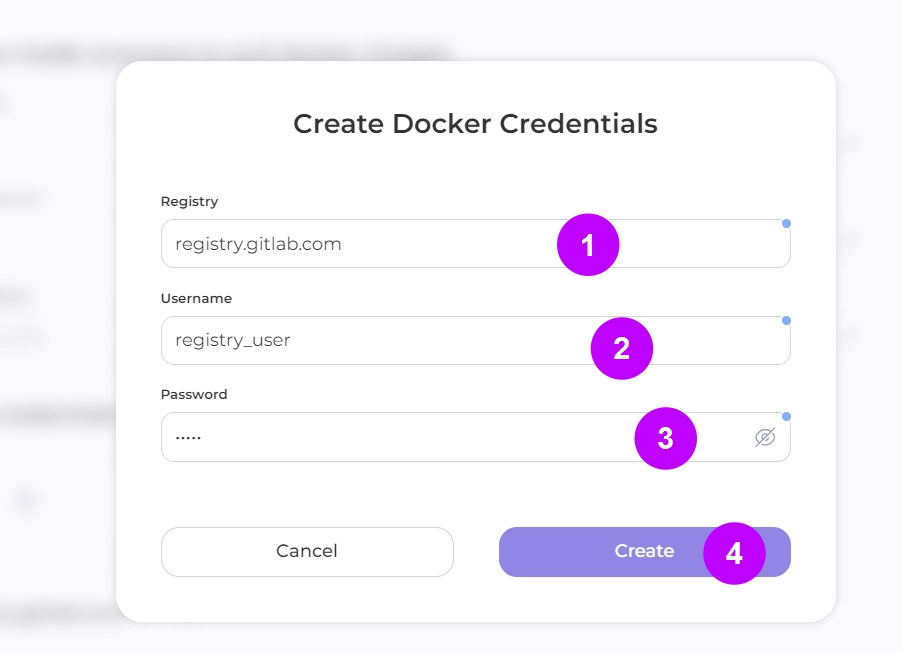
Enter a credencial to your registry:
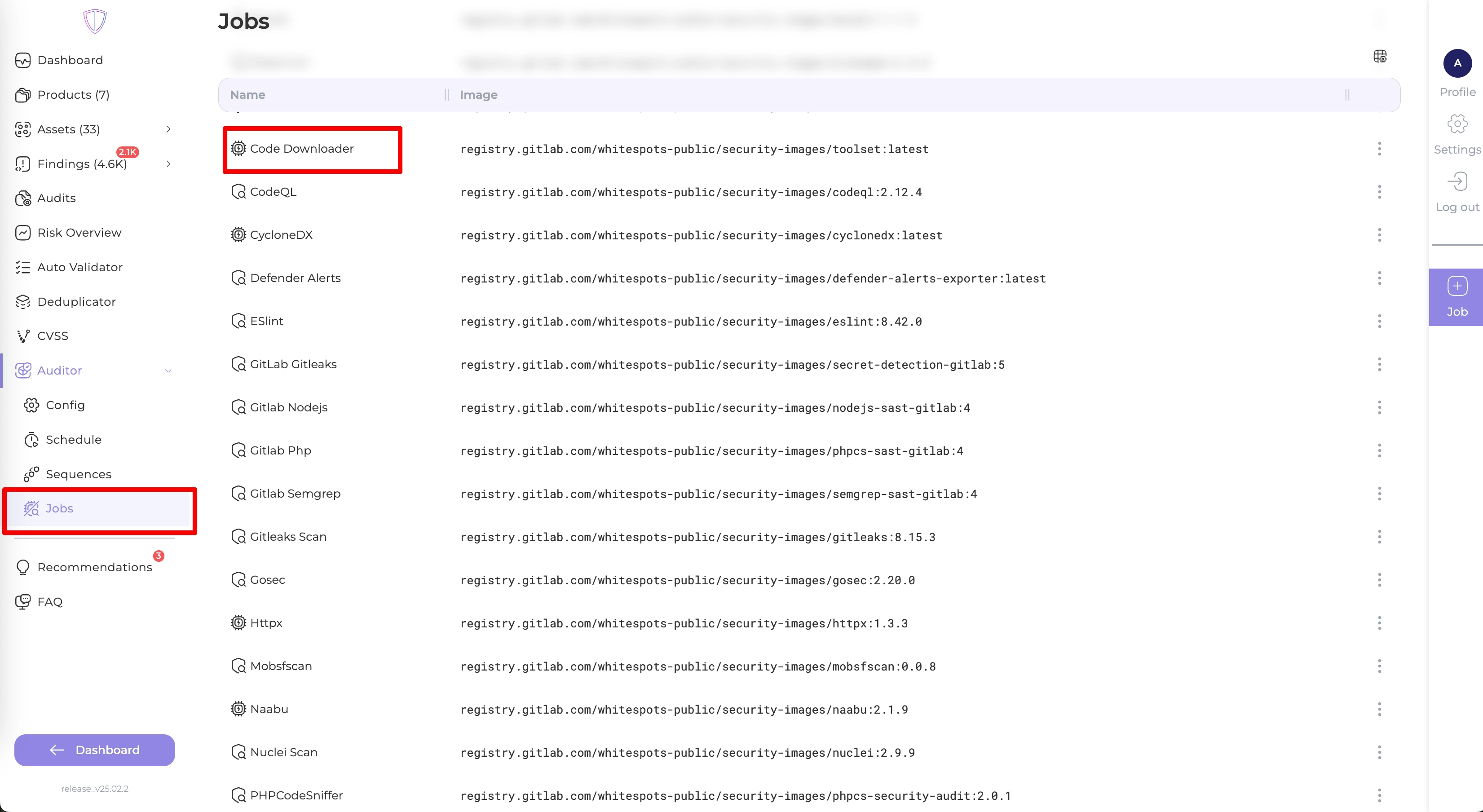
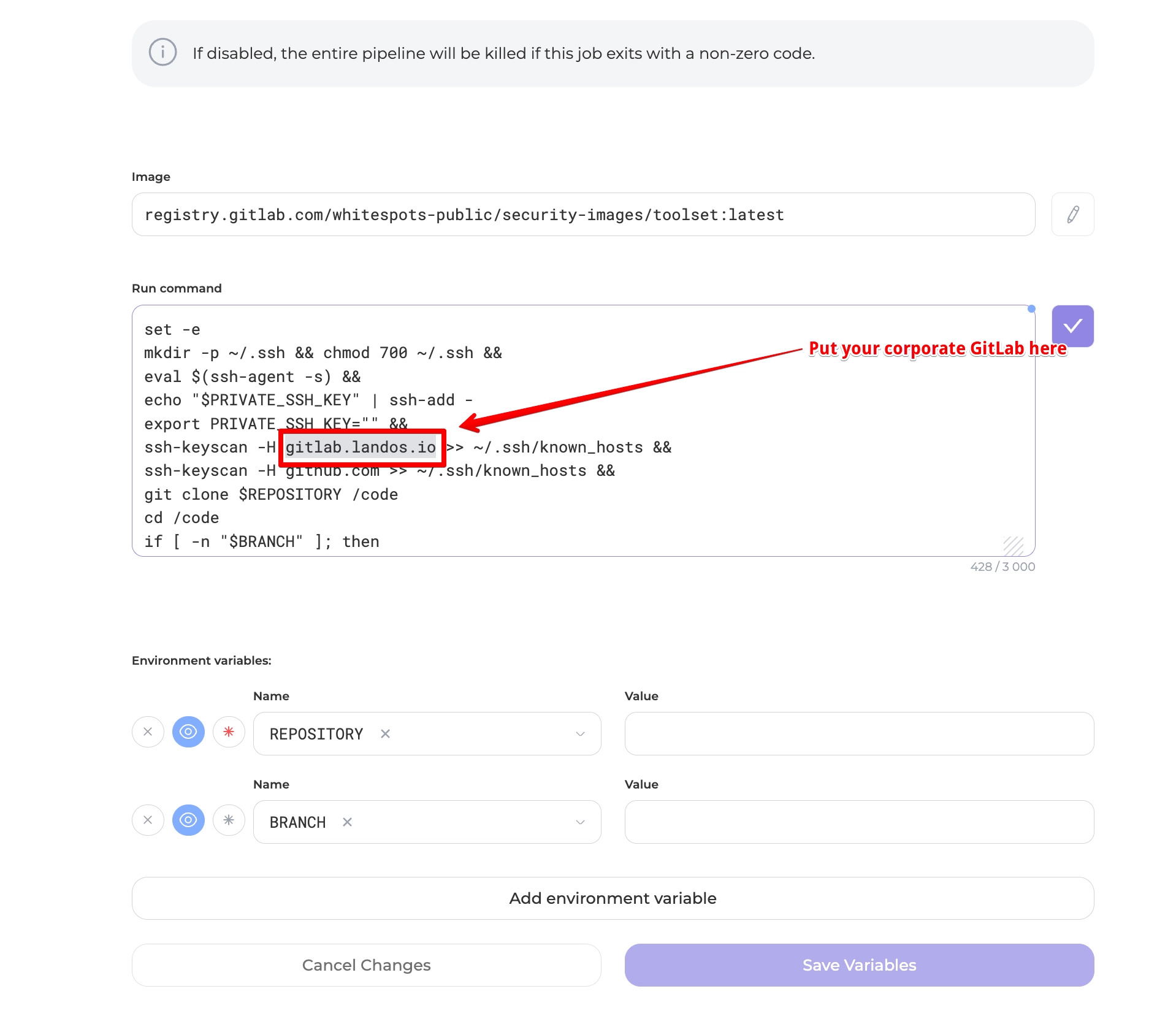
2.7 Adjust the "Code Downloader" job settings
You need to scroll down to the command section
---
## Navigation
- Location: [Docs](https://whitespots.io/docs) > [Whitespots Wiki](https://whitespots.io/docs/whitespots-wiki) > [AppSec Portal](https://whitespots.io/docs/whitespots-wiki/appsec-portal) > [🎯 Features](https://whitespots.io/docs/whitespots-wiki/appsec-portal/features) > [🔦 Vulnerability discovery](https://whitespots.io/docs/whitespots-wiki/appsec-portal/features/vulnerability-discovery) > [⚙️ Auditor settings](https://whitespots.io/docs/whitespots-wiki/appsec-portal/features/vulnerability-discovery/auditor-settings)
- Previous: [⚙️ Auditor settings](https://whitespots.io/docs/whitespots-wiki/appsec-portal/features/vulnerability-discovery/auditor-settings)
- Next: [Sequences](https://whitespots.io/docs/whitespots-wiki/appsec-portal/features/vulnerability-discovery/auditor-settings/sequences)