---
title: "Sequences creating"
description: "Sequences creating To set up a pipeline of a sequence of scanners to process your product perform the following steps: On the Auditor Sequences page,…"
url: https://whitespots.io/docs/whitespots-wiki/appsec-portal/features/vulnerability-discovery/auditor-settings/sequences/sequences-creating
slug: whitespots-wiki/appsec-portal/features/vulnerability-discovery/auditor-settings/sequences/sequences-creating
publish_date: 2026-02-19T23:16:20.000Z
last_modified: 2026-02-19T23:16:20.000Z
---
# Sequences creating
# Sequences creating
To set up a pipeline of a sequence of scanners to process your product perform the following steps:
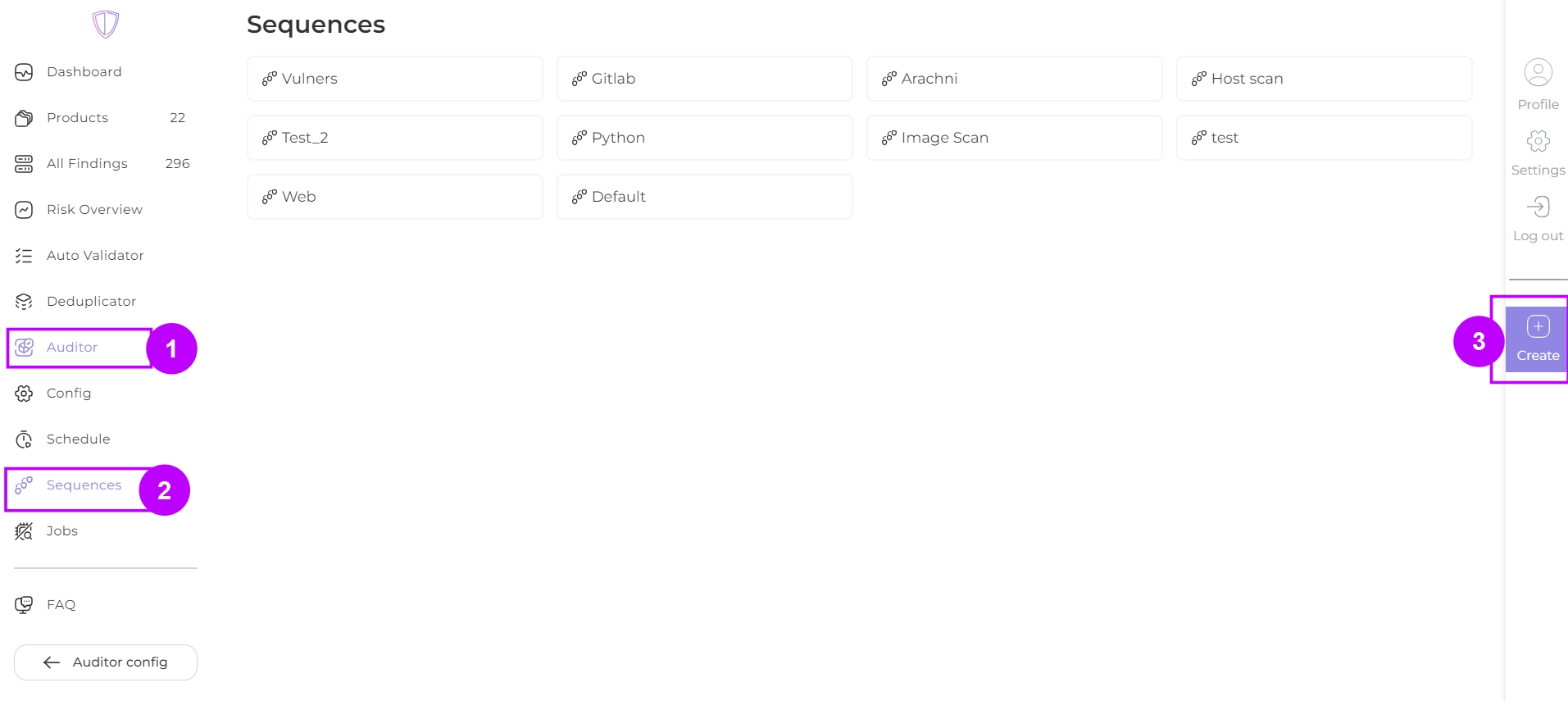
1. On the **Auditor Sequences** page, click on **Create** button:
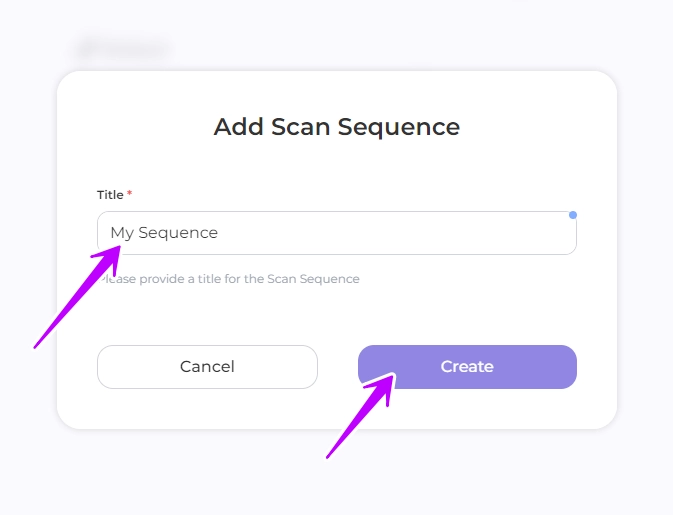
2. Input the desired name of your pipeline and click **Create**
3. Click on add ( ), select a job (scanner) from the drop-down list and click on Create to add this job to your pipeline


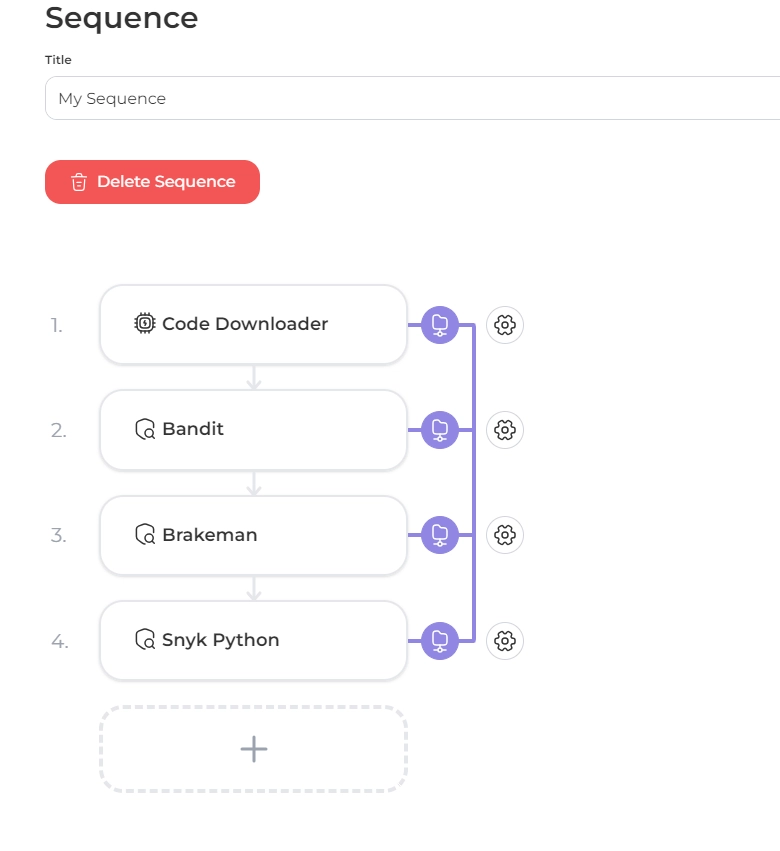
4. Add the next jobs in the same way. Scanning will be performed sequentially from the first job
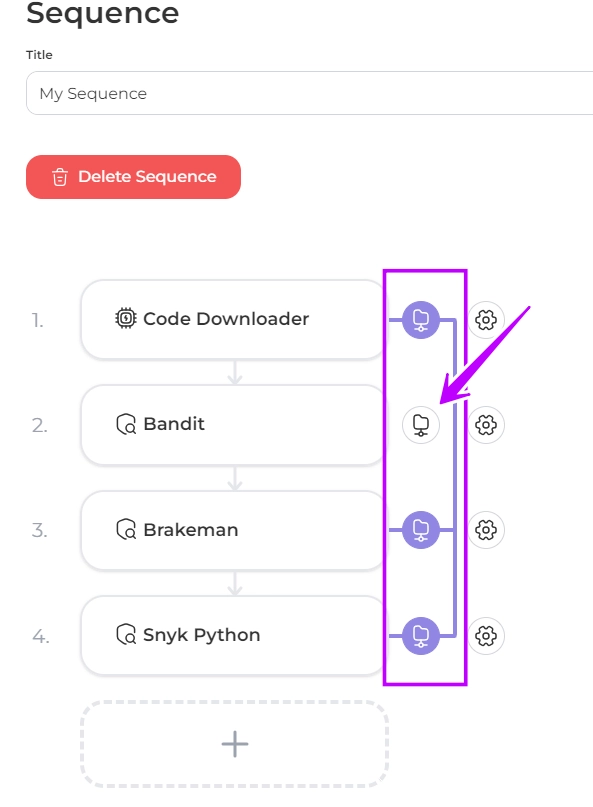
By default, jobs are added with the option to use shared data - the scan results of a job will be passed to the next job. You can disable this option for each job by clicking on
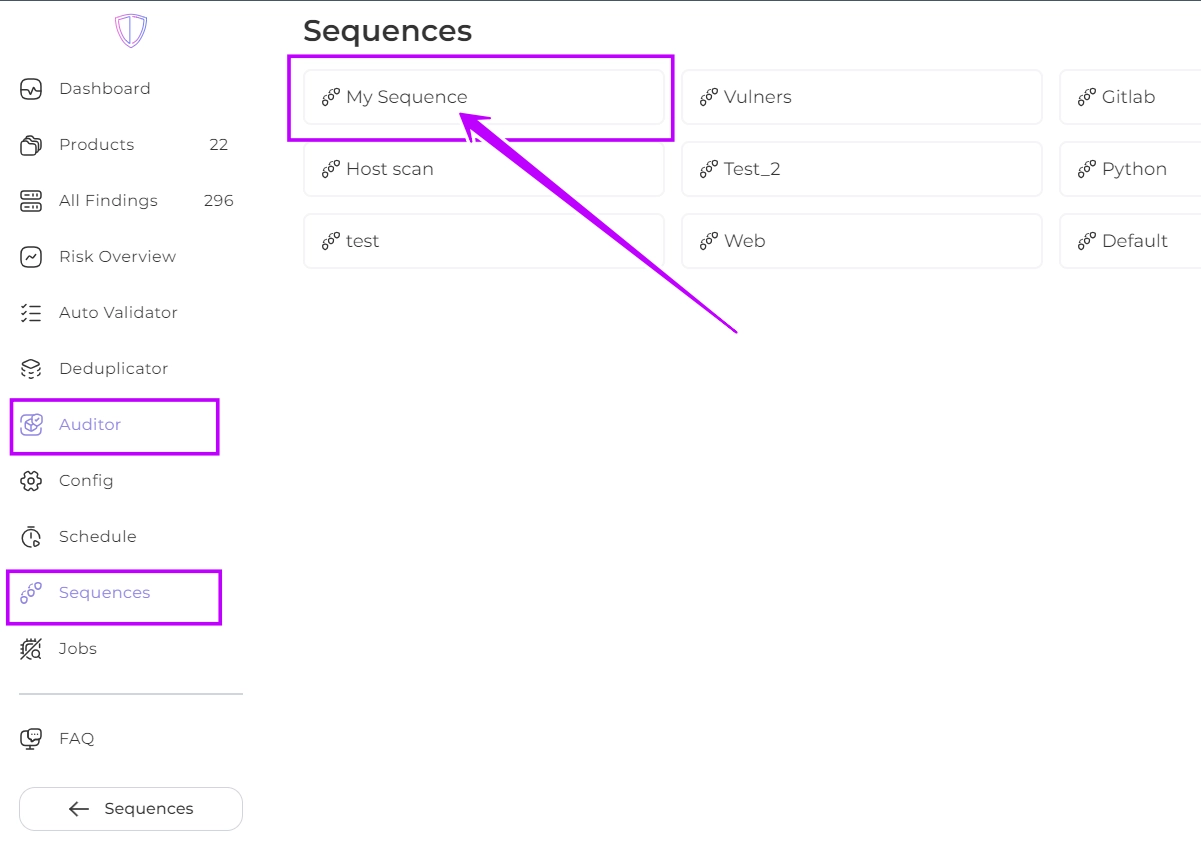
Congratulations! Your pipeline has been created. You can find it in the Auditor Sequences section
---
## Navigation
- Location: [Docs](https://whitespots.io/docs) > [Whitespots Wiki](https://whitespots.io/docs/whitespots-wiki) > [AppSec Portal](https://whitespots.io/docs/whitespots-wiki/appsec-portal) > [🎯 Features](https://whitespots.io/docs/whitespots-wiki/appsec-portal/features) > [🔦 Vulnerability discovery](https://whitespots.io/docs/whitespots-wiki/appsec-portal/features/vulnerability-discovery) > [⚙️ Auditor settings](https://whitespots.io/docs/whitespots-wiki/appsec-portal/features/vulnerability-discovery/auditor-settings) > [Sequences](https://whitespots.io/docs/whitespots-wiki/appsec-portal/features/vulnerability-discovery/auditor-settings/sequences)
- Previous: [Sequences](https://whitespots.io/docs/whitespots-wiki/appsec-portal/features/vulnerability-discovery/auditor-settings/sequences)
- Next: [Sequences setting](https://whitespots.io/docs/whitespots-wiki/appsec-portal/features/vulnerability-discovery/auditor-settings/sequences/sequences-setting)
 ), select a job (scanner) from the drop-down list and click on Create to add this job to your pipeline


4. Add the next jobs in the same way. Scanning will be performed sequentially from the first job
), select a job (scanner) from the drop-down list and click on Create to add this job to your pipeline


4. Add the next jobs in the same way. Scanning will be performed sequentially from the first job