---
title: "✔️ Audits"
description: "✔️ Audits You can view the audits performed using: Audits screen Selecting the Audits section from the left-hand menu bar on the home page will bring up a…"
url: https://whitespots.io/docs/whitespots-wiki/appsec-portal/features/vulnerability-discovery/audits
slug: whitespots-wiki/appsec-portal/features/vulnerability-discovery/audits
publish_date: 2025-11-13T18:00:34.000Z
last_modified: 2025-11-13T18:00:34.000Z
---
# ✔️ Audits
# ✔️ Audits
You can view the **audits performed** using:
## Audits screen
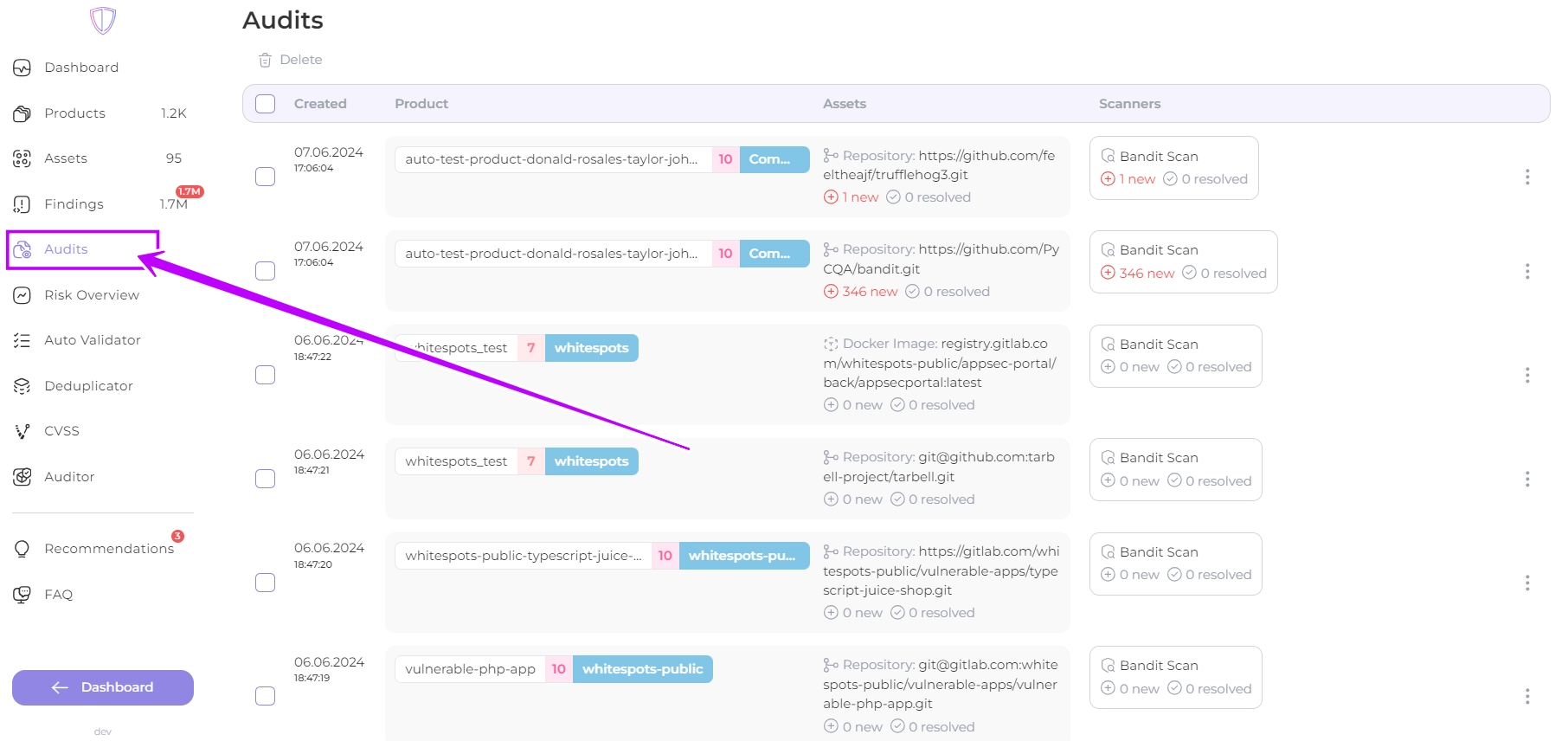
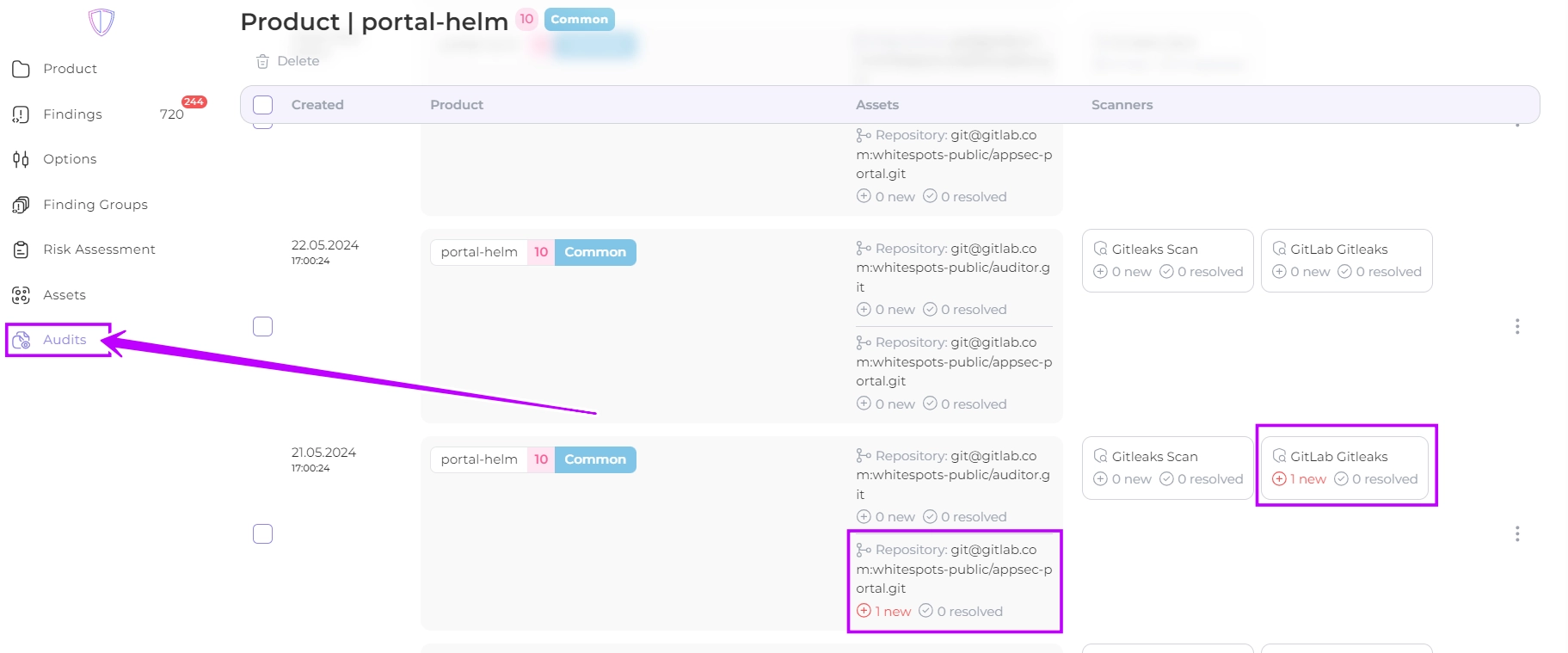
Selecting the **Audits** section from the left-hand menu bar **on the home page** will bring up a screen displaying **all** audits performed on the portal. \
Audits are displayed by date and time, product, assets and scanners used.
### Use of the filter
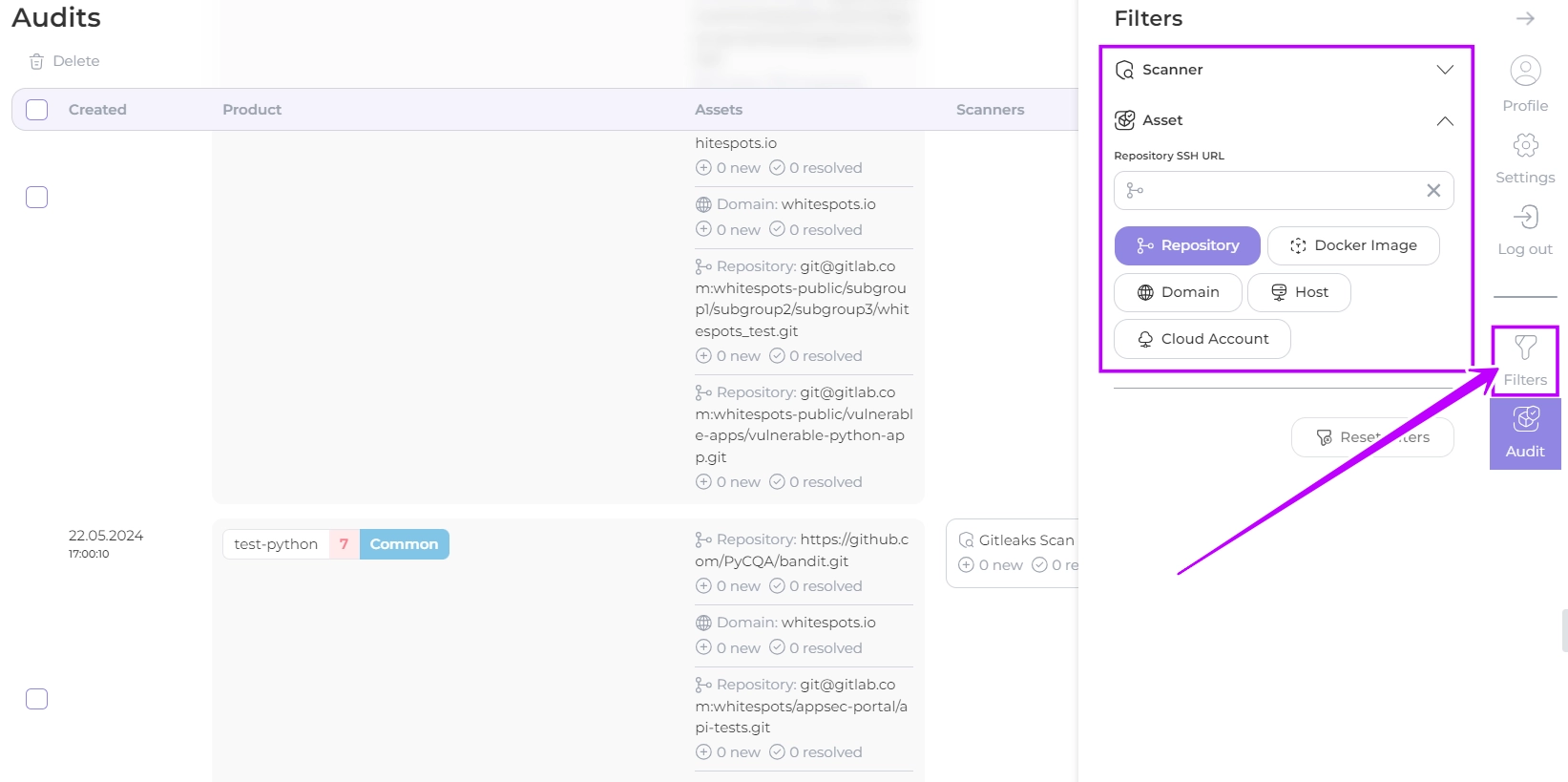
You can find the audit you are looking for by filtering the results by Scanner name or/and Asset name
### Findings veiw
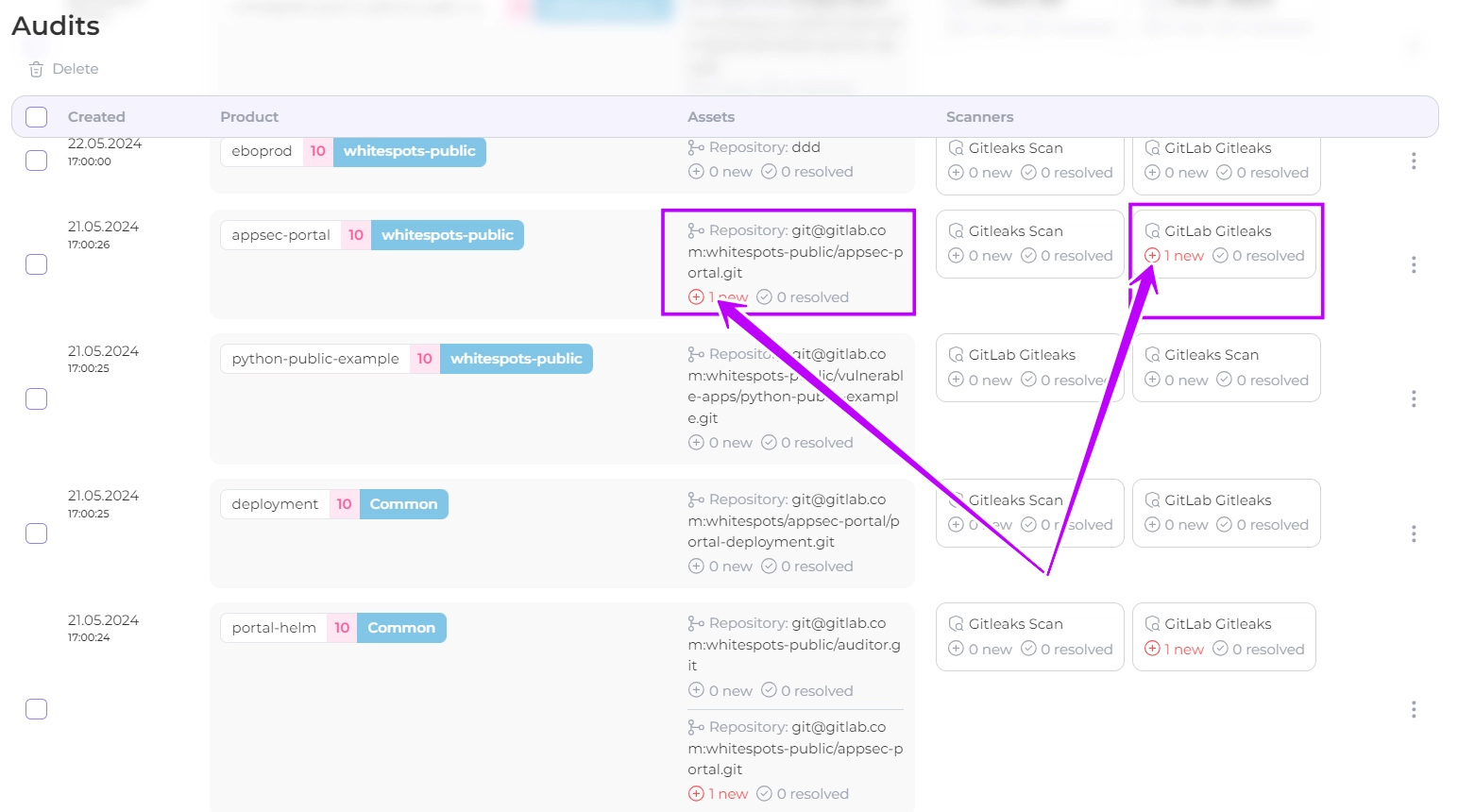
Each Asset and Scanner displays the number of new and resolved findings. You can view these findings by clicking on the corresponding value.
### Bulk actions
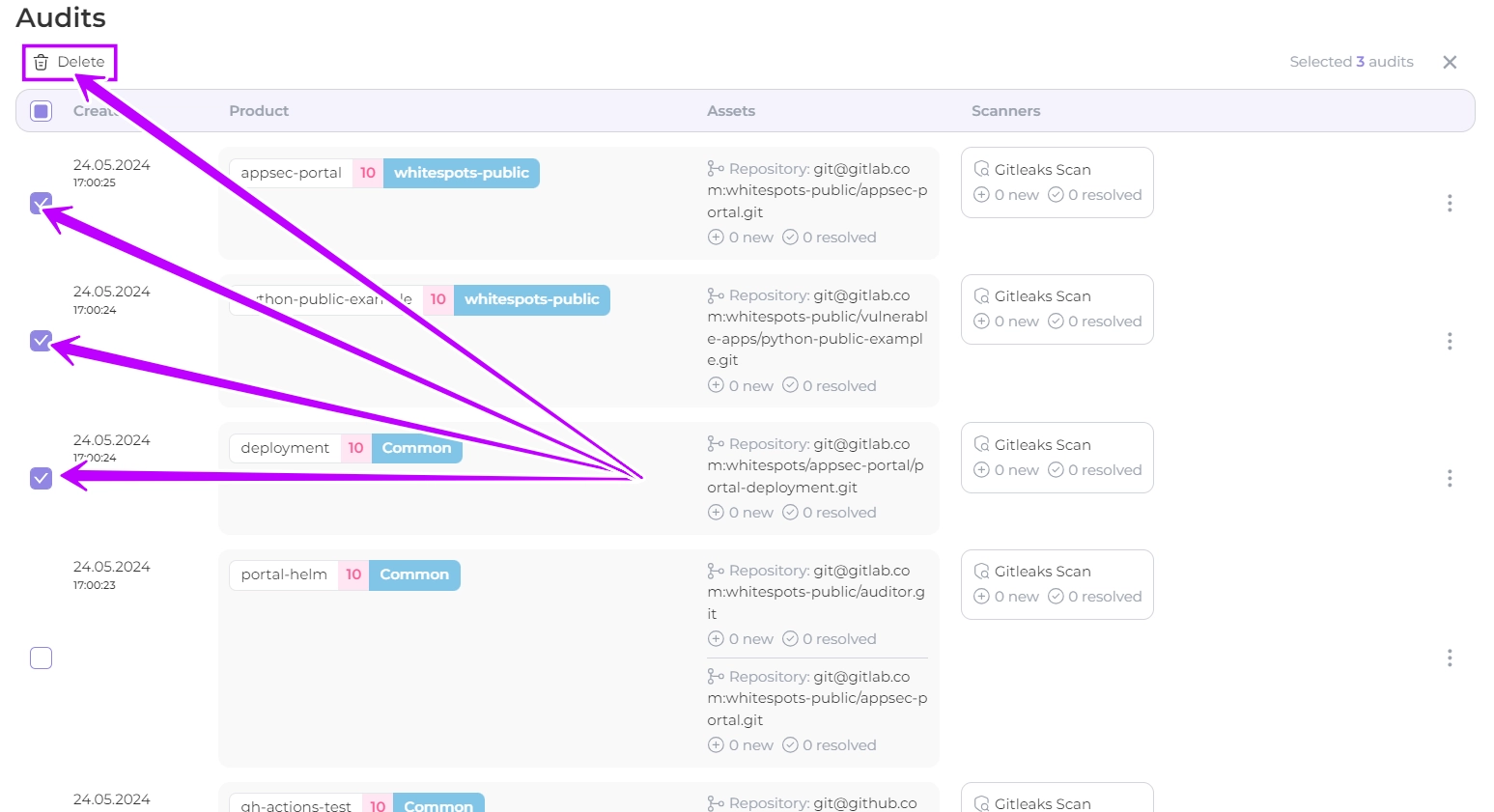
By selecting multiple entries you can **delete** them in bulk
## Product audit screen
On the Products page you will find the Audits screen. \
All audits for the product you are viewing are displayed here. \
The same actions are available on the records as on the main Audits screen.
## Asset Audit Screen
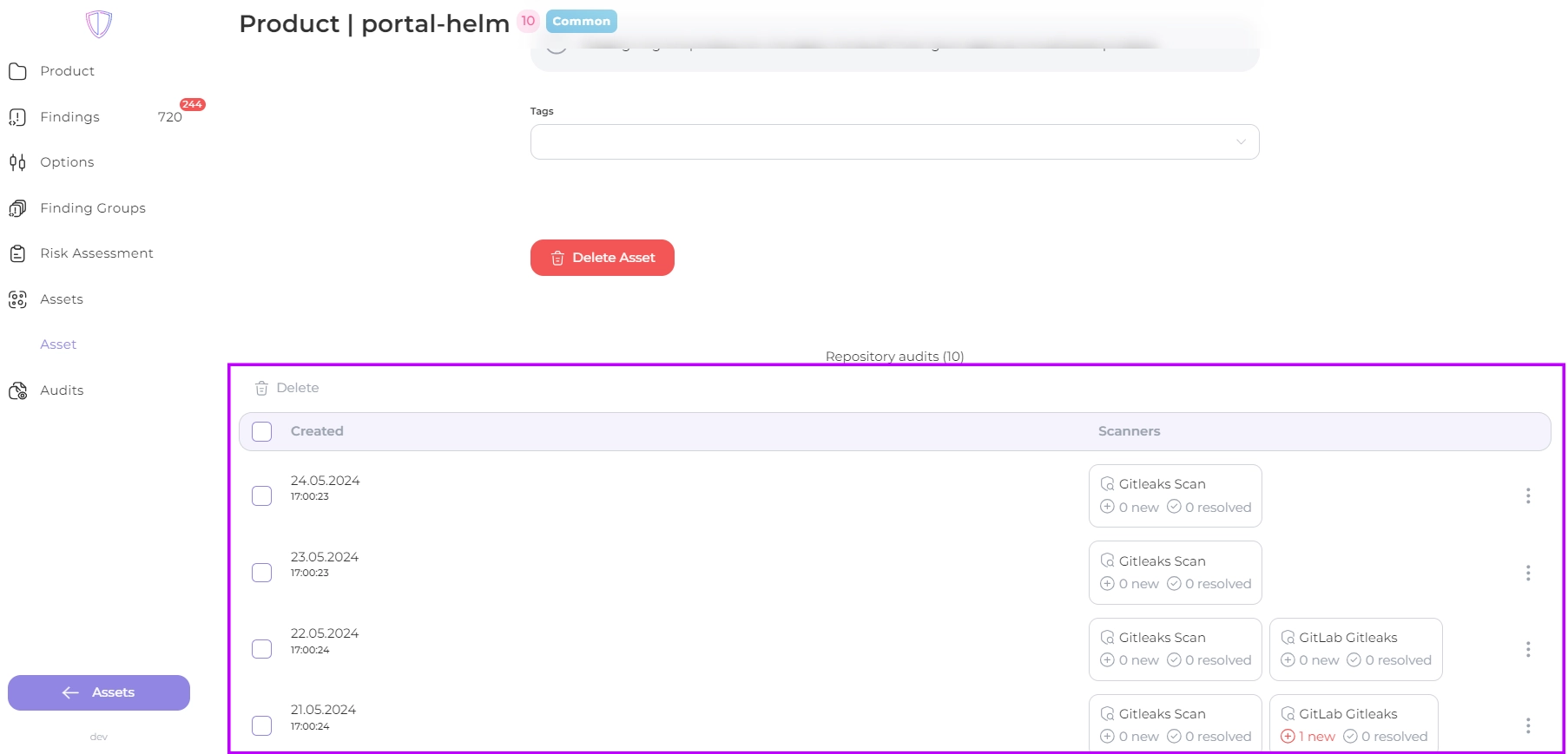
When viewing a particular Asset, at the bottom of the screen you can also find all the audits performed on it. \
The same actions with records are available as for the main audit screen
---
## Navigation
- Location: [Docs](https://whitespots.io/docs) > [Whitespots Wiki](https://whitespots.io/docs/whitespots-wiki) > [AppSec Portal](https://whitespots.io/docs/whitespots-wiki/appsec-portal) > [🎯 Features](https://whitespots.io/docs/whitespots-wiki/appsec-portal/features) > [🔦 Vulnerability discovery](https://whitespots.io/docs/whitespots-wiki/appsec-portal/features/vulnerability-discovery)
- Previous: [Sequences setting](https://whitespots.io/docs/whitespots-wiki/appsec-portal/features/vulnerability-discovery/auditor-settings/sequences/sequences-setting)
- Next: [🔎 Run audit](https://whitespots.io/docs/whitespots-wiki/appsec-portal/features/vulnerability-discovery/run-audit)