---
title: "Criteria & Schedule"
description: "Criteria & Schedule Use the filter in the All Findings section to set the criteria for which findings notifications are sent and the frequency of…"
url: https://whitespots.io/docs/whitespots-wiki/appsec-portal/general-portal-settings/notification-settings/criteria-and-schedule
slug: whitespots-wiki/appsec-portal/general-portal-settings/notification-settings/criteria-and-schedule
publish_date: 2025-12-03T22:20:02.000Z
last_modified: 2025-12-03T22:20:02.000Z
---

# Criteria & Schedule

# Criteria & Schedule

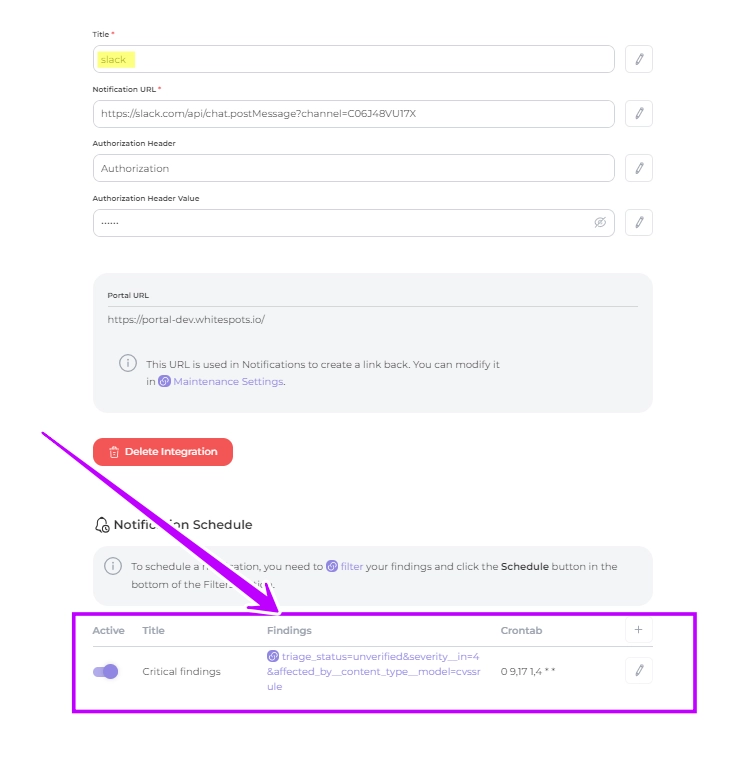
Use the filter in the All Findings section to set the criteria for which findings notifications are sent and the frequency of notifications. \
You can set up multiple notification types for a single service

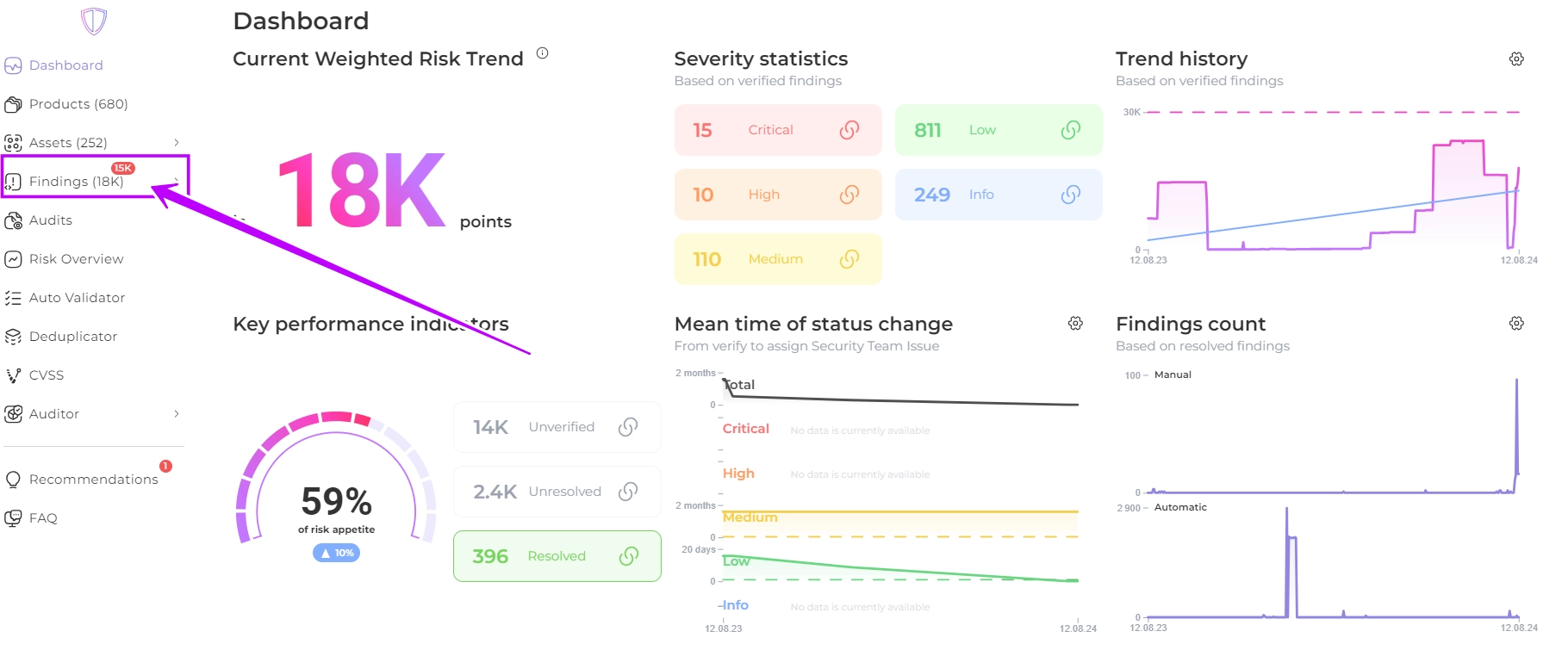
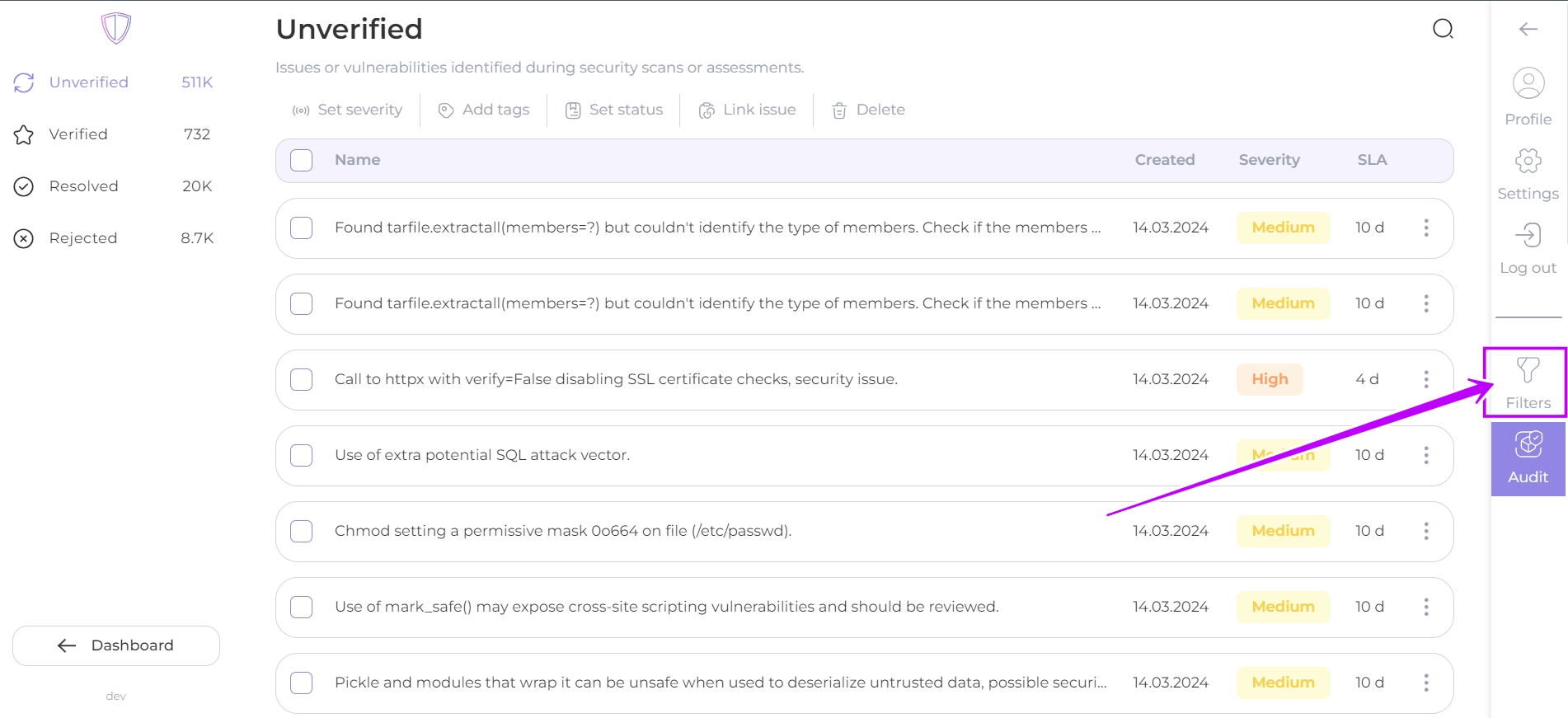
1. Navigate to the **All Findings** section and click the **Filters** button:

<figure><img src="https://whitespots.io/api/image/352756400926a7307d1751f901cdc1ba.png" alt=""><figcaption></figcaption></figure>

<figure><img src="https://whitespots.io/api/image/421dfe63802ffe7c48542a086b410bec.png" alt=""><figcaption></figcaption></figure>

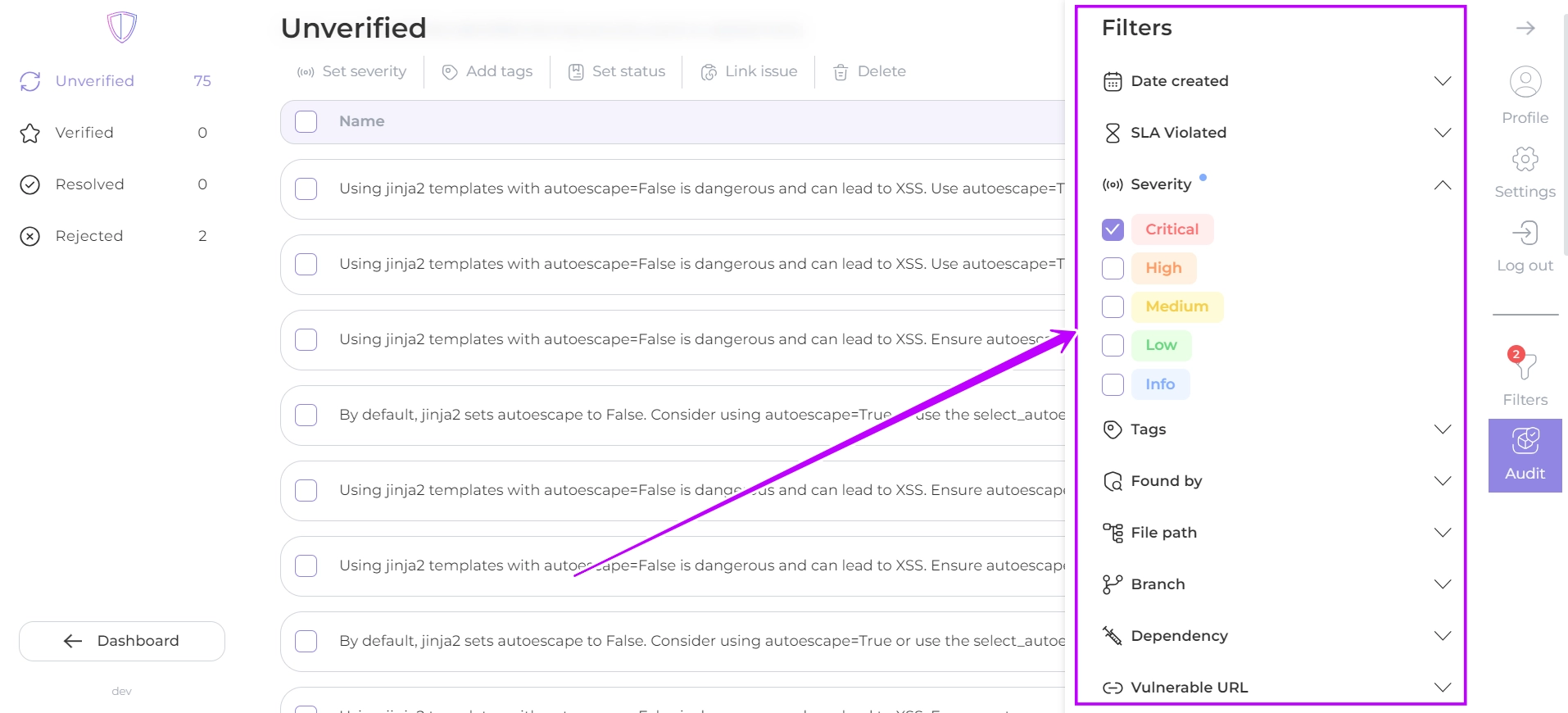
2. In the filter settings, you can **select** the **criteria** by which to filter the **findings**, and these specific findings will be included in the notifications.

<figure><img src="https://whitespots.io/api/image/8a3454ca5377f96d6e461fd0a38199da.png" alt=""><figcaption></figcaption></figure>

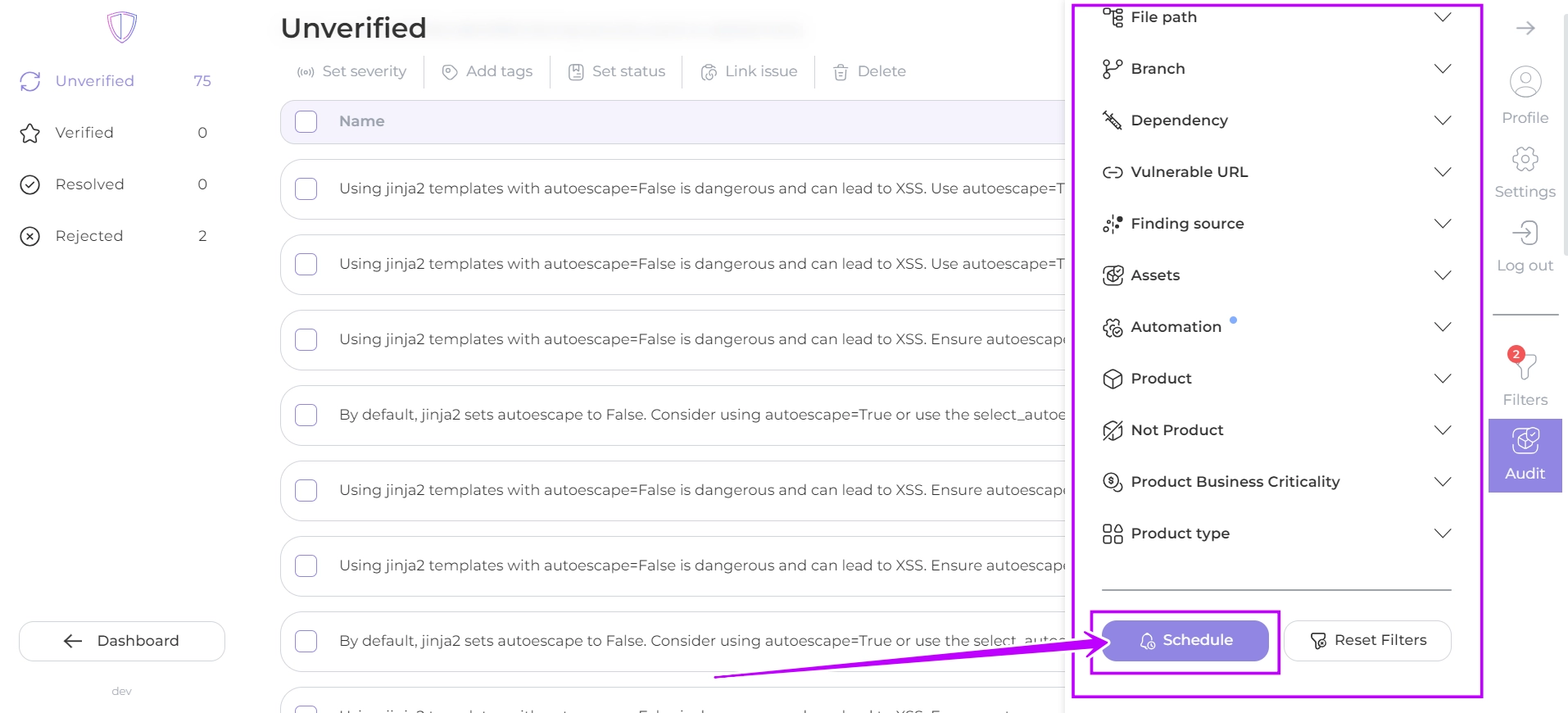
3. **Create** the **schedule** for **sending notifications** by clicking the **Schedule** button at the bottom of the Filter window.

<figure><img src="https://whitespots.io/api/image/2dbe1b898064cb2dca29f4553095a91b.png" alt=""><figcaption></figcaption></figure>

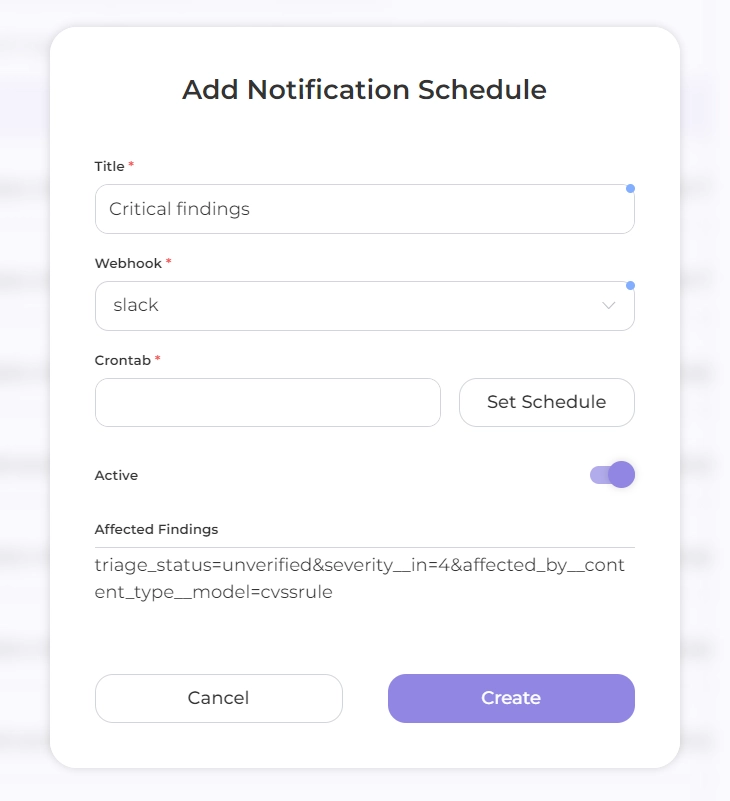
4. Configure a schedule to set the frequency of sending notifications\
   fill in the fields:

* **Title**: the name you have chosen for this schedule
* **Webhook**: select the previously configured integration from the drop-down list

{% hint style="warning" %}
The **name** in the **Title** should be **unique** and not repeat previously created schedule titles
{% endhint %}

<figure><img src="https://whitespots.io/api/image/48328ad5f571aaca5c7036fd429e1817.png" alt=""><figcaption></figcaption></figure>

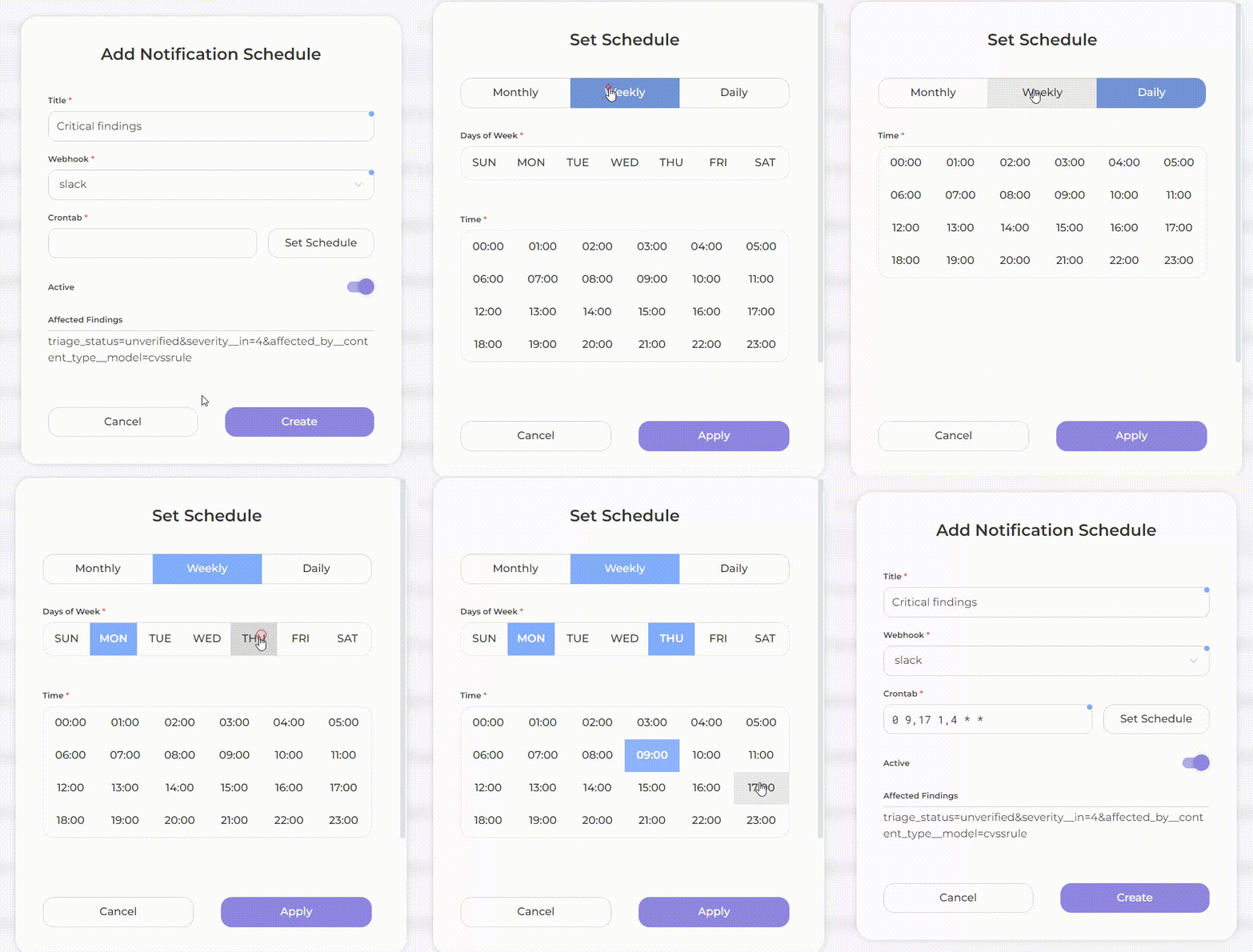
* **Crontab**: click on the **Set Schedule** button and select a frequency

<figure><img src="https://whitespots.io/api/image/61c670f09f66d8dc188c9a3dc5c7acaf.gif" alt=""><figcaption></figcaption></figure>

<mark style="background-color:blue;">The schedule is set and integrated into your service.</mark> \
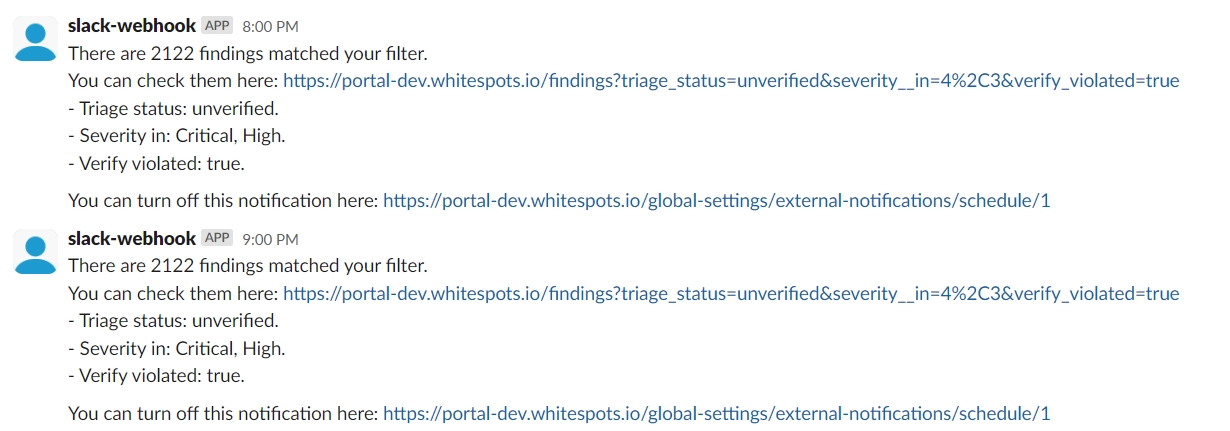
From now on, AppSec Portal will send notifications with information about findings that match the selected criteria and at the set frequency.
<figure><img src="https://whitespots.io/api/image/9b09c7df1ad70ec6c84526829585d226.png" alt=""><figcaption></figcaption></figure>

<figure><img src="https://whitespots.io/api/image/cc4dc75afc9828522017a0d722cfc1ae.png" alt=""><figcaption><p>notification example</p></figcaption></figure>


---

## Navigation

- Location: [Docs](https://whitespots.io/docs) > [Whitespots Wiki](https://whitespots.io/docs/whitespots-wiki) > [AppSec Portal](https://whitespots.io/docs/whitespots-wiki/appsec-portal) > [🛠️ General Portal settings](https://whitespots.io/docs/whitespots-wiki/appsec-portal/general-portal-settings) > [Notification settings](https://whitespots.io/docs/whitespots-wiki/appsec-portal/general-portal-settings/notification-settings)
- Previous: [Notification settings](https://whitespots.io/docs/whitespots-wiki/appsec-portal/general-portal-settings/notification-settings)
- Next: [Integration](https://whitespots.io/docs/whitespots-wiki/appsec-portal/general-portal-settings/notification-settings/integration)