---
title: "Repository Link Configs"
description: "Repository Link Configs This configuration enables the Portal to provide a link to the repository sources using the provided finding path and line.…"
url: https://whitespots.io/docs/whitespots-wiki/appsec-portal/general-portal-settings/repository-link-configs
slug: whitespots-wiki/appsec-portal/general-portal-settings/repository-link-configs
publish_date: 2025-12-03T21:48:20.000Z
last_modified: 2025-12-03T21:48:20.000Z
---
# Repository Link Configs
# Repository Link Configs
{% hint style="info" %}
Used in working with the [**Auditor**](https://whitespots.io/docs/whitespots-wiki/auditor)
{% endhint %}
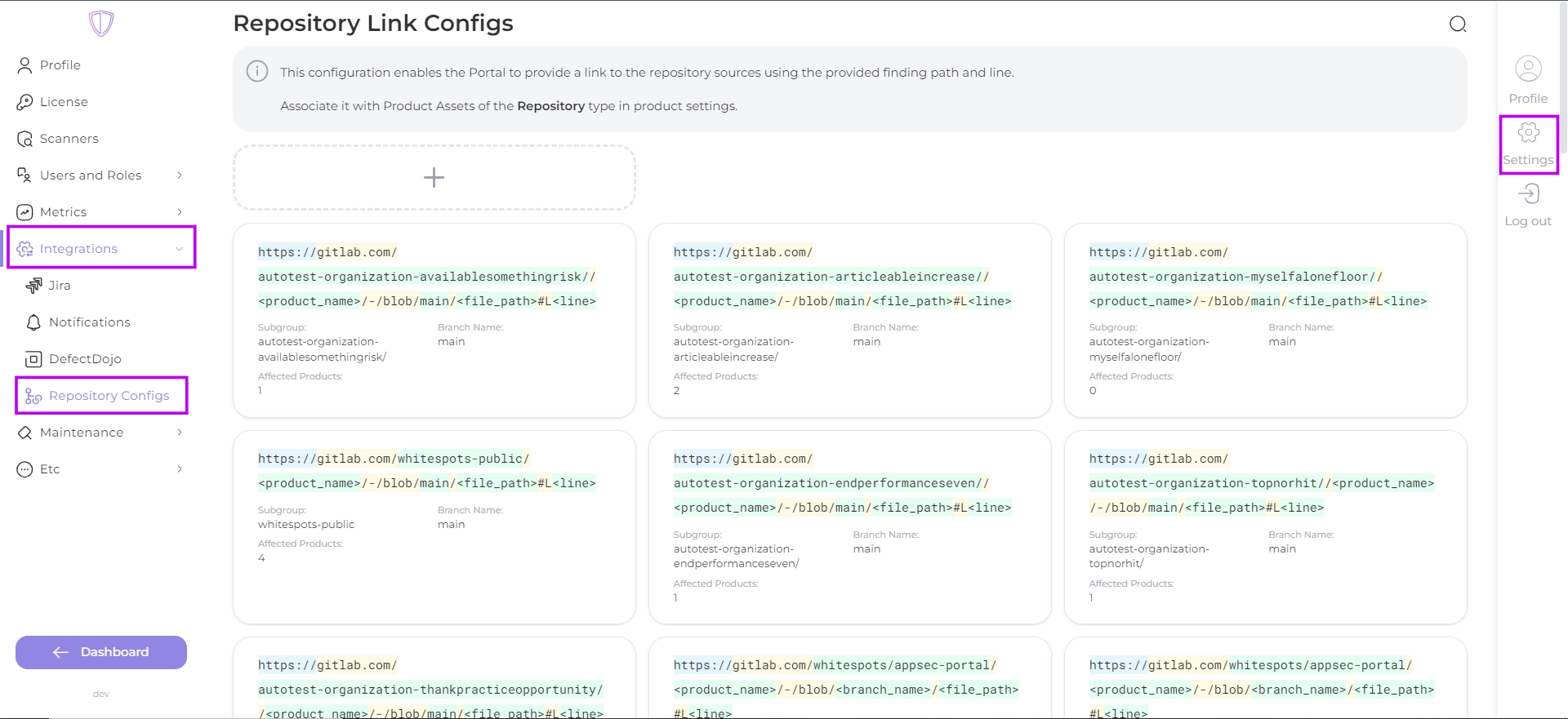
This configuration enables the Portal to provide a link to the repository sources using the provided finding path and line. Associate it with Product Assets of the Repository type in [product settings](https://whitespots.io/docs/whitespots-wiki/appsec-portal/features/asset-management/adding-a-product-asset).
Navigate to **Settings → Integrations → Repository Link** to specify pattern for repository link
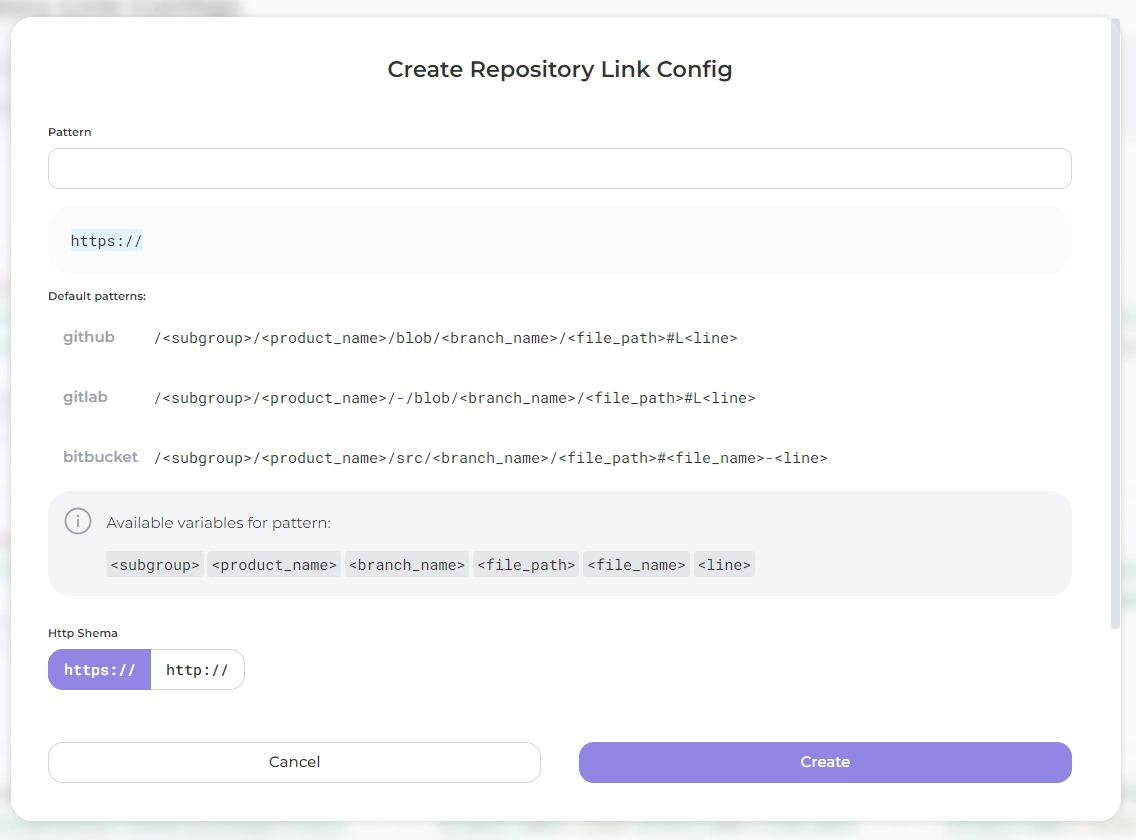
Create Repository link by clicking on the create button \
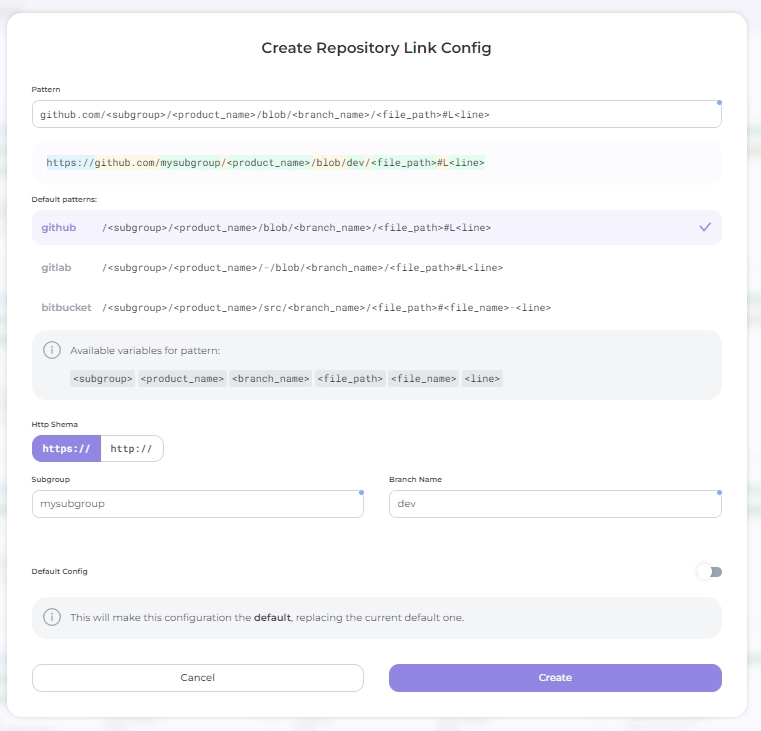
To help you get started, here is the _URL builder_:
* select the URL pattern of your Git hosting service: choose from the **Example patterns** provided (available for GitHub, GitLab and Bitbucket) or create a new one in **Pattern** field;
* select a protocol shema;
* enter subgroup and branch name
* You can hover your mouse over the highlighted parts of the URL in the results box to see what they mean about the correct way to build the project repository.
---
## Navigation
- Location: [Docs](https://whitespots.io/docs) > [Whitespots Wiki](https://whitespots.io/docs/whitespots-wiki) > [AppSec Portal](https://whitespots.io/docs/whitespots-wiki/appsec-portal) > [🛠️ General Portal settings](https://whitespots.io/docs/whitespots-wiki/appsec-portal/general-portal-settings)
- Previous: [Profile](https://whitespots.io/docs/whitespots-wiki/appsec-portal/general-portal-settings/profile)
- Next: [Scanner settings](https://whitespots.io/docs/whitespots-wiki/appsec-portal/general-portal-settings/scanner-settings)