---
title: "GitLab SSO"
description: "GitLab SSO To log in to the AppSec portal through your GitLab account, follow these steps: Navigate to your profile settings in GitLab and select the…"
url: https://whitespots.io/docs/whitespots-wiki/appsec-portal/general-portal-settings/sso-settings/gitlab-sso
slug: whitespots-wiki/appsec-portal/general-portal-settings/sso-settings/gitlab-sso
publish_date: 2025-11-13T18:00:34.000Z
last_modified: 2025-11-13T18:00:34.000Z
---
# GitLab SSO
# GitLab SSO
{% hint style="warning" %}
The following steps describe the state of GitLab at the time of creating this instruction. The GitLab interface may change, so for the most up-to-date information, refer to the official [source](https://docs.gitlab.com/ee/integration/openid_connect_provider.html)
{% endhint %}
To log in to the AppSec portal through your GitLab account, follow these steps:
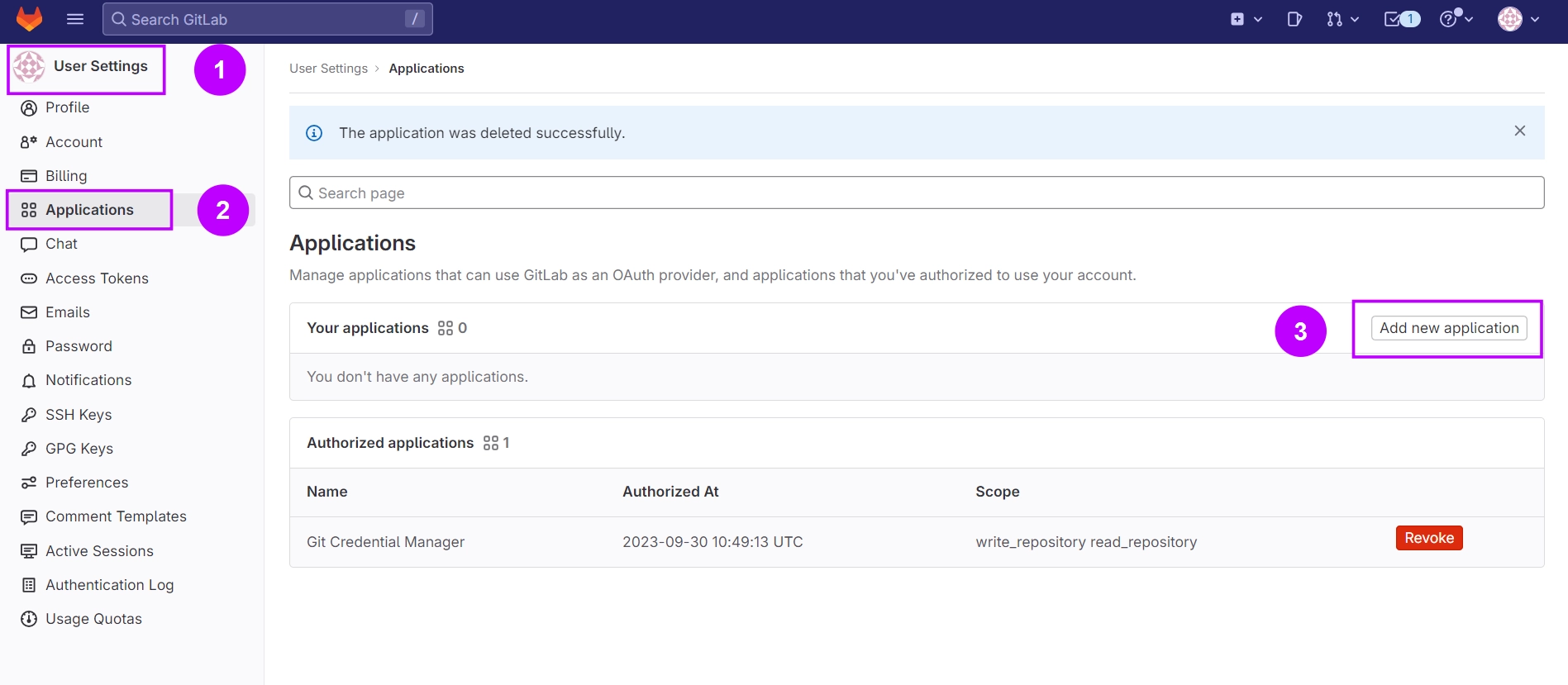
1. Navigate to your **profile** settings in GitLab and select the "**Applications**" tab.
2. Click "**Add new application**"
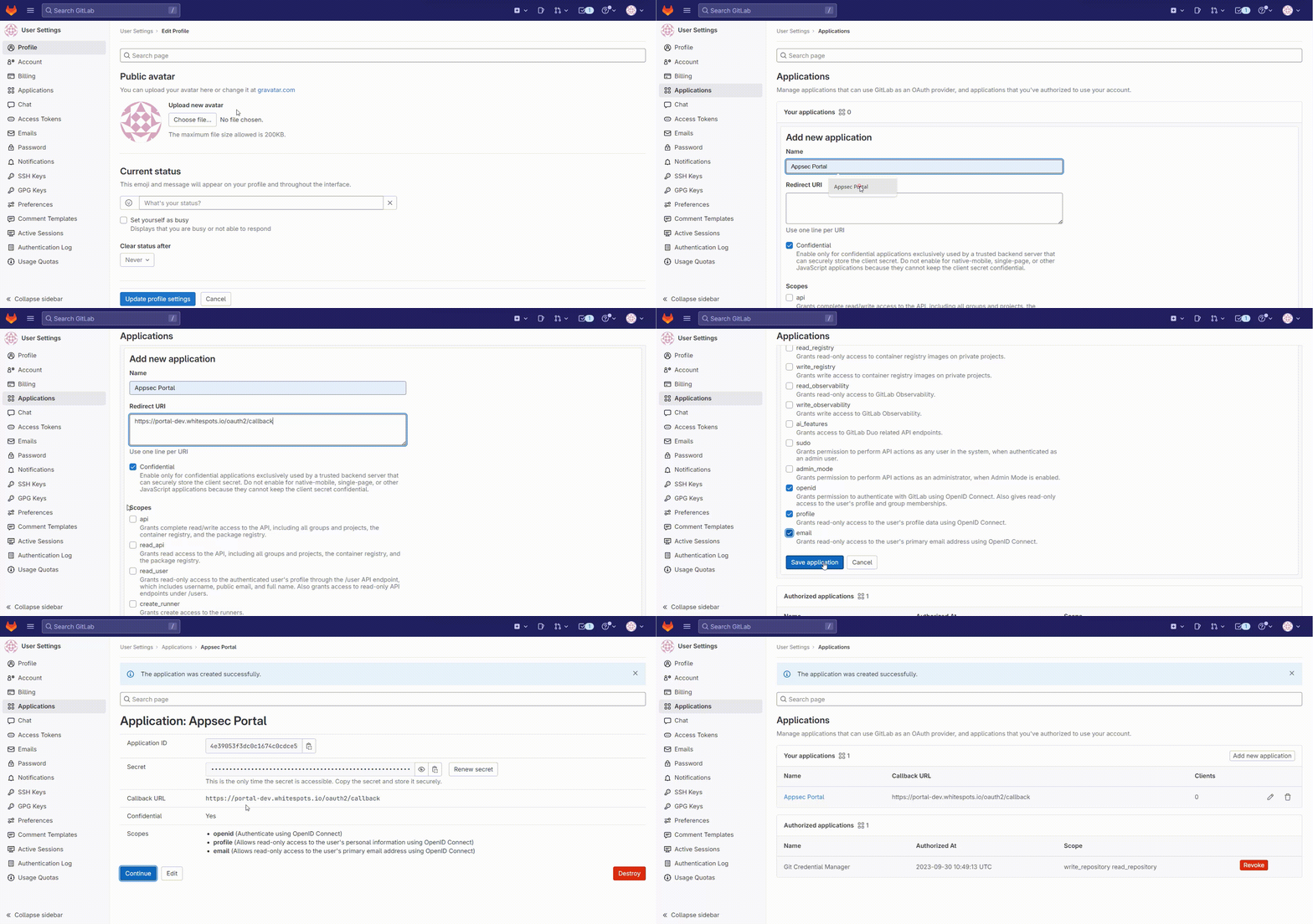
3. Fill in the fields:
* **Name** - Enter the name of the application as desired
* **Redirect URI** - _**https://portal-dev.whitespots.io/oauth2/callback**_
* Ensure that the "**Confidential**" connection option is selected
* Choose the **scope** of information to be shared: _**openid**_, _**profile**_, _**email, read\_api (if you want to sync repositories)**_
* Click "**Save application**"
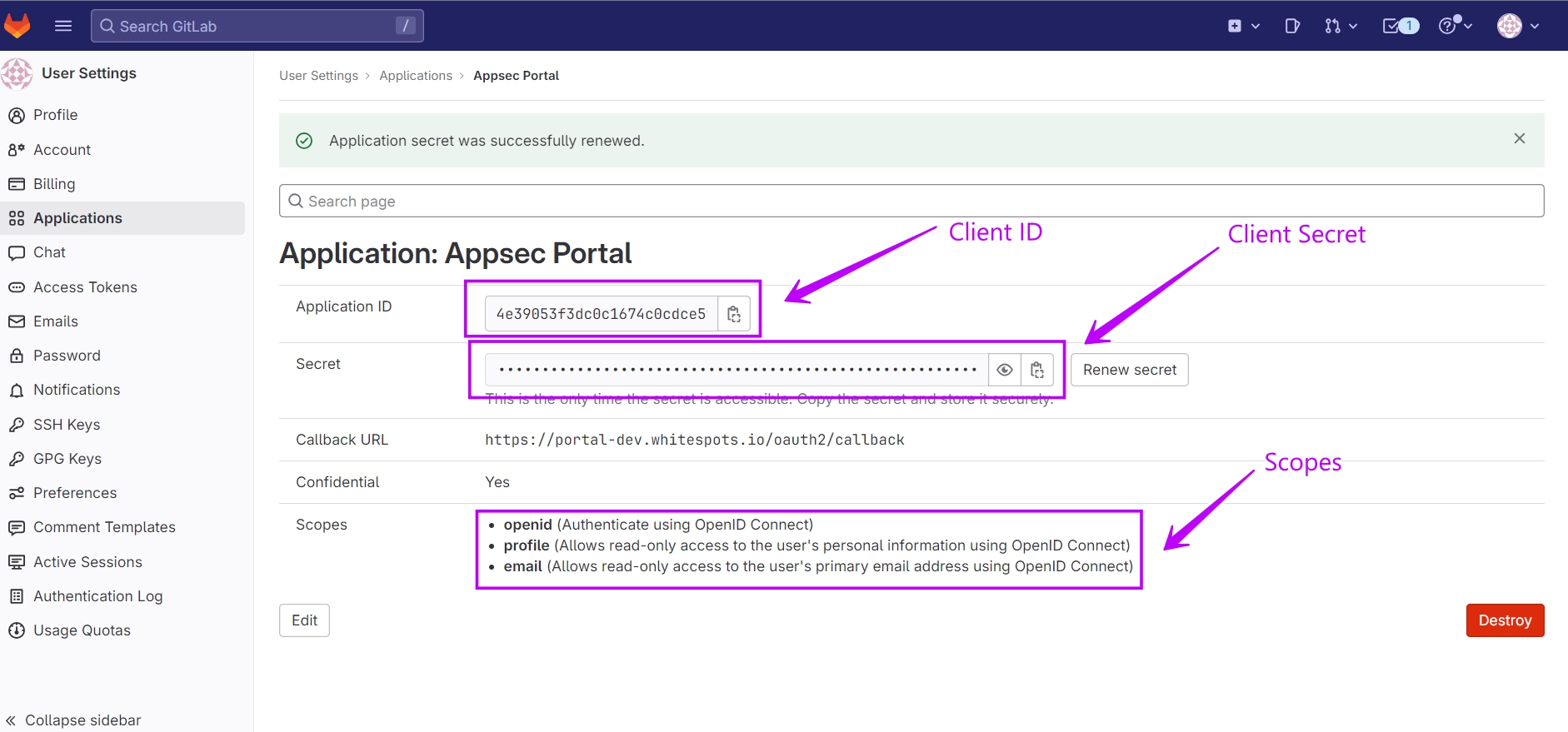
Use the data created for your application to [configure ](https://whitespots.io/docs/whitespots-wiki/appsec-portal/general-portal-settings/sso-settings)SSO integration in the AppSec portal:
* **Domain**: gitlab.com
* **Client ID**: \
* **Client Secret**: \
* **Scopes**: \
These settings will allow you to use your GitLab account to log in to the AppSec portal
---
## Navigation
- Location: [Docs](https://whitespots.io/docs) > [Whitespots Wiki](https://whitespots.io/docs/whitespots-wiki) > [AppSec Portal](https://whitespots.io/docs/whitespots-wiki/appsec-portal) > [🛠️ General Portal settings](https://whitespots.io/docs/whitespots-wiki/appsec-portal/general-portal-settings) > [SSO settings](https://whitespots.io/docs/whitespots-wiki/appsec-portal/general-portal-settings/sso-settings)
- Previous: [SSO settings](https://whitespots.io/docs/whitespots-wiki/appsec-portal/general-portal-settings/sso-settings)
- Next: [Microsoft SSO](https://whitespots.io/docs/whitespots-wiki/appsec-portal/general-portal-settings/sso-settings/microsoft-sso)