Creating and editing roles
This page provides guidance on creating and editing roles to customize user access and control in accordance with your organization’s requirements.
To create and edit roles, you need to access the “Roles” page within the “Users and Roles” tab.
Creating a new role
To create a new role with customized access permissions, follow these steps:
- Access the “Roles” page from the “Users and Roles” tab.
- Look for the ”+ Role” and click on it.
- Provide a descriptive name for the new role to reflect its purpose or responsibilities.
- Define the desired access permissions for the role by selecting the appropriate checkboxes options.
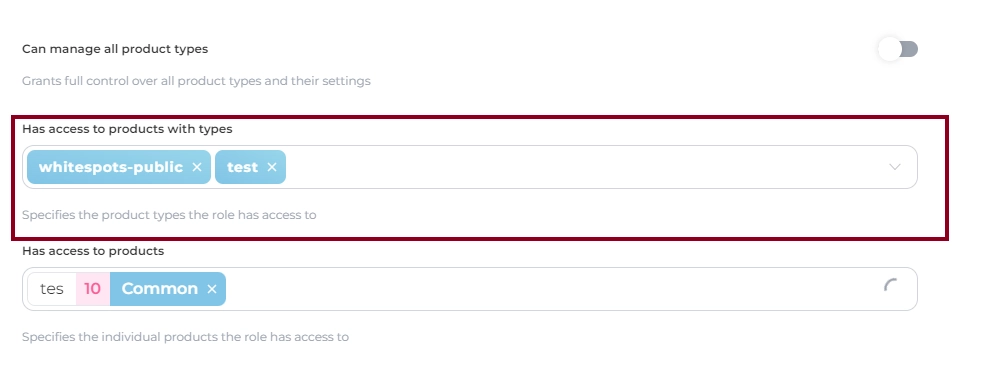
- Consider the specific product types or individual product that should be accessible to users assigned to this role.
- Save the new role by clicking “Create” to add it to the list of available roles in the AppSec Portal.
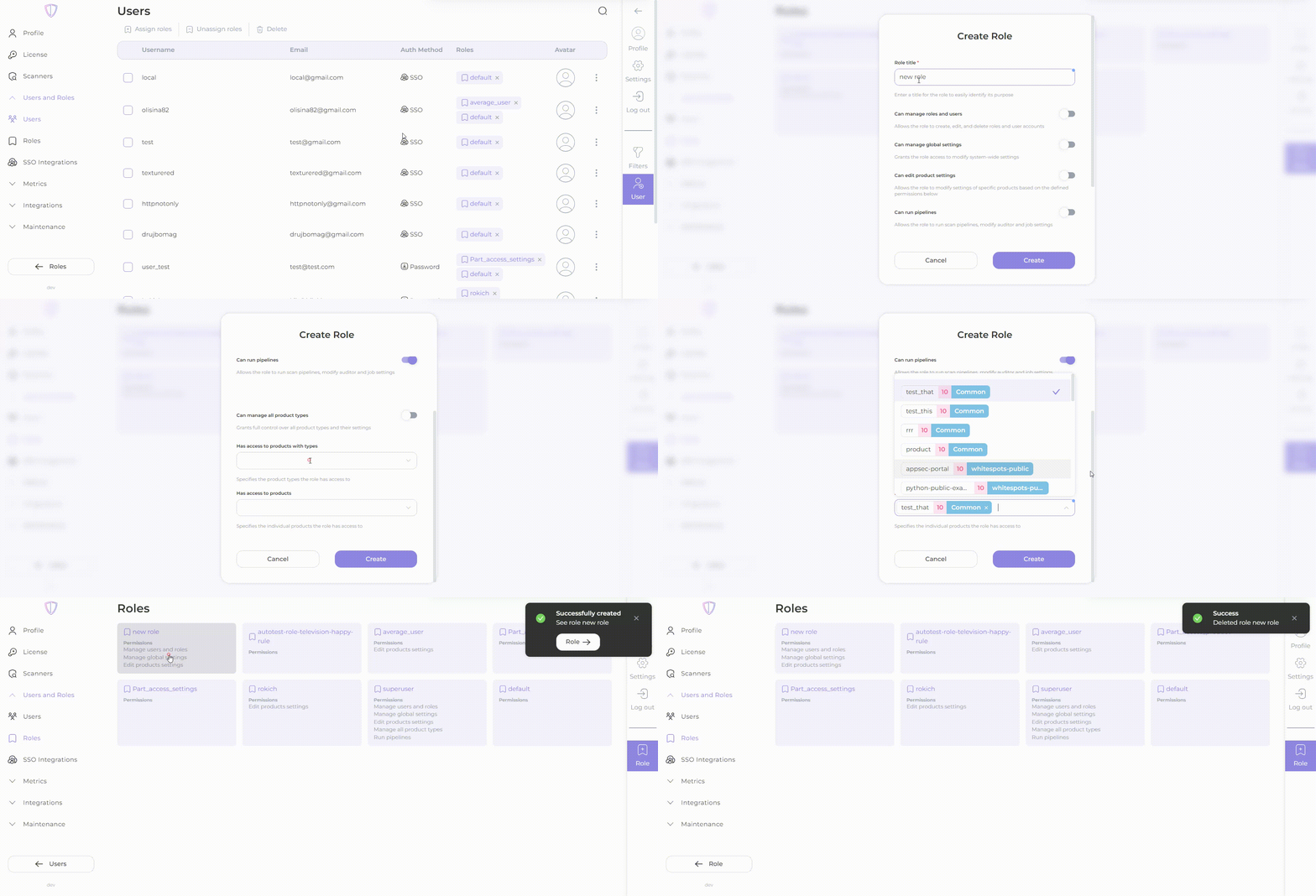
New role creating
 {% endhint %}
Editing an existing role
To modify the access permissions or details of an existing role, follow these steps:
- Access the “Roles” page from the “Users and Roles” tab.
- Locate the role you want to edit from the list of available roles.
- Select the role to view its details and permissions.
- Make the necessary changes to the role’s name or access permissions by selecting or deselecting options.
- Delete the role if necessarily by pressing “Delete” button.
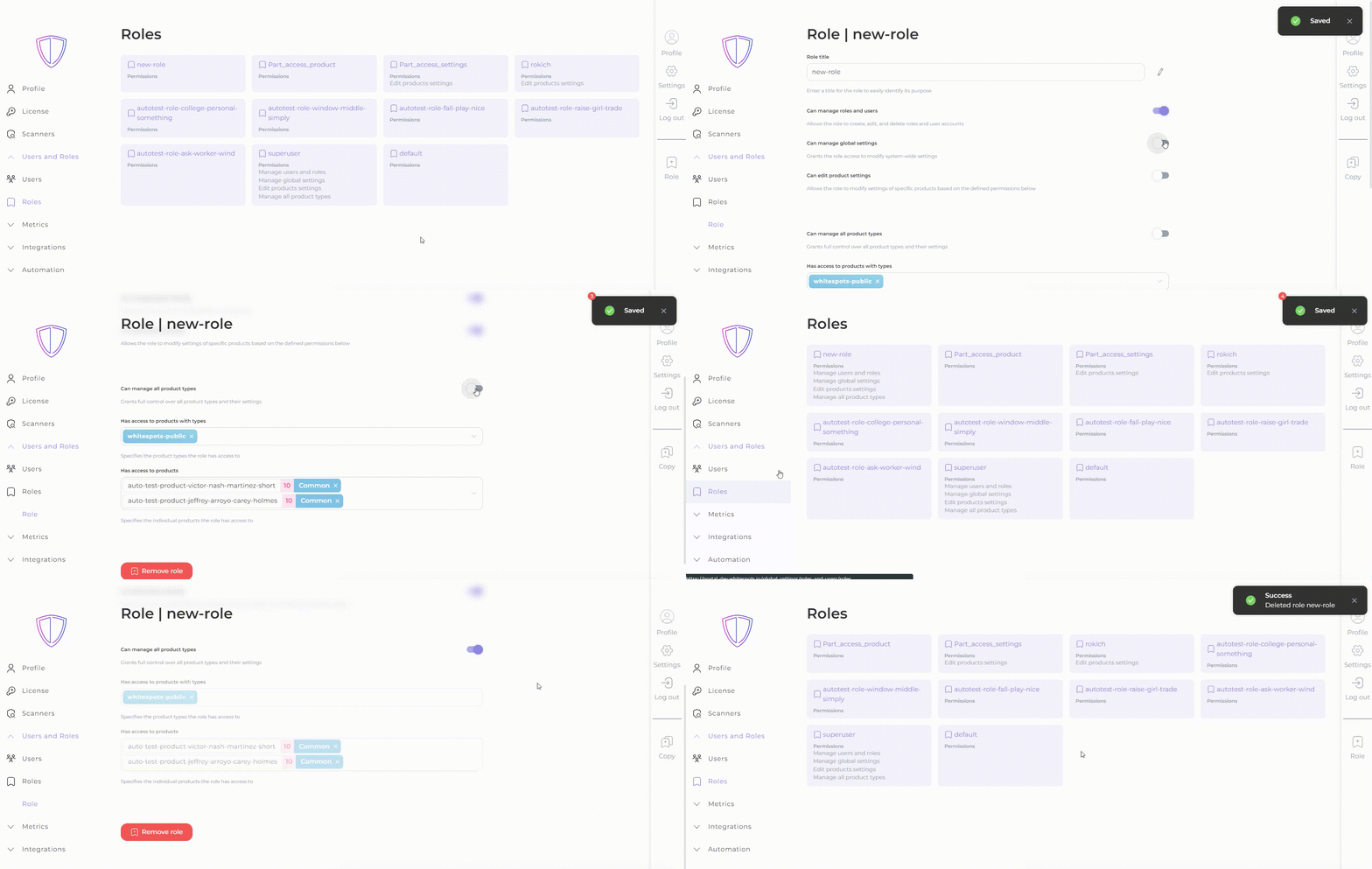
The role editing
Find the role
To find the specific role you’re interested in, please use the search function.
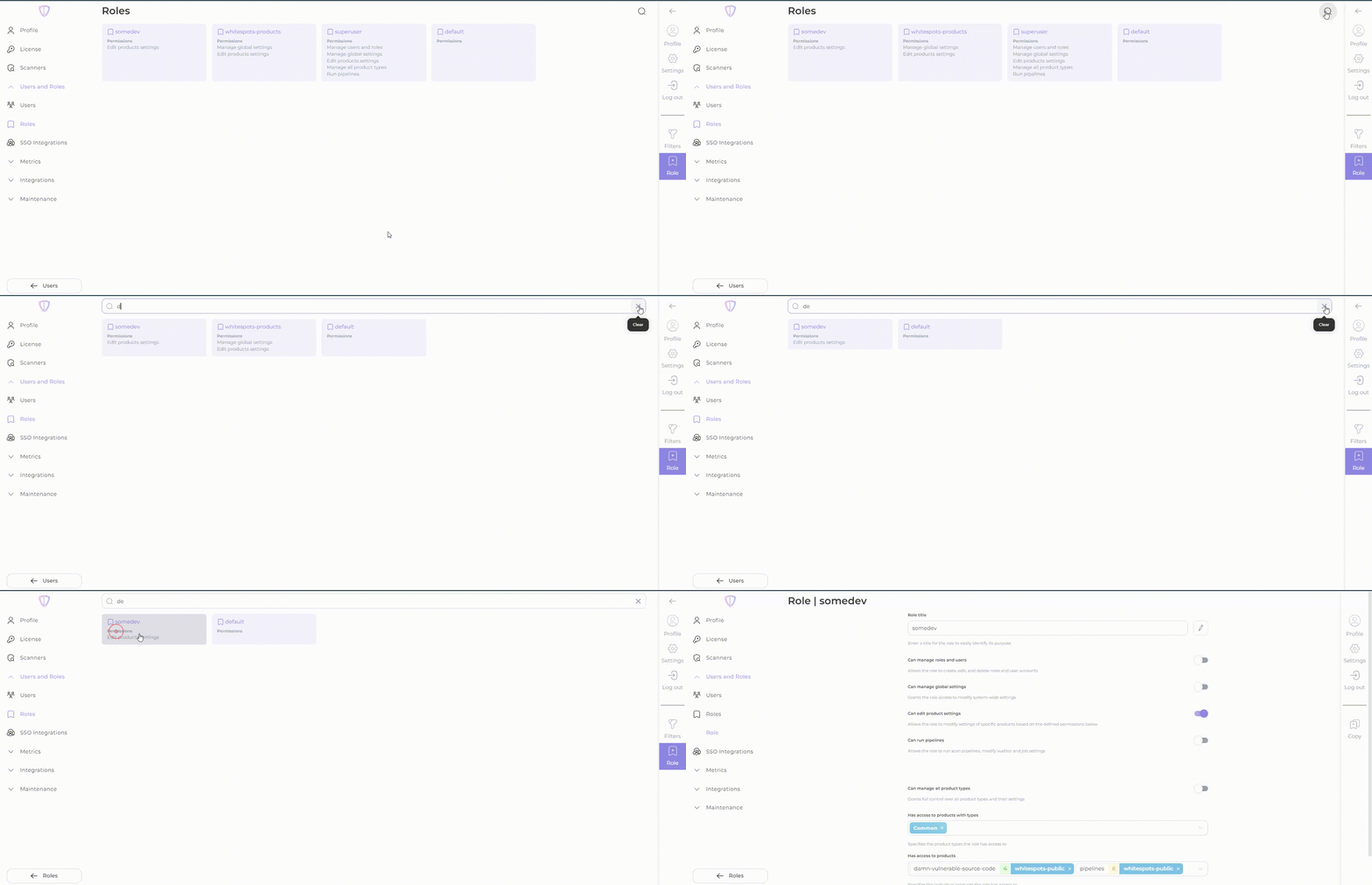
Defining role permissions
When creating or editing a role, it is important to carefully consider the access permissions required for the role. Each permission determines the level of access and control a user with that role will have within the AppSec Portal. Evaluate the specific functionalities and data that should be accessible to users assigned to the role and select the appropriate permissions accordingly.
| Permission level | Rule visibility | Rule editing | Adding/removing affected products from rules |
|---|---|---|---|
| No access (no available product types/products affecting this rule for the role) | Rule is hidden | N/A | N/A |
| Partial access (at least one product in this rule is available for the role) | Rule is viewable | Restricted | Allowed (only products that are specifically assigned to the role) |
| Full access (all products in a rule are available for the role) | Rule is viewable | Allowed | Allowed |