Bring your own scanner
If your scanner generates json - we support it
Requirements
- Json report as an example for us to parse it
- Docker image with scanner
Add job to auditor
- Navigate to Auditor->Jobs
- Find a button on the right to create a new job
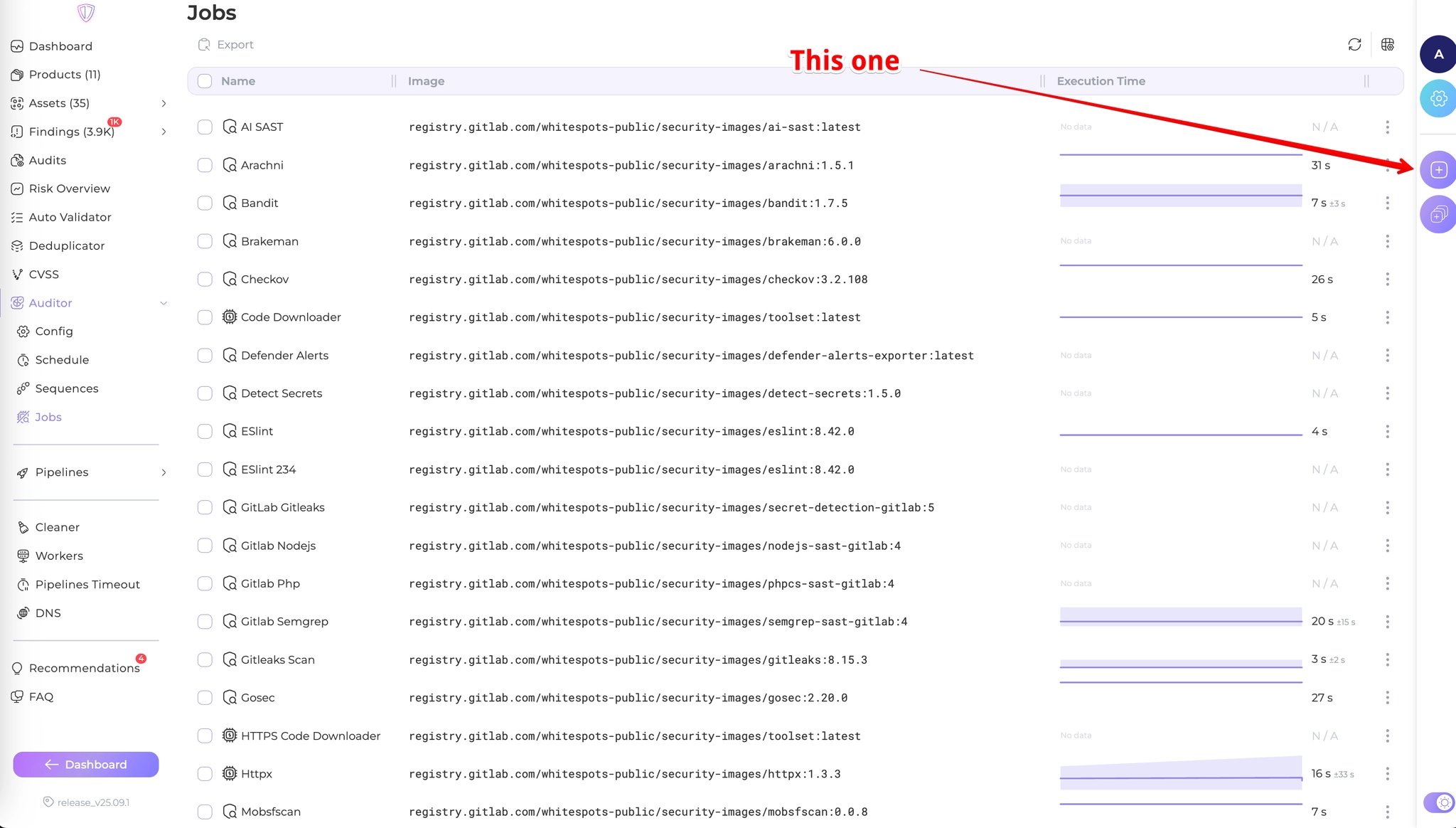
There are a lot of settings for jobs. If you find that hard to understand - take a look at any of our existing jobs
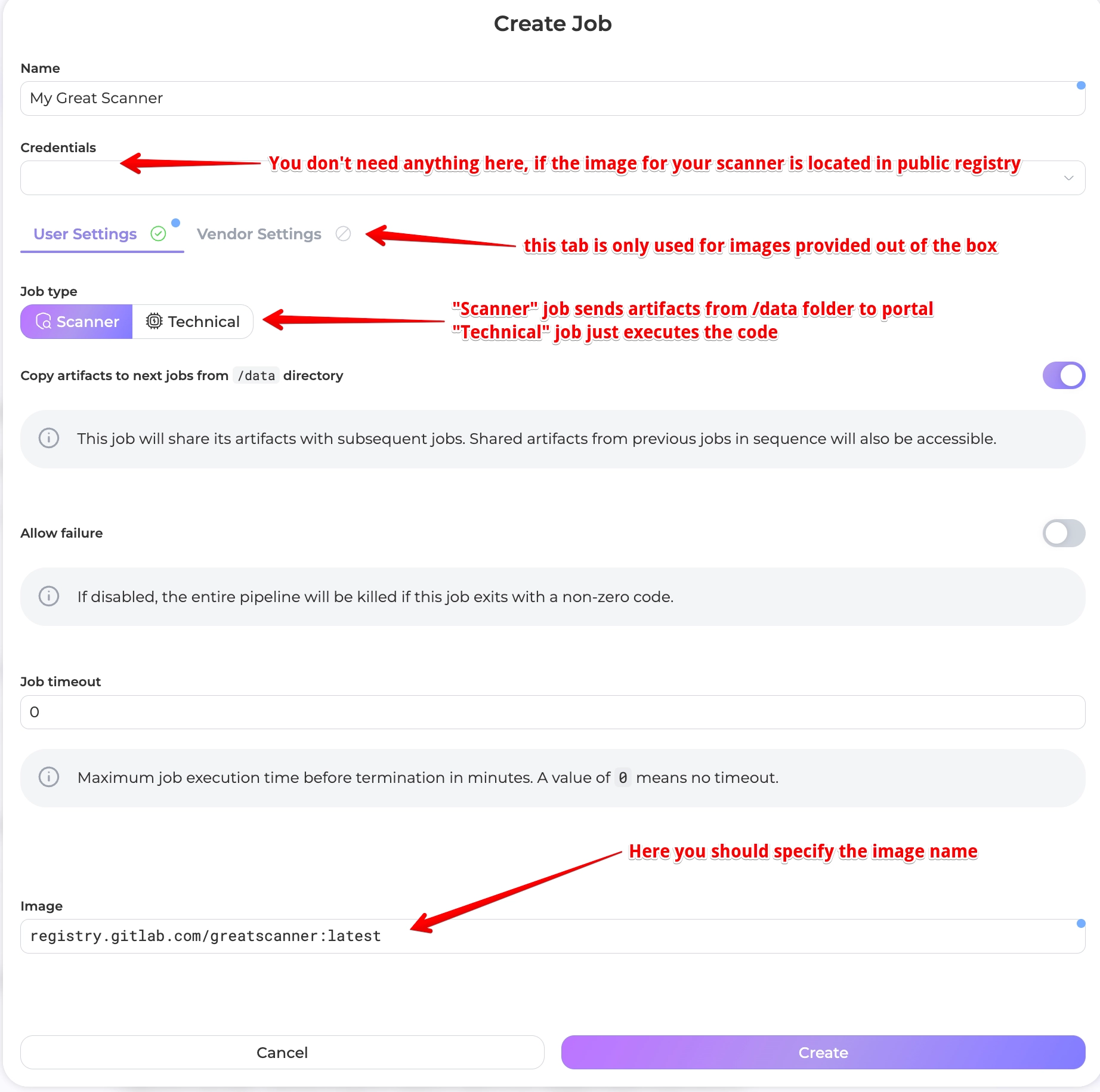
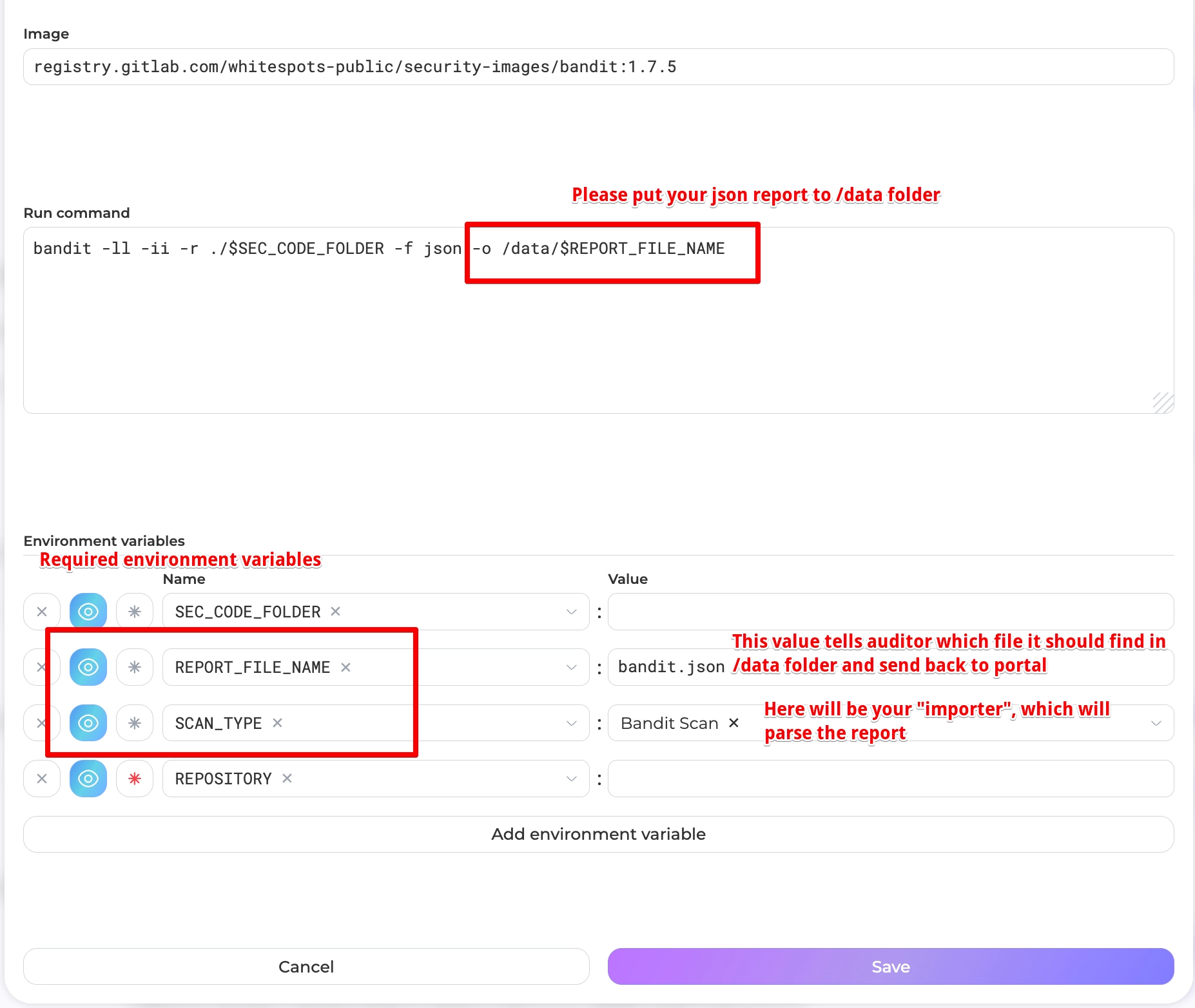
Ok, you put the image address, now it’s time to describe how it works
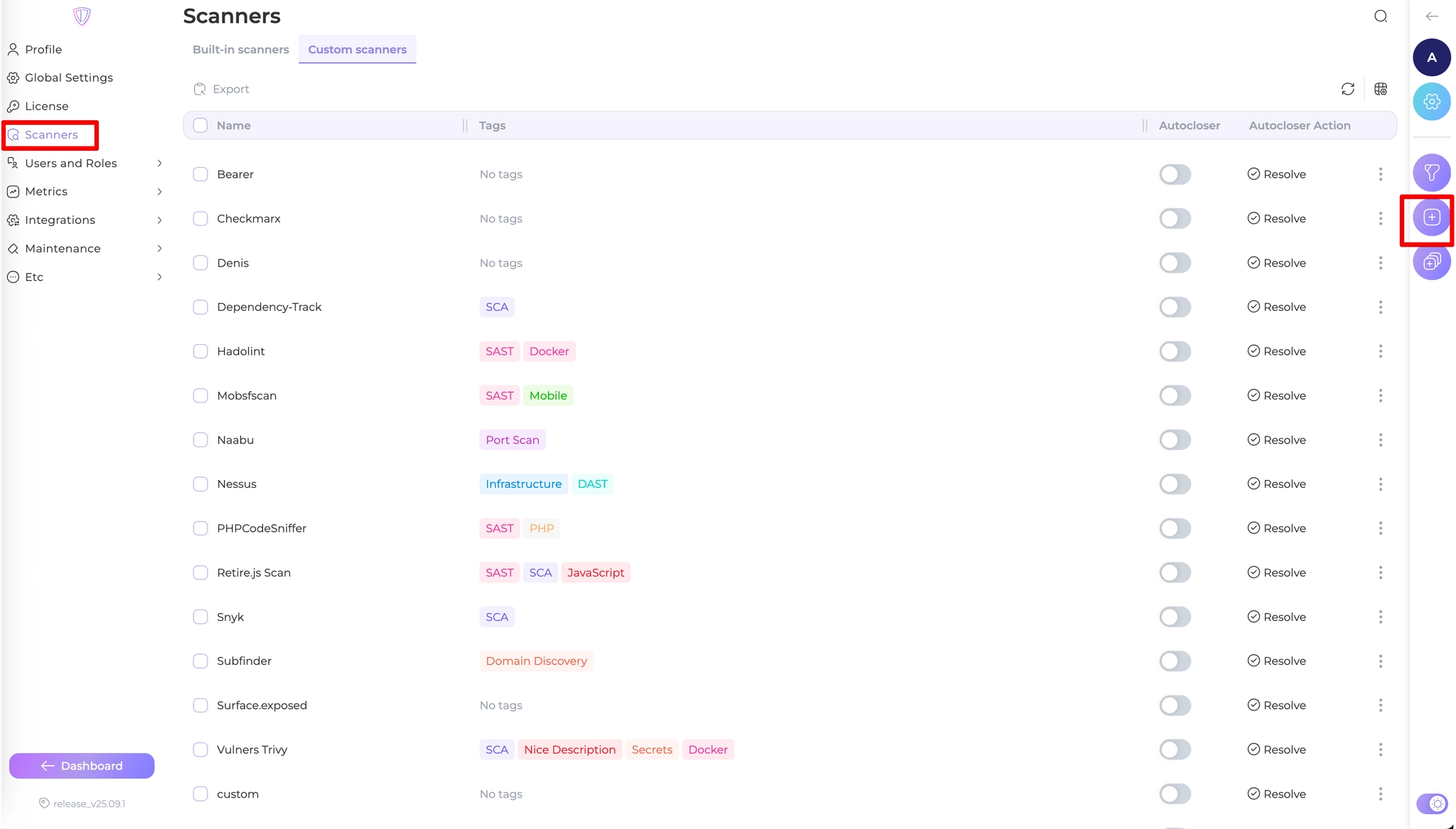
Add a new importer
- Navigate to Settings->Scanners
- Create a new importer with preferable name
- Go inside this scanner to configure the parse logic
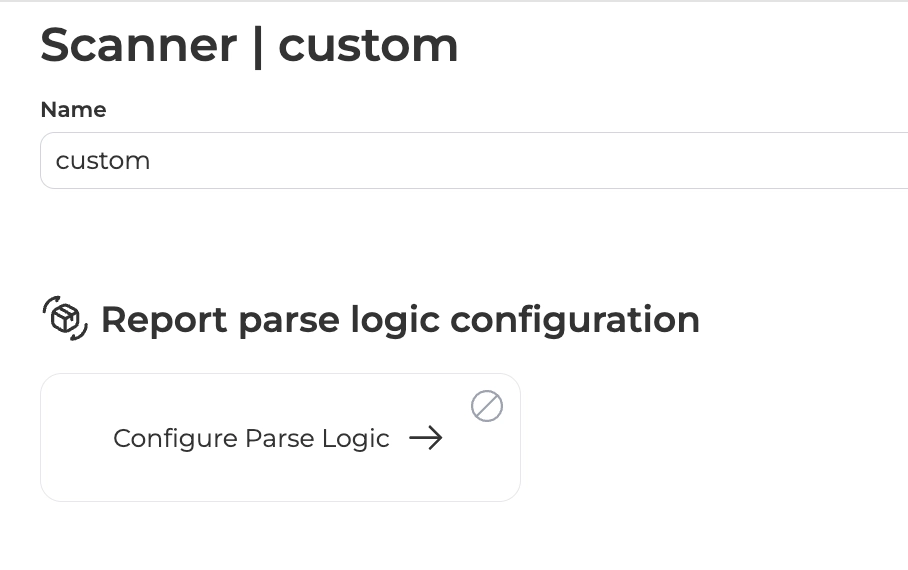
- Carefully follow the instructions (watch the video for more details)
Important information
Not all scanners have CWE, some of them don’t provide recommendations (as in example), only a few have proper severity table. That’s normal for them. You may tweak it with portal. That’s why we eat our bread :smile:
:tada: That’s it. Now you can get back to auditor and set a new SCAN_TYPE variable.
Put your job in a sequence and enjoy new checks.
PS. don’t forget to create a rule in deduplicator service.