Integration
To set up integration with your notification service, follow these steps:
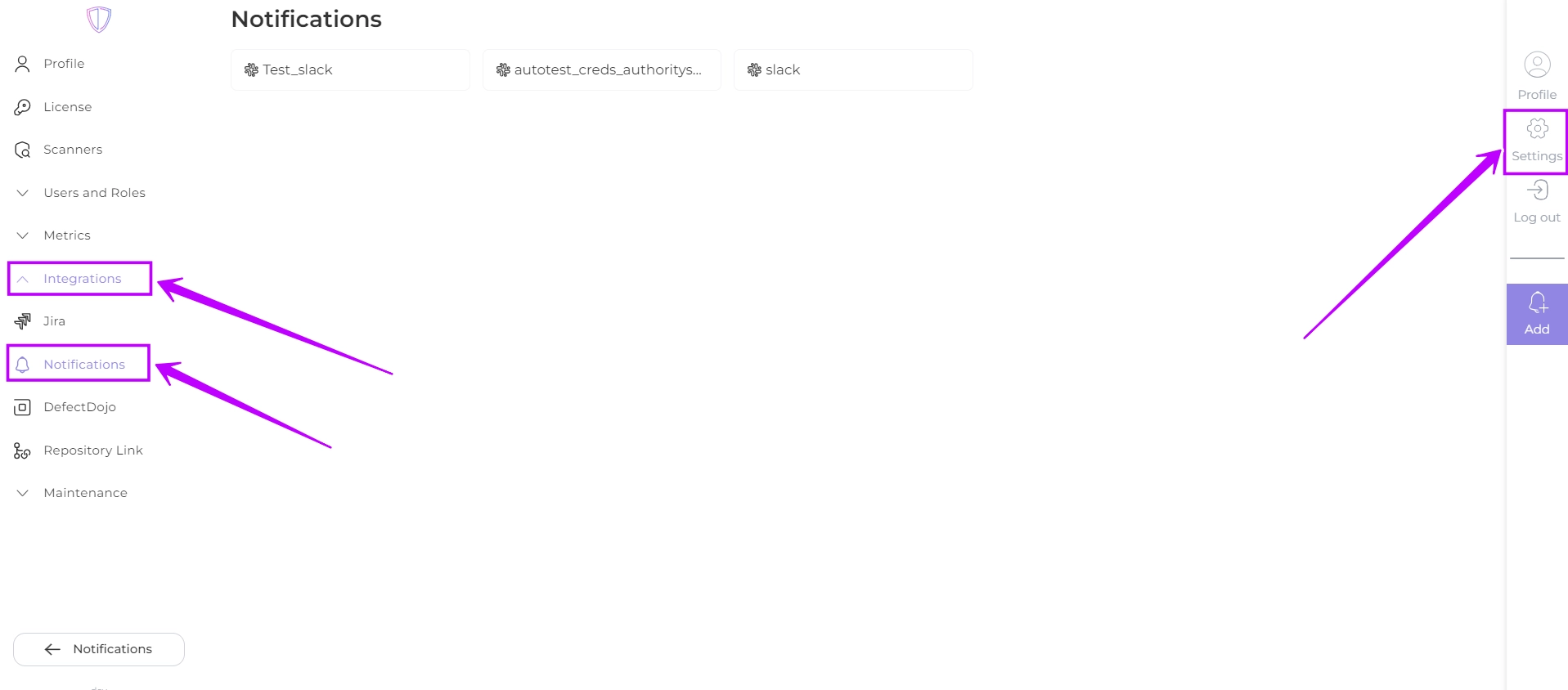
- Navigate to Settings -> Integrations -> Notifications:
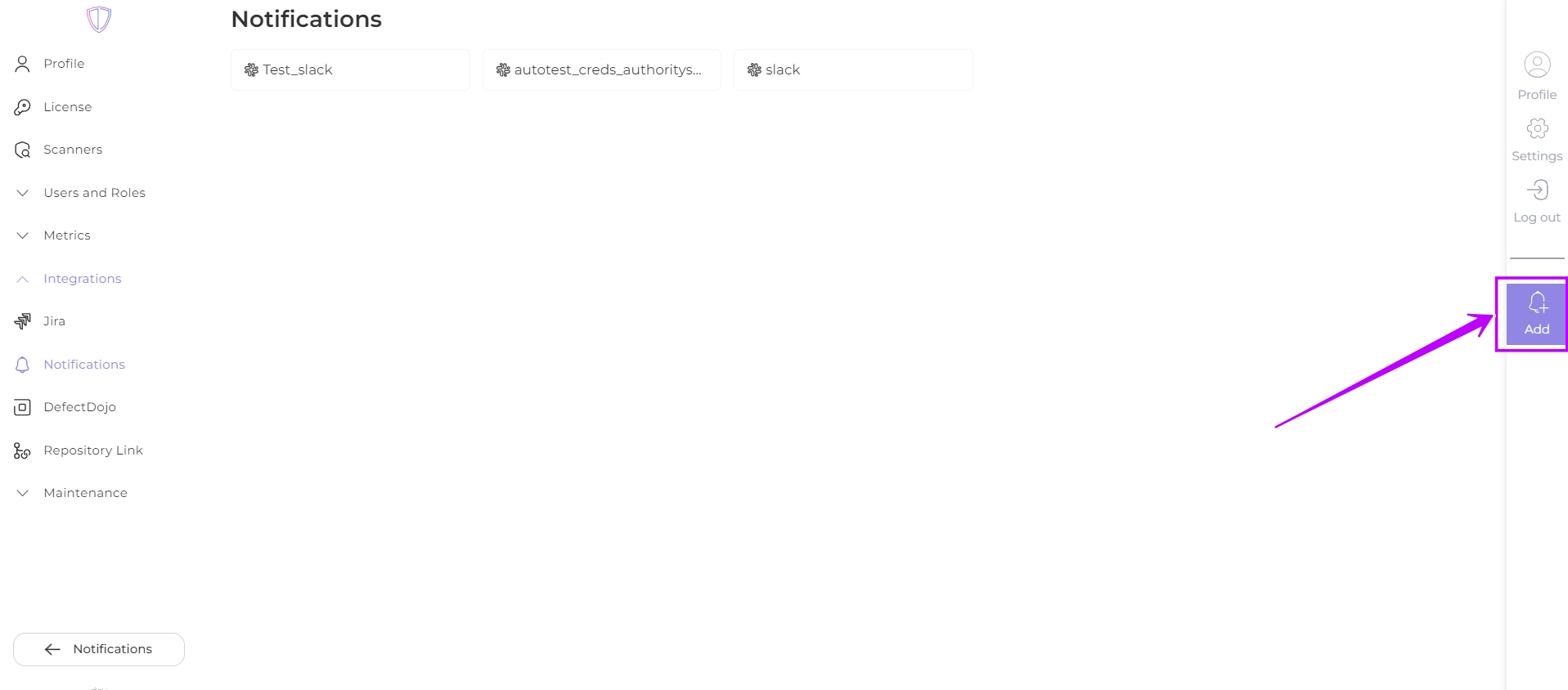
- Click
 to create a new integration
- Fill in the required fields:
- Title (required): The desired name of the integration or service to which the notification is associated.
- Notification URL (required): URL to which HTTP requests containing notifications are sent. AppSec Portal will use this URL to deliver notifications.
- Authorization Header (if your service requires authentication): The name of the HTTP request header in which the authentication token will be placed.
- Authorization Header Value (if your service requires authentication): The authentication token, which is placed in the specified header.
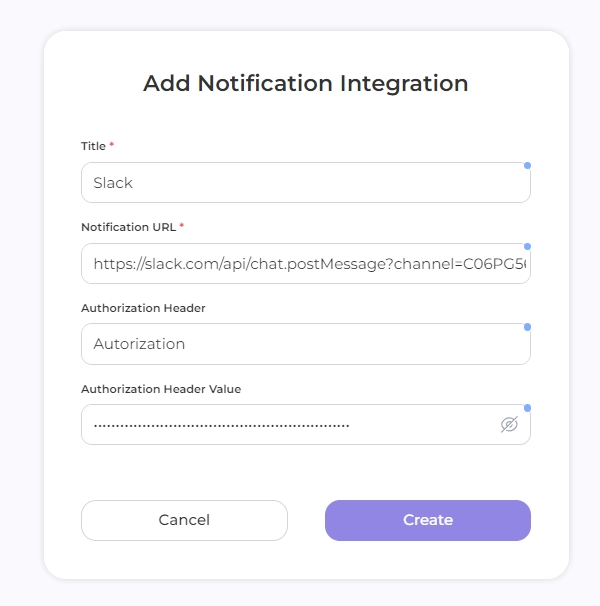
- Click Create
Once the integration is set up, you can configure the notification criteria and frequency.