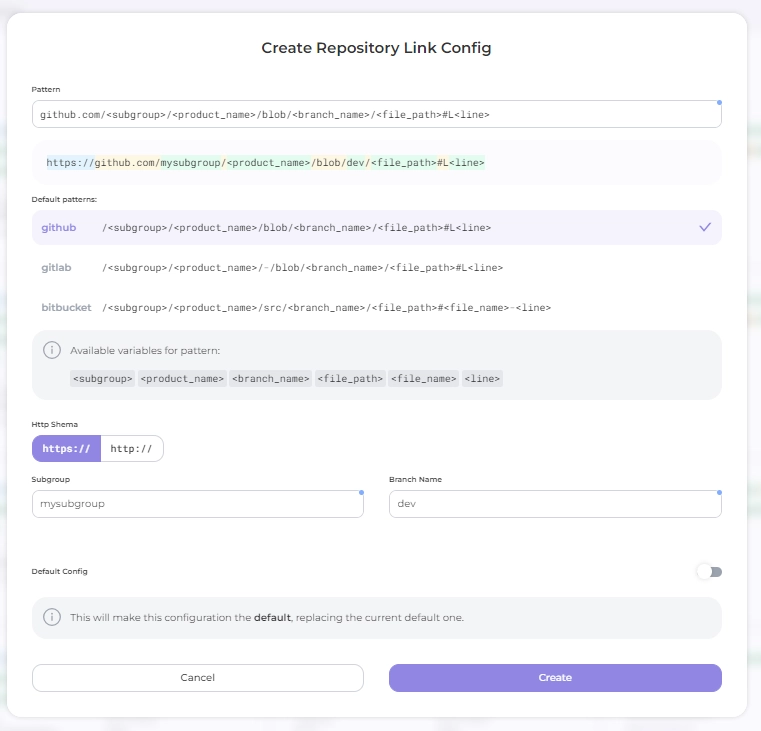
Repository Link Configs
Used in working with the Auditor
This configuration enables the Portal to provide a link to the repository sources using the provided finding path and line. Associate it with Product Assets of the Repository type in product settings.
Navigate to Settings → Integrations → Repository Link to specify pattern for repository link
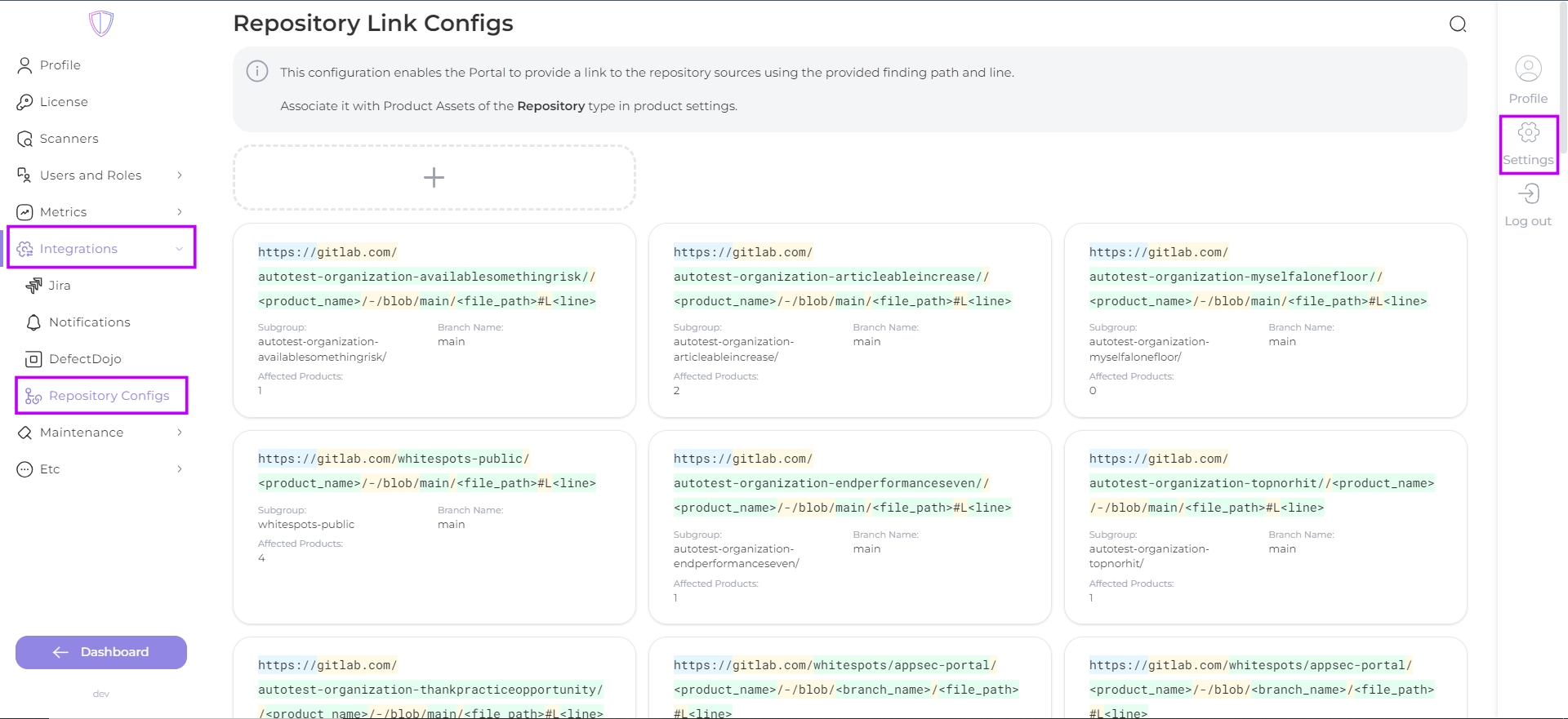
Create Repository link by clicking on the create button 
To help you get started, here is the URL builder:
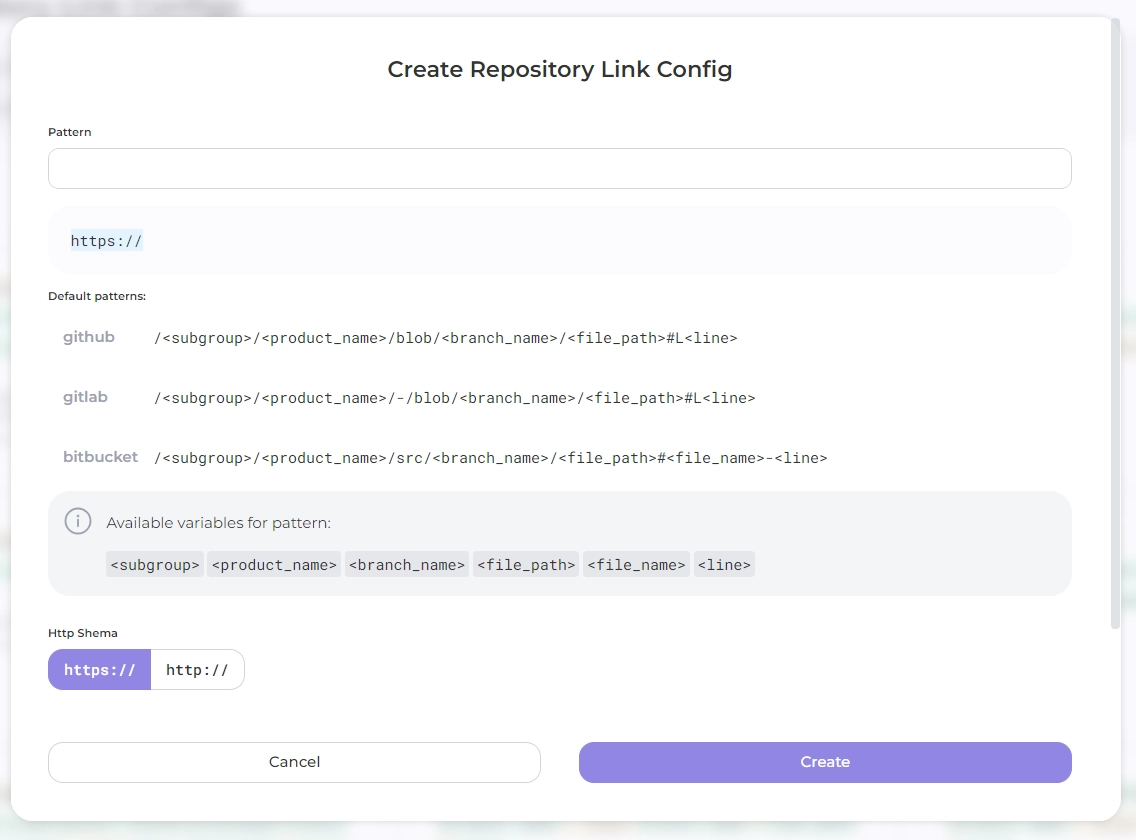
- select the URL pattern of your Git hosting service: choose from the Example patterns provided (available for GitHub, GitLab and Bitbucket) or create a new one in Pattern field;
- select a protocol shema;
- enter subgroup and branch name
- You can hover your mouse over the highlighted parts of the URL in the results box to see what they mean about the correct way to build the project repository.