Status change notification
You can configure notifications for product status changes by going to Settings -> Integrations -> Notifications -> <Your notification app> -> Status Change Notification
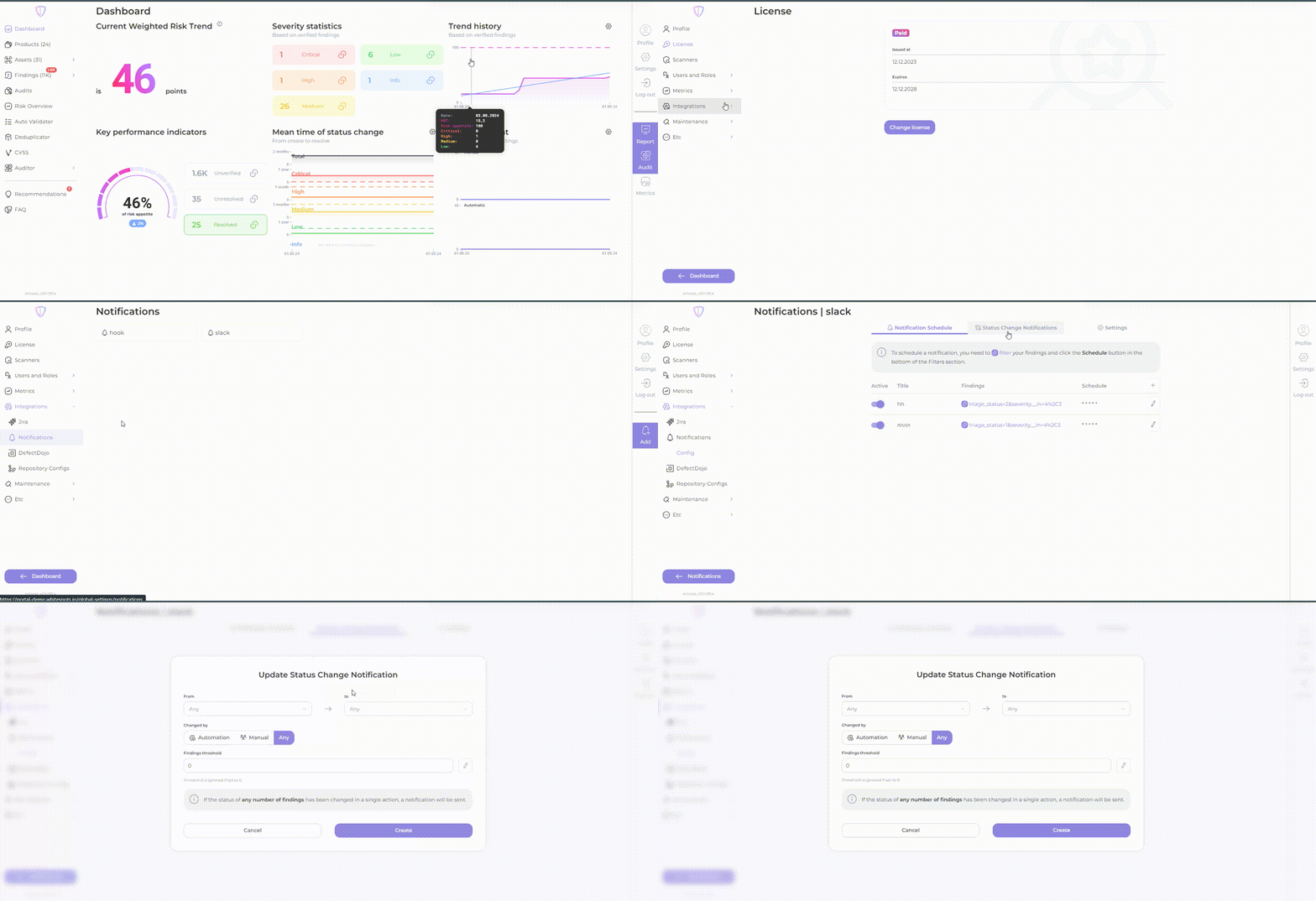
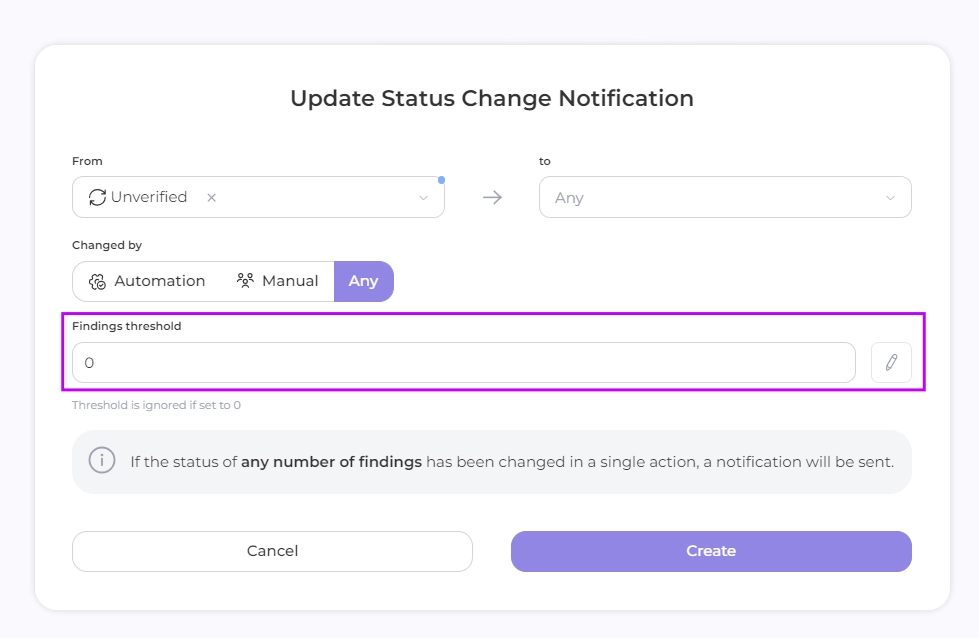
Adjust the settings according to your needs
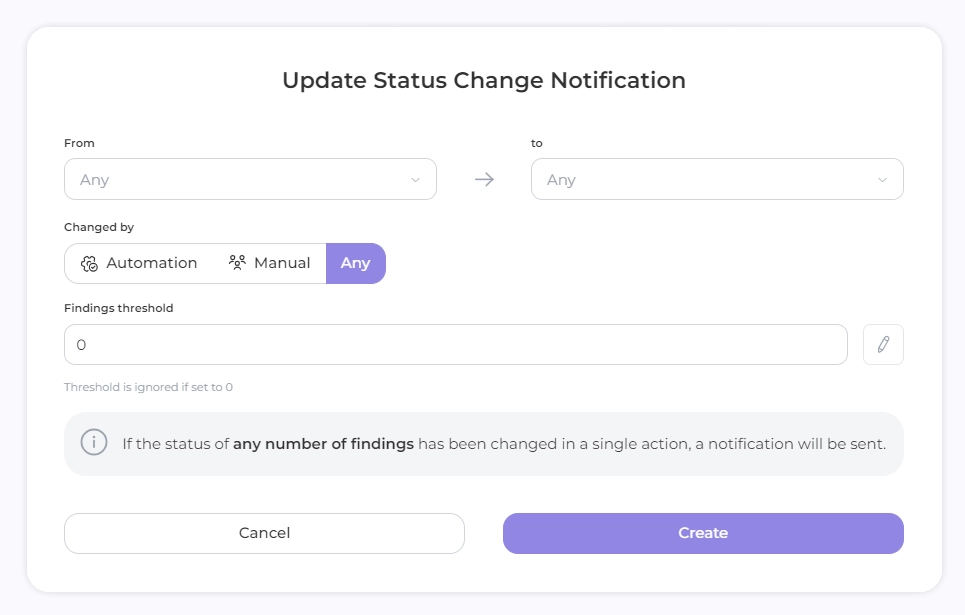
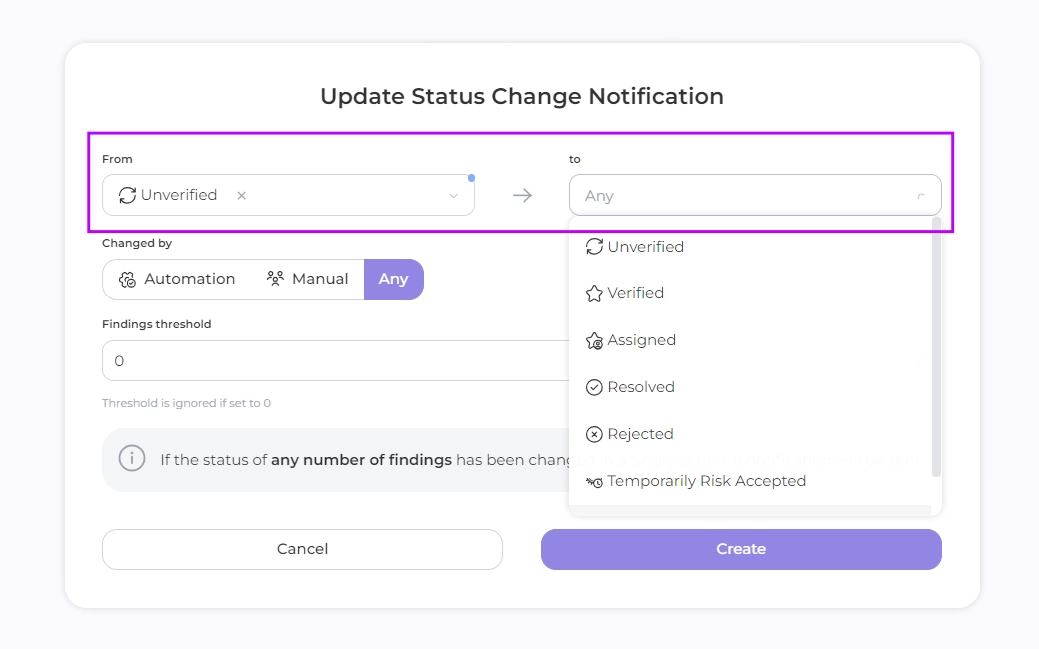
- Status: Set initial and modifiable status to receive notification of findings
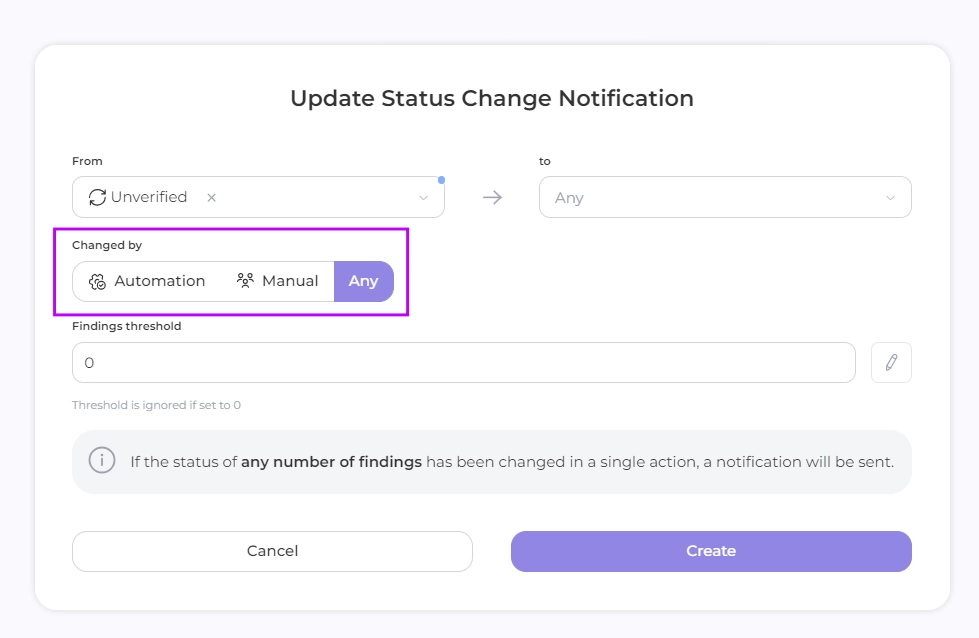
- Method of status change: automatically, manual, any
- Number of finds: Set the number of finds that will trigger a status change notification.
- Click Create