🖐️ Manual Import using Report File
Follow the steps below to download manualy a report that has been received from the scanner:
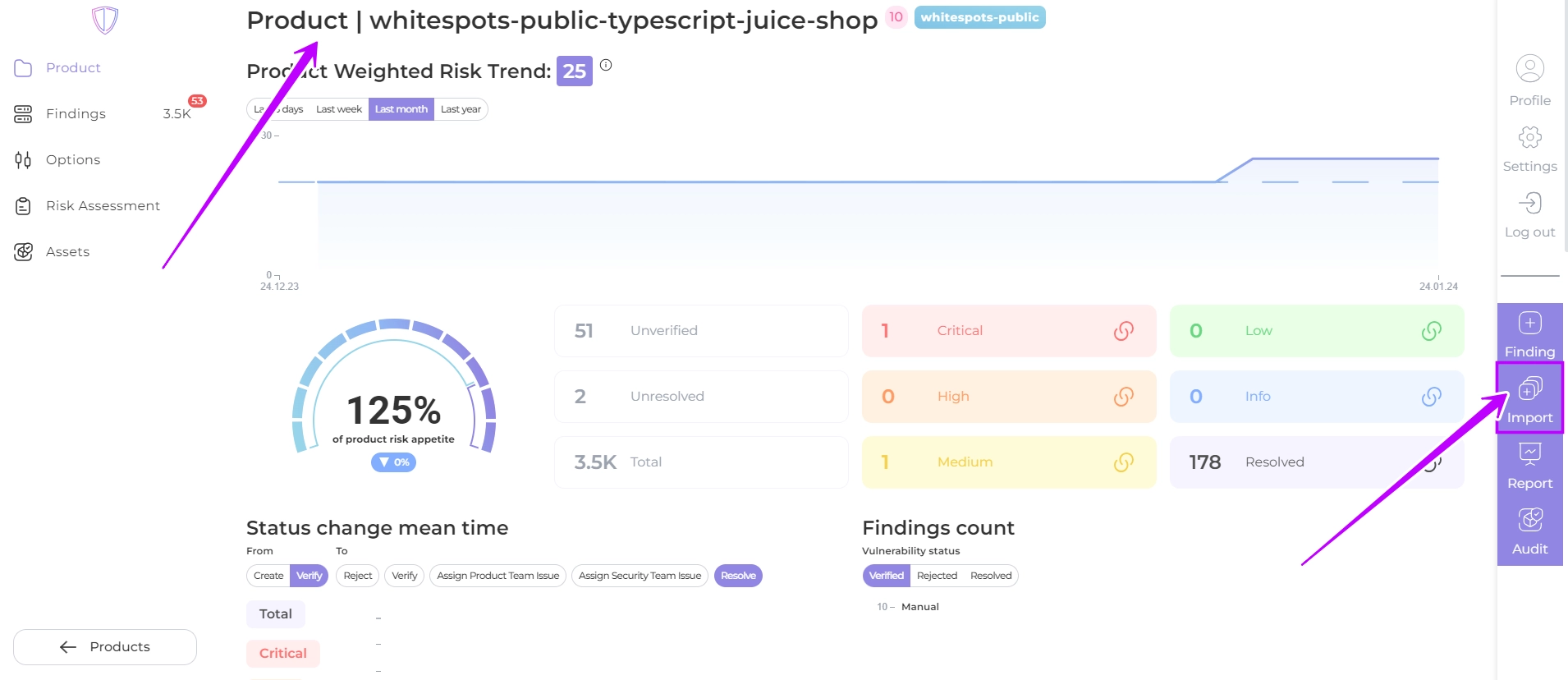
- Click the Import button
 on your product page
- Drag and drop or select your report file from the scanner to create your report
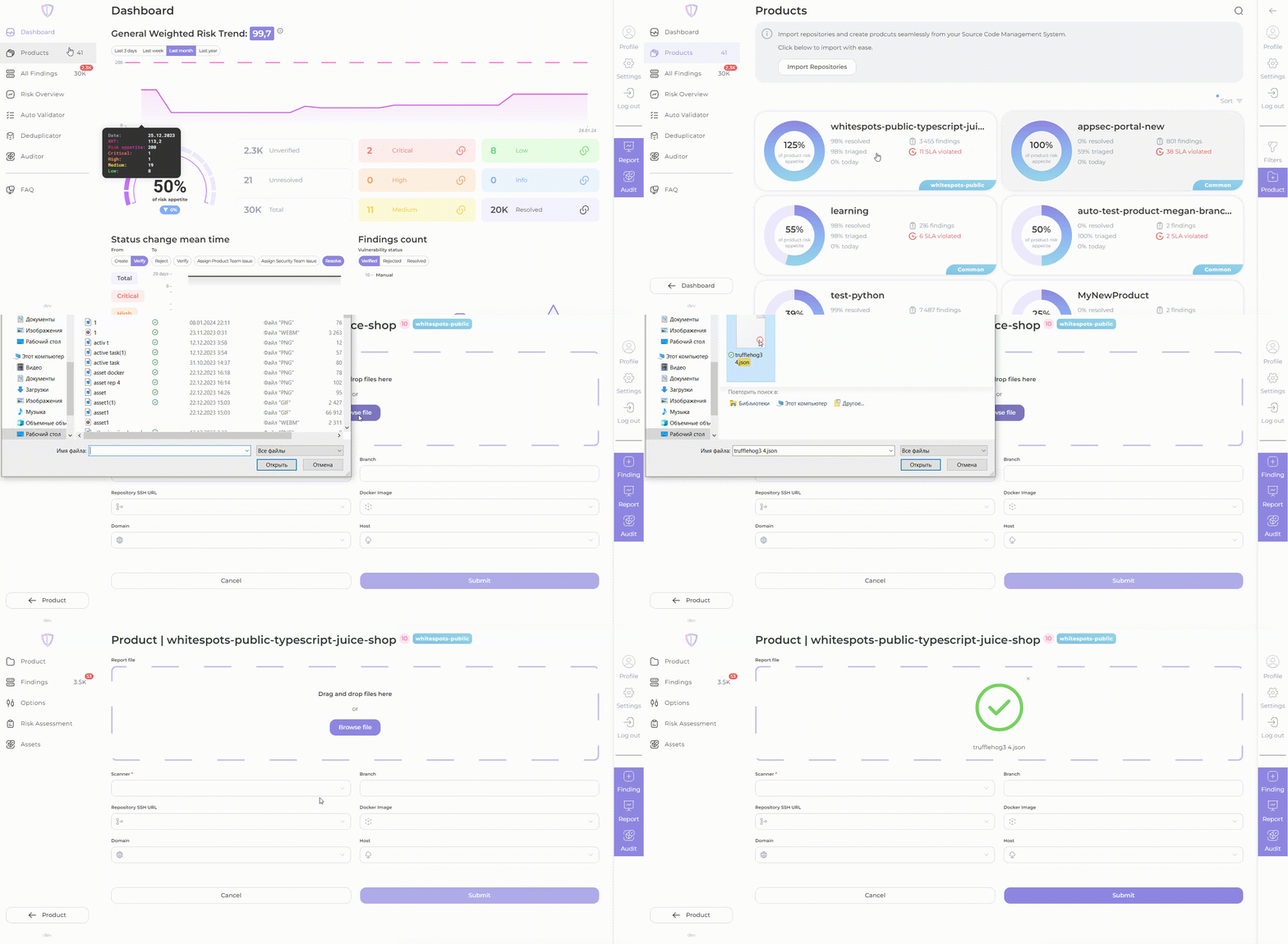
- Enter the scanner name (mandatory) and branch name (optional) in the appropriate fields.
- If you are using Auditor, fill in the product assets: repository, image registry, domain or host.
- Click Submit
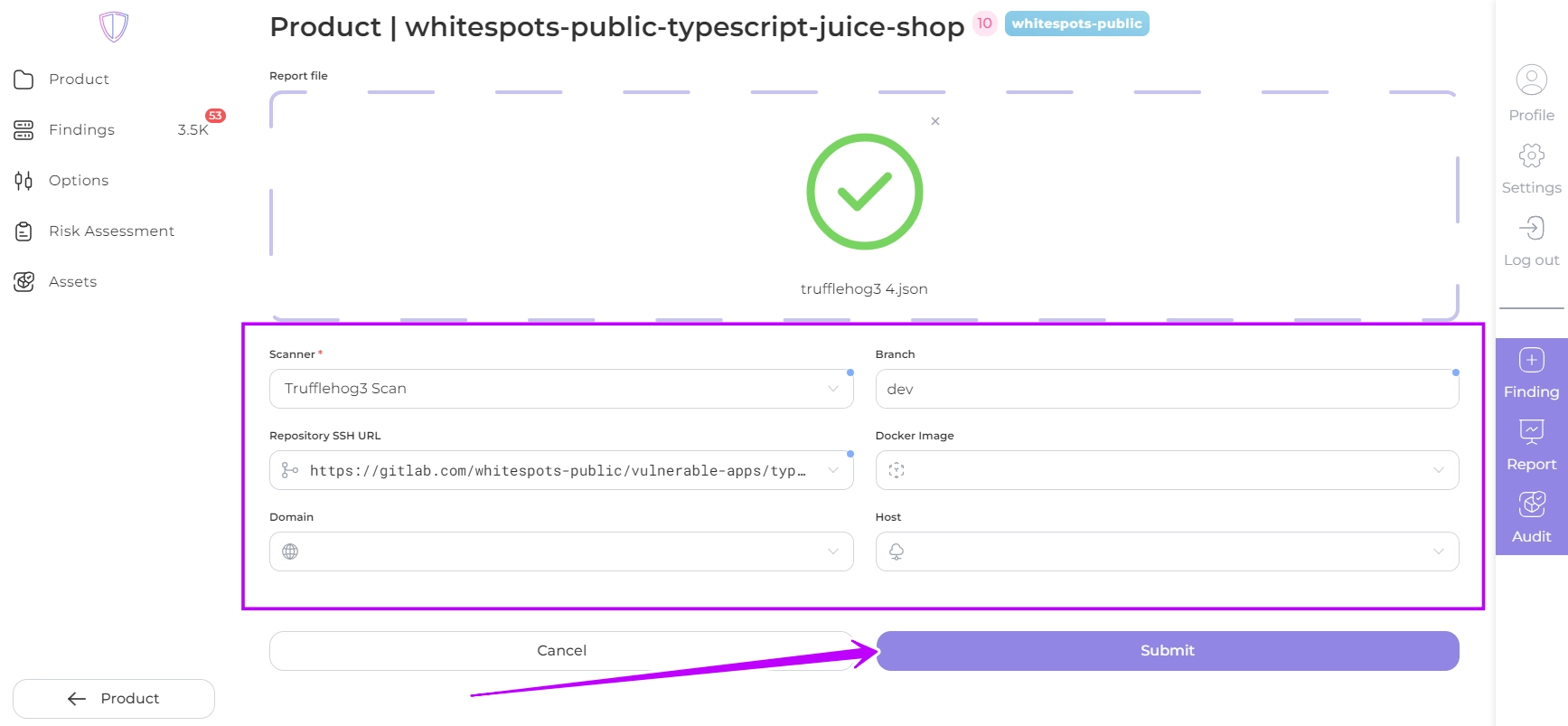
If the report contains findings, these will be displayed in the AppSec Portal for that product.